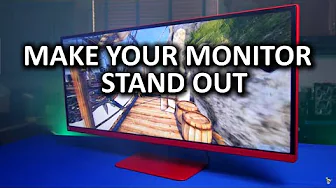
Badass Monitor Painting Guide - LG 34UM67 FreeSync Gaming Monitor
0 up · 0 down · 0 ratings
Channels and socials
How can you take your desktop rig customization to the next level? Why not by painting your monitor?... Ting link: linus.ting.com Freshbooks link: linustechtips.com Pricing & discussion: linustechtips.com Support us: linustechtips.com Join our community forum: bit.ly twitter.com @LinusTech Intro Screen Music Credit: Title: Laszlo - Supernova Video Link: youtube.com iTunes Download Link: itunes.apple.com Artist Link: soundcloud.com
The video opens with an unusual DIY project, focusing on painting a monitor rather than a traditional tech review. The host sets the stage by acknowledging the quirky premise and invites viewer feedback on whether to pursue more extreme hardware optimization guides in the future. He selects an LG 34UM67 FreeSync ultrawide gaming monitor as the subject, highlighting its dual personalities: a capable 75 Hz panel on the front and a plain back that motivates the aesthetic mod. The tutorial then dives into disassembly, using an LG-provided guide to carefully remove the panel, speaker, and mounting hardware so the surface can be treated without risking screen damage. The commentary emphasizes meticulous preparation and masking to prevent paint from contacting the display or connectors, underscoring attention to detail and measured steps. By the end of this first segment, the host has transformed from a casual tinkerer into a methodical painter, laying a foundation for a durable, high-gloss finish. Overall, this section establishes the project’s safety considerations, the rationale for not painting the screen directly, and the goal of achieving a unique red finish while preserving monitor functionality.
Topics · diy · hardware · technology · lifestyle · makers
Questions answered
- What is the recommended sequence of treatments for painting the monitor plastics?
- Clean the plastic parts, roughen the surface with a scuff pad to promote adhesion, apply adhesion promoter, then multiple coats of primer with light sanding between coats, followed by the base color and a clear coat.
- Why does the creator disassemble the monitor rather than masking the screen directly?
- Masking the screen and ports would not yield a durable finish and could risk damaging the display, so the panel is removed following the manufacturer guide to safely access plastics for painting.