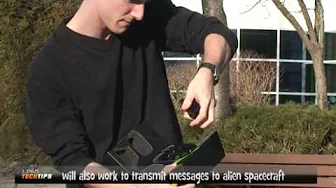
nVidia GEFORCE 3D Vision LCD Glasses Unboxing & First Look Linus Tech Tips
0 up · 0 down · 0 ratings
Description
I head outside outside to test out some new glasses, no, not sunglasses, but nVidia's 3D Glasses for use with select 3D monitors
This video from Linus Tech Tips is a silent unboxing and first look at Nvidia GeForce 3D Vision LCD glasses, filmed outside the office to use natural light. The host begins by demonstrating the box opening, with a quick aside about occasional technical hiccups including a camera microphone issue and the absence of a dedicated boom mic. He then walks the audience through the packaging contents, starting with the carrying pouch and the quick start guide, and proceeds to identify the infrared transmitter, USB cables, and the DVI to HDMI adapter. As the unboxing continues, he notes key features such as the glasses themselves with an infrared receiver built into the side and a wheel used to adjust depth of field, while the quick start guide explains compatibility, minimal system requirements, and basic setup steps. The footage highlights the practical, hands-on nature of the product introduction, including the host wearing the glasses and sharing initial impressions about fit and aesthetics, before wrapping up and returning to the office to continue with the actual testing. Throughout, the host emphasizes a casual, early-era tech vibe, mixing informative details about components with light humor and the occasional GoPro-like plane overflight moment that interrupts the narration, all concluding with a thanks to viewers for watching Linus Tech Tips. The video thus blends hardware exploration with on-location filming, giving viewers a concise snapshot of the 3D Vision ecosystem and the user experience of unboxing a niche gaming peripheral from that period.
Topics · technology · hardware_unboxing · consumer_tech · linus_tech_tips · computer_peripherals
Questions answered
- What hardware is being unboxed in this Linus Tech Tips video?
- The Nvidia GeForce 3D Vision LCD glasses and their accompanying accessories are unboxed, including the infrared transmitter, USB cables, and DVI to HDMI adapter.
- Where was the video filmed and what filming conditions were noted?
- The unboxing was filmed outside near the office using natural light, with a moment where the host comments on the environment and lighting conditions.