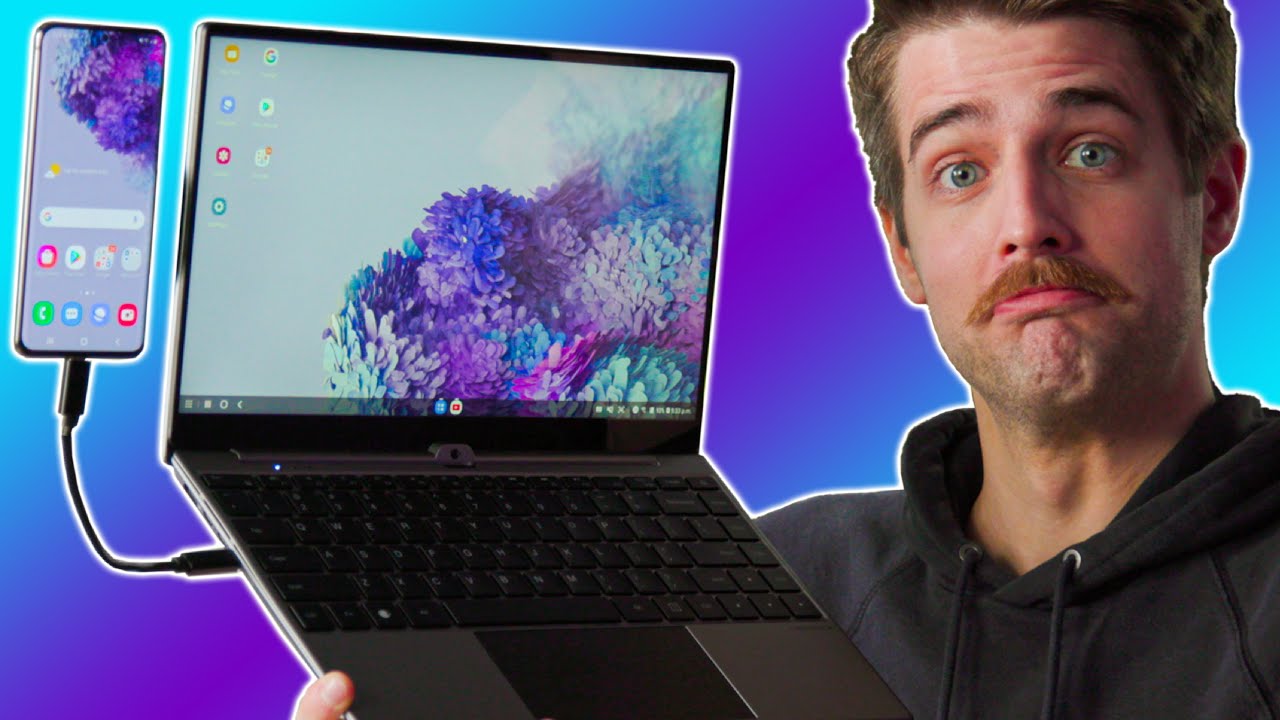
This Laptop is from the FUTURE - Nexdock Touch
0 up · 0 down · 0 ratings
Description
Get your free 32GB Flash Drive & 32GB Micro SD Card at rebrand.ly Get the best prices and best selection at Micro Center: rebrand.ly Micro Center Community: rebrand.ly Micro Center Custom PC Builder: rebrand.ly Connecting your smartphone to your laptop isn't exactly new but having it be the brains of your "laptop" is fairly interesting, especially since it's almost as fast as your a mid-tier laptop.
Promos
Check out the NexDock 2 Touch at lmg.gg Buy Samsung S20 Smartphone On Amazon (PAID LINK): geni.us On Newegg (PAID LINK): geni.us On B&H (PAID LINK): geni.us On BestBuy (PAID LINK): geni.us Purchases made through some store links may provide some compensation to Linus Media Group. ►GET MERCH: lttstore.com ►SUPPORT US ON FLOATPLANE: floatplane.com ►LTX EXPO: ltxexpo.com AFFILIATES & REFERRALS --------------------------------------------------- ►Affiliates, Sponsors & Referrals: lmg.gg ►Private Internet Access VPN: lmg.gg ►MK Keyboards: lmg.gg ►Nerd or Die Stream Overlays: lmg.gg ►NEEDforSEAT Gaming Chairs: lmg.gg ►Displate Metal Prints: lmg.gg ►Epic Games Store (LINUSMEDIAGROUP): lmg.gg ►Amazon Prime: lmg.gg ►Audible Free Trial: lmg.gg ►Our Gear on Amazon: geni.us FOLLOW US ELSEWHERE --------------------------------------------------- Twitter: twitter.com Instagram: @shortcircuityt Facebook: @ShortCircuitYT FOLLOW OUR OTHER CHANNELS --------------------------------------------------- Linus Tech Tips: lmg.gg TechLinked: lmg.gg Techquickie: lmg.gg LMG Clips: lmg.gg Channel Super Fun: lmg.gg Carpool Critics: lmg.gg
The video introduces NexDock NextDock Touch, a lapdock that uses a smartphone or compact computer as the brains of a larger shell, effectively turning your phone into a desktop-like system. The host walks through the product, highlighting design refinements since the previous model, such as a smoother finish, a larger and more responsive touchpad, and the removal of thick bezels. He notes the built-in touchscreen addition and explains the port roster: HDMI input for external displays, three USB-C ports for charging, data, and peripheral connectivity, plus a USB-A, headphone jack, and microSD slot on the opposite side. The build includes protective features like a keyboard protector and screen protector, and a two-cell battery upgrade to 60.8 watt-hours, marking a meaningful boost over the prior 52 Wh. The presenter also discusses practical usage scenarios, such as using the NexDock with a Samsung Galaxy phone and a Raspberry Pi, and he compares it to the older model to illustrate improvements in texture, keyboard size, and overall usability. The segment closes with a candid glimpse at real-world caveats, including the need for adapters, potential heat considerations, and the value proposition at its $269 price point, while acknowledging the niche appeal for tinkerers and field engineers craving portable server or docking capability. The second portion delves into hands-on setup and daily use, beginning with unboxing and quick-start reading that emphasizes protection features and thoughtful packaging. The host tests the device with multiple devices while discussing how the touch screen integrates into the workflow, the improved trackpad precision, and the ease of switching between windows for multitasking. He demonstrates the magnetic phone mount and the ergonomic considerations of angle and cable management, noting a bendy cord issue when the phone is not optimally positioned. The audio experience is touched on, with modest built-in speakers that are adequate but not spectacular for media playback. Throughout, the video repeatedly references the goal of turning a smartphone into a full computing environment, underscoring the concept of a portable, dockable, phone-centered computing future. The host concludes by framing NexDock as a pragmatic step toward a future where personal data, apps, and computing power can live on a pocket-sized device, provided you accept the tradeoffs of a startup-era product and a premium price for enthusiasts. In the final stretch, the host consolidates the assessment into a verdict: NexDock has clearly progressed on multiple fronts, including smoother texture, improved input devices, removed fat bezels, touch support, larger battery, and a more polished overall package. He reinforces the notion that the NexDock concept remains unique in the market, with Samsung’s desktop modes as a distant parallel, and expresses optimism about the broader feasibility of phone-first computing. The closing remarks acknowledge the ongoing tension between innovative early-stage hardware and mainstream adoption, while praising the tactile and ergonomic gains of this revision. Audience takeaway centers on whether a $269 shell paired with a compatible phone is worth the investment for users who value modularity, portability, and future-proofing over conventional laptop conveniences.
Topics · technology · hardware · consumer-electronics · product-review · mobile-computing
Questions answered
- What is the NexDock NextDock Touch and how does it work?
- The NexDock NextDock Touch is a lapdock that contains no internal laptop brain; it acts as a shell that you connect a smartphone or compact PC to, using the phone or PC as the computing core while the NexDock provides the display, keyboard, trackpad, and ports.
- What are the key improvements over the previous model?
- Improvements include a nicer finish, a larger and more responsive touchpad, thinner bezels, added touchscreen, protective accessories like a keyboard and screen protector, and a larger battery of 60.8 watt-hours.
- What are the main ports and how can you use them?
- The device offers an HDMI port for external displays, three USB-C ports for charging, data, and peripherals, a USB-A port, a headphone jack, and a microSD card slot, enabling connection to displays, storage, peripherals, and a Raspberry Pi or similar micro PC.