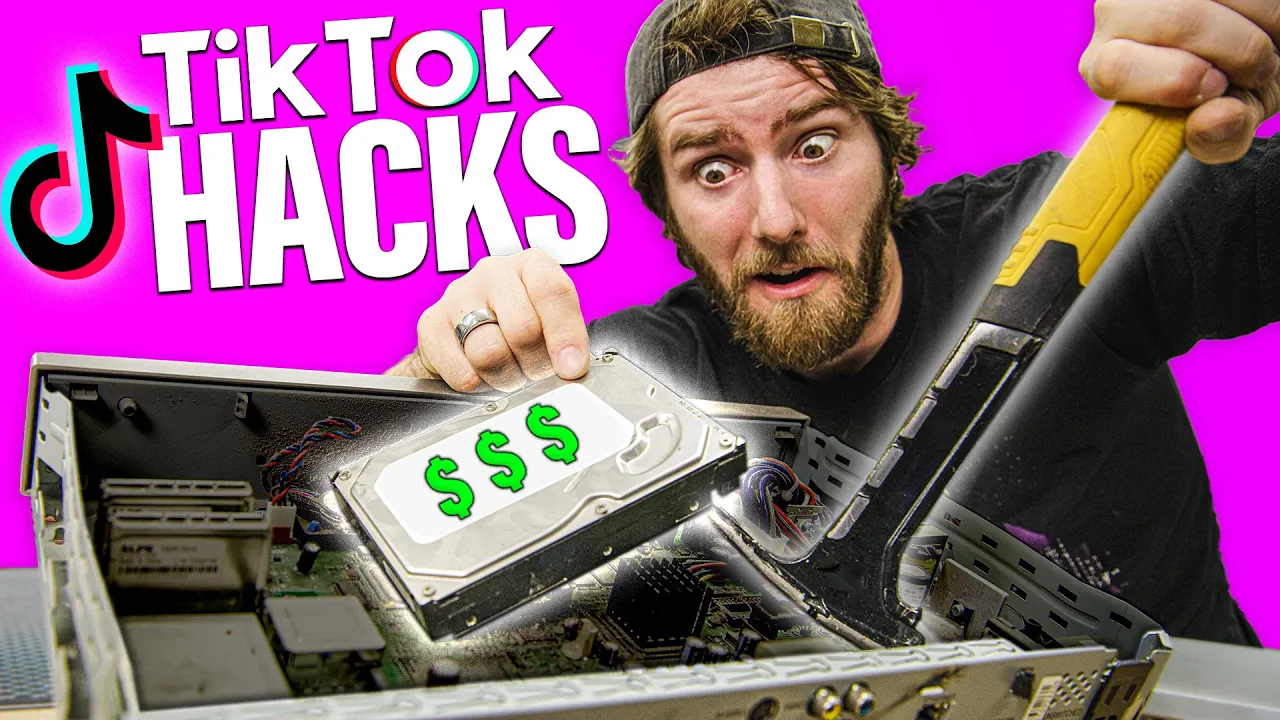
Trying TikTok Computer Hacks...
0 up · 0 down · 0 ratings
Promos
Wanting to remain current and hip we investigate the tech tips of TikTok. Buy Samsung Odyssey G9 On Amazon (PAID LINK): geni.us On Best Buy (PAID LINK): geni.us On Newegg (PAID LINK): geni.us Buy 1TB HDD On Amazon (PAID LINK): geni.us On Best Buy (PAID LINK): geni.us On Newegg (PAID LINK): geni.us Buy Dell XPS 15 On Amazon (PAID LINK): geni.us On Best Buy (PAID LINK): geni.us On Newegg (PAID LINK): geni.us Buy HP ZBook Studio On Amazon (PAID LINK): geni.us On Newegg (PAID LINK): geni.us On B&H (PAID LINK): geni.us Buy Xtrfy M42 On Amazon (PAID LINK): geni.us On Newegg (PAID LINK): geni.us Purchases made through some store links may provide some compensation to Linus Media Group. Software tools mentioned in-video Get Ninite here: ninite.com Get WinDirStat here: windirstat.net Get the sleeker, faster cousin of WinDirStat - WizTree - here: diskanalyzer.com Get ShareX here: getsharex.com Instructions for play video on login: community.spiceworks.com Paste multiple things using Win+V instead of Ctrl+V Reset GPU drivers with Win+Shift+Ctrl+B Discuss on the forum: linustechtips.com ►GET MERCH: lttstore.com ►SUPPORT US ON FLOATPLANE: floatplane.com ►LTX EXPO: ltxexpo.com AFFILIATES & REFERRALS --------------------------------------------------- ►Affiliates, Sponsors & Referrals: lmg.gg ►Check out our podcast gear: kit.co ►Private Internet Access VPN: lmg.gg ►Our Official Charging Partner Anker: lmg.gg ►Secretlabs Gaming Chairs: lmg.gg ►MK Keyboards: lmg.gg ►Nerd or Die Stream Overlays: lmg.gg ►Green Man Gaming lmg.gg ►Amazon Prime: lmg.gg ►Audible Free Trial: lmg.gg ►Our Gear on Amazon: geni.us FOLLOW US ELSEWHERE --------------------------------------------------- Twitter: twitter.com Facebook: @LinusTech Instagram: @linustech Twitch: twitch.tv FOLLOW OUR OTHER CHANNELS --------------------------------------------------- Mac Address: lmg.gg Techquickie: lmg.gg TechLinked: lmg.gg ShortCircuit: lmg.gg LMG Clips: lmg.gg Channel Super Fun: lmg.gg Carpool Critics: lmg.gg MUSIC CREDIT --------------------------------------------------- Title: Laszlo - Supernova Video Link: youtube.com iTunes Download Link: itunes.apple.com Artist Link: soundcloud.com Outro Screen Music Credit: Approaching Nirvana - Sugar High youtube.com Intro animation by MBarek Abdelwassaa @mbarek_abdel Monitor And Keyboard by vadimmihalkevich / CC BY 4.0 geni.us Mechanical RGB Keyboard by BigBrotherECE / CC BY 4.0 geni.us Mouse Gamer free Model By Oscar Creativo / CC BY 4.0 geni.us CHAPTERS --------------------------------------------------- 0:00 Intro 0:57 DVR HDD hack 4:45 Storage Space hack 6:40 "hacking" hacks 9:46 Homework folder 10:53 Inspect element with extra steps 11:23 Headphone warning 12:16 We hate you Dbrand 12:40 Video on wake 14:02 Memory profiles 14:43 Multiple clipboard entries - Windows key+V 15:05 Reset GPU drivers Win+Ctrl+Shift+B
Trying TikTok Computer Hacks presents a skeptical, methodical take on popular tech tips circulating on TikTok. The video opens with Linus and team evaluating a DVR-based storage hack, where thrift-store DirectTV DVRs are torn down to extract hard drives. They highlight practical issues such as security screws, safety precautions, and the reality that many drives may be near end-of-life, with only a subset actually usable. The hosts show hands-on exploration, noting that one unit yielded a usable 500 GB drive while others failed, and they emphasize the financial calculation behind salvaging drives versus buying new storage. They conclude that while the idea is creative and offers some value, it comes with significant caveats about safety, reliability, and the true utility of repurposed drives. Overall, the segment balances humor with caution, rating the hack at 7 out of 10 while warning about the risks of DIY extraction from aging hardware. In the next portion, the team shifts to space-saving and cleanup hacks that pretend to optimize a full PC. They discuss WinDirStat and similar tools as a way to visualize disk usage and reclaim tens of gigabytes by identifying forgotten files and folders. The discussion demonstrates installing WinDirStat via Ninite, running a scan, and interpreting the mosaic visualization to drill down into large folders. They reveal that nearly 30 GB of unnecessary data can be freed, and they rate the concept highly for practicality, giving it a 10 out of 10 for the idea. However, they critique the execution of other TikTok tips that promised more than they delivered, stressing that some hacks feel more like entertainment than actual hacking. The commentary reinforces the value of trustworthy tooling and the importance of practical demonstrations over clickbait promises. The middle portion surveys several “hack” ideas that rely on screenshot sharing, inspect element, and basic Windows features. They examine the prnt.sc method for grabbing screen captures and the risk that shared screenshots can reveal private information, followed by a discussion of tools like ShareX that automate image hosting and clipboard sharing. The team also evaluates the classic inspect element trick for altering webpage text locally, noting that while it can be convenient, it is not a true security hack and should be used for harmless, consensual purposes only. They assign high notes to the convenience of these techniques (often 9/10 or 10/10) while flagging ethical concerns and privacy risks. The narrative reflects a mix of amusement and skepticism about how much of TikTok’s “hacks” truly qualifies as hacking. The closing section covers miscellaneous tips including hiding folders, keyboard shortcuts, and attempting to influence boot-time behavior with BIOS/RAM profiles. They critique the multi-clipboard feature and the common misconception that simple settings changes will dramatically speed up systems, pointing out stability considerations and the nuance of memory overclocking on different hardware. The hosts provide balanced judgments, rating some tips as useful while others are incomplete or risky, with final scores ranging from 4 to 9 out of 10 depending on the tip. The video wraps with a candid acknowledgment that a lot of the popular hacks are more about entertainment than technical depth, and they encourage viewers to focus on safe, well-supported methods for maintaining and optimizing their PCs.
Topics · technology · hardware · software · cybersecurity · consumer_electronics
Questions answered
- What is the main takeaway about salvaging hard drives from old DVRs?
- salvaging drives can yield usable space but involves safety risks, uncertain drive reliability, and questionable value compared to buying new storage.
- Why is WinDirStat considered useful in PC maintenance?
- it visually maps disk usage, helps identify forgotten large files, and can recover significant free space when used responsibly.
- Is inspecting element and screenshot hacking a real security hack?
- no, it is a client-side trick for local edits or misleading screenshots, not a true security breach, and it carries privacy risks.
- What is the overall stance on TikTok hacks shown in the video?
- most tips are entertaining but not deeply technical; safe, trustworthy methods are recommended over risky or incomplete hacks.