Intel Haswell 4th Generation Core i5 & i7 Overclocking Guide
0 up · 0 down · 0 ratings
Promos
If you have a 4770K or 4670K, then this overclocking guide is perfect for you! This video overclocking guide was sponsored by Intel. Sponsor link: intelgamingpromo.com Parts List: Intel Core i7 4770K "Haswell" CPU Intel 335 Series 180GB SSD ASUS Maximus VI Extreme motherboard with OC Panel Highspeed PC Tech Station test bench GeForce GTX 780 video card Corsair Dominator 32GB DDR3 RAM Corsair AX1200i power supply Corsair H100i CPU cooler Join our community forum: bit.ly twitter.com @LinusTech Pricing & availability: ncix.com Music by Adhesive Wombat used with permission.
Channels and socials
Check out his work here: youtube.com
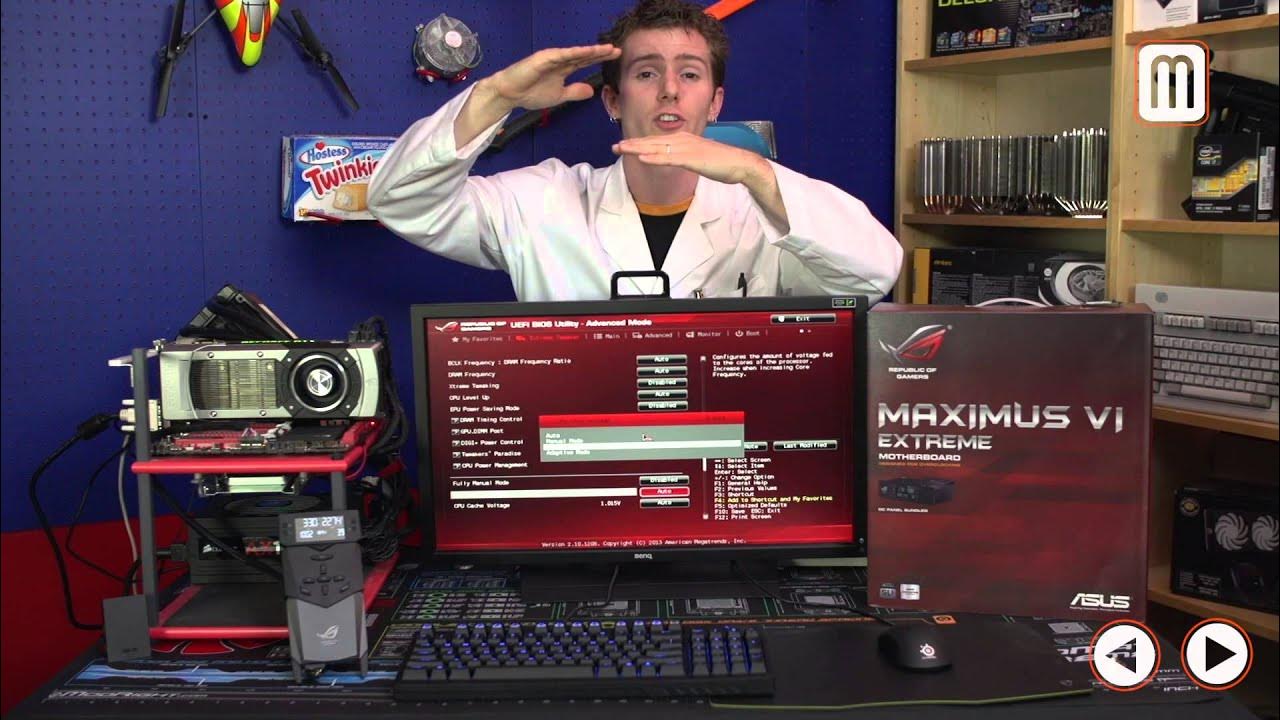
This video provides an in-depth guide to overclocking Haswell based CPUs, specifically the 4770K and 4670K, with a focus on safe practices, necessary hardware, and practical BIOS settings. It opens by explaining what overclocking is in plain terms,pushing a CPU beyond its stock specifications to gain extra performance, while acknowledging the risks of higher heat, power usage, and potential instability. The host emphasizes that modern Haswell CPUs benefit from robust cooling and a capable motherboard, and notes that Intel offers an extended warranty option for certain overclocking scenarios. A clear disclaimer about the variability of results sets the stage for a measured, experiment-driven approach rather than guaranteed outcomes. Throughout, the guide stresses planning, stability testing, and incremental tuning rather than reckless tinkering. The video then outlines the ideal starting point for an overclocking build: choosing a CPU with an unlocked multiplier (K-series) and pairing it with a motherboard capable of robust power delivery and cooling. The host discusses expected theoretical ceilings for the 4770K, suggesting common ranges up to about 4.4 to 4.5 GHz for most chips, with some top performers potentially reaching 4.7–4.8 GHz under favorable conditions. It is made clear that the final achievable speed depends heavily on the individual silicon lottery and the surrounding system, including cooling and case airflow. This section also highlights the importance of a solid cooling solution, such as a dual radiator liquid cooler or a high-end air cooler, to maintain stability at higher frequencies. Hardware choices are reviewed in detail: a high-end Asus Z87 motherboard (Maximus 6 Extreme) is shown alongside premium RAM, a strong power supply, and a capable GPU. The reviewer notes that while top-tier boards add features like an OC panel and enhanced VRM cooling, mainstream boards with solid digital power delivery can achieve most common Haswell overclocks. The discussion covers RAM considerations, pointing out that memory speed and density can impact stability when the CPU is overclocked, and that a 32 GB kit at 2400 MHz is used primarily for stress testing. The video also covers ancillary components such as a fast storage drive to speed up booting after failed overclock attempts and efficient power management hardware to ensure clean power delivery under load. The step-by-step overclocking workflow begins with firmware preparation: updating to the latest BIOS, restoring default settings, ensuring fans are functional, and verifying basic stability at stock with stress tests. The host then moves into the software toolkit for monitoring and stress testing, recommending CPU monitoring tools and stability tests that exercise Haswell's new instruction sets. Temperature monitoring is discussed, including the value of motherboard-based thermal probes for a realistic read on under-load conditions. A practical tip is offered to have another device nearby for reference while tuning, and the host recommends seeking community help if needed, noting that hardware configurations vary and troubleshooting can be eased by forums and shared experiences. BIOS tuning is demonstrated in depth, beginning with the CPU core ratio (multipliers), and distinctions between stock Auto, Sync All Cores, and Per-Core settings. The video then emphasizes the central role of CPU voltage: higher clock speeds require higher voltage for stability, but more voltage also increases heat and can affect CPU longevity. Different voltage modes are explained (Manual, Offset, Adaptive) with guidance to use Manual while dialing in the overclock and transitioning to Adaptive for daily use to preserve power efficiency. The guide also touches on memory (RAM) voltage and frequency considerations, as well as advanced options like CPU cache ratio and CPU strap, warning that many settings should be left at auto unless you are pursuing a precise target and have tested stability thoroughly. The host provides a practical workflow for dialing in an overclock: start with a quick overclock target (for Haswell, around 4.6 GHz), test for boot and stability, then decide whether to back off for power efficiency or push higher with incremental voltage increases. Once a stable baseline is achieved, further refinements are suggested, including raising RAM frequency to its rated speed, adjusting the cache ratio for one-to-one operation with the CPU, and enabling adaptive vcore for power-savings under load. Real-world gains are illustrated with synthetic benchmarks showing noticeable improvements in multi-threaded performance, and the video notes that there can be negligible differences in some games. Finally, the guide offers convenience options such as auto-tuning profiles in the BIOS or AI Suite to automate the process, while reminding viewers that results vary and proper testing is essential. The presenter wraps up by reinforcing the takeaway: meticulous planning, incremental adjustments, and thorough testing are the foundations of a successful Haswell overclock. Viewers are reminded that patience pays off, and that even if a given chip cannot hit extreme frequencies, meaningful performance improvements can still be achieved with a balanced, well-tested configuration. The video closes with encouragement to subscribe for more content and with a nod to the broader community for ideas and troubleshooting help.
Topics · overclocking · hardware-optimization · pc-building · system-tuning · computer-hardware
Questions answered
- What are the recommended starting settings for Haswell overclocking on a 4770K?
- Begin with a moderate multiplier around 46x and an initial CPU voltage near 1.2 V to establish a baseline. Validate stability with stress tests, then gradually push frequencies and voltages in small increments as needed.
- Why is cooling emphasized in this guide?
- Higher clock speeds increase heat output, so effective cooling is essential to maintain stability and prevent throttling or hardware damage.
- What voltage mode is suggested for daily use after tuning?
- Adaptive voltage is recommended for daily use to balance performance and power efficiency, with Manual used during the tuning process.
- Can RAM speed affect CPU overclock stability on Haswell?
- Yes, RAM speed and density can impact stability when the CPU is overclocked, especially at higher CPU frequencies and with dense memory kits.