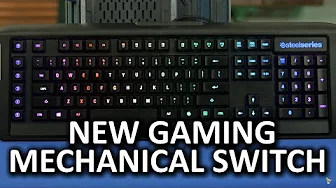
Steelseries Apex M800 Mechanical Keyboard
0 up · 0 down · 0 ratings
Channels and socials
A mechanical gaming keyboard WITHOUT Cherry MX switches.. Did Steelseries nail it with the Apex M800?? Dollar Shave Club link: dollarshaveclub.com Freshbooks link: linustechtips.com Pricing & discussion: linustechtips.com Support us: linustechtips.com Join our community forum: bit.ly twitter.com @LinusTech Intro Screen Music Credit: Title: Laszlo - Supernova Video Link: youtube.com iTunes Download Link: itunes.apple.com Artist Link: soundcloud.com
The Steelseries Apex M800 is presented as a bold shift away from traditional Cherry MX based gaming keyboards, featuring the QS1 switch developed with Kaiwa. The host explains that the QS1 switches bear little resemblance to Cherry MX designs, and then delves into how this affects typing feel and gaming responsiveness. The keyboard itself sports two Braided USB plugs, a built-in USB 2.0 hub, and adjustable feet for angle customization, continuing SteelSeries’ focus on a low-profile, aggressive industrial look. The reviewer notes the flat keycap profile and reduced travel distance, which contribute to faster actuation but may hinder finger positioning and typing ergonomics. Macro keys are highly programmable, and Engine 3 powers both a large key function suite and advanced lighting, with per-key RGB and numerous ready-made effects. The review highlights an intuitive customization interface, support for cloud syncing, and the ability to switch configurations on the fly, which the author regards as a strong point of the M800. In terms of switches, the QS1s are linear with a low actuation force, offering quick responses for gaming and a quieter operation, though the reviewer cautions that the design is not ideal for typing. Overall, the video frames the Apex M800 as a gaming-first keyboard with strong customization, excellent lighting, and a design that prioritizes competitive play over traditional typing comfort, culminating in a recommendation for gamers while remaining critical of typing experience and high price points.
Topics · hardware · peripherals · gaming · tech_reviews · mechanical_keyboards
Questions answered
- What makes the QS1 switch different from Cherry MX in the Apex M800?
- The QS1 is a linear switch with a center RGB LED, designed for faster actuation and quieter operation, and it does not share a similar stem design with Cherry MX switches.
- How does the Apex M800 prioritize gaming performance over typing comfort?
- The keyboard features a low profile, reduced travel, and a layout that emphasizes rapid keypresses and macro customization for games, with a flat keycap surface and angled feet to optimize gaming posture.