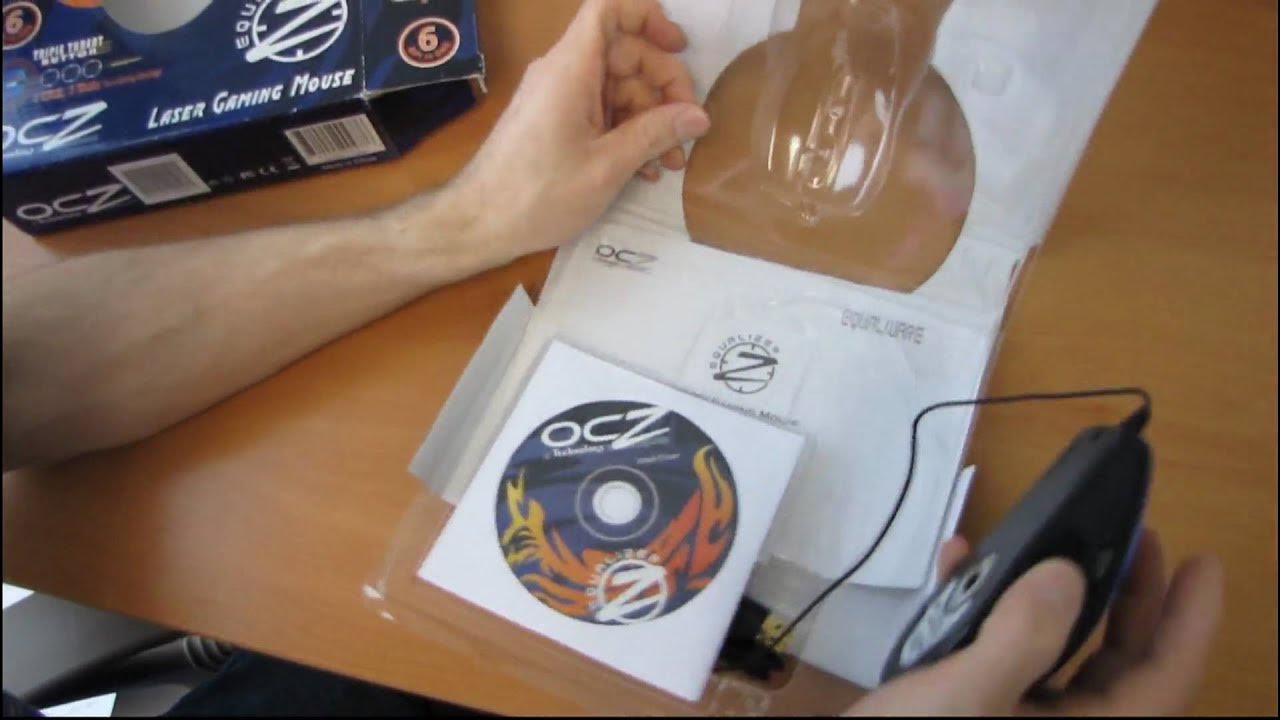
OCZ Equalizer Gaming Mouse with Triple Threat Button Unboxing & Giveaway Linus Tech Tips
0 up · 0 down · 0 ratings
Description
Random. That is all.
The Linus Tech Tips unboxing video presents the OCZ Equalizer Gaming Mouse, a retro peripheral featuring a Triple Threat button and multiple DPI modes. The host walks through the package contents, including the user manual, drivers, and extra mouse feet, noting how the device connects via USB and supports several DPI settings up to around 2500 DPI. He discusses the button layout, highlighting the three-click Triple Threat button alongside the left and right click, DPI adjustment, and scroll wheel controls, and comments on the ergonomic, rubberized grip as well as the overall plasticky build. The video ties the product to older hardware, pointing out compatibility with Windows 98 through XP and remarking that it’s clearly an aging model, possibly five or more years old. A giveaway is announced: to participate, viewers must comment about ball mice and be subscribed, with the winner receiving the OCZ Equalizer Mouse. The host acknowledges the vintage nature of the product and proceeds with a lighthearted unboxing vibe, including a moment of humor about the box’s smell and the likelihood that the device would still appeal to users with older equipment. The segment culminates in a practical call-to-action that leverages nostalgia for obsolete peripherals to engage an audience still interested in retro tech, while also explaining basic setup steps like USB connection and driver installation, even noting that OCZ’s website may no longer stock the mouse. The overall takeaway is a playful blend of hardware nostalgia and a simple, low-stakes giveaway that celebrates legacy computer gear alongside Linus Tech Tips’ typical tech demonstration style.
Topics · technology · hardware · peripherals · unboxing · giveaways · gaming
Questions answered
- What is the primary feature of the OCZ Equalizer Mouse discussed in the video?
- The primary feature is the Triple Threat button, which provides three clicks for quick actions, in addition to its multiple DPI modes and standard left and right click functions.
- Why does the host describe the mouse as vintage or old?
- Because the packaging and compatibility notes reference older operating systems like Windows 98, 2000, ME, and XP, indicating the device is more than five years old.