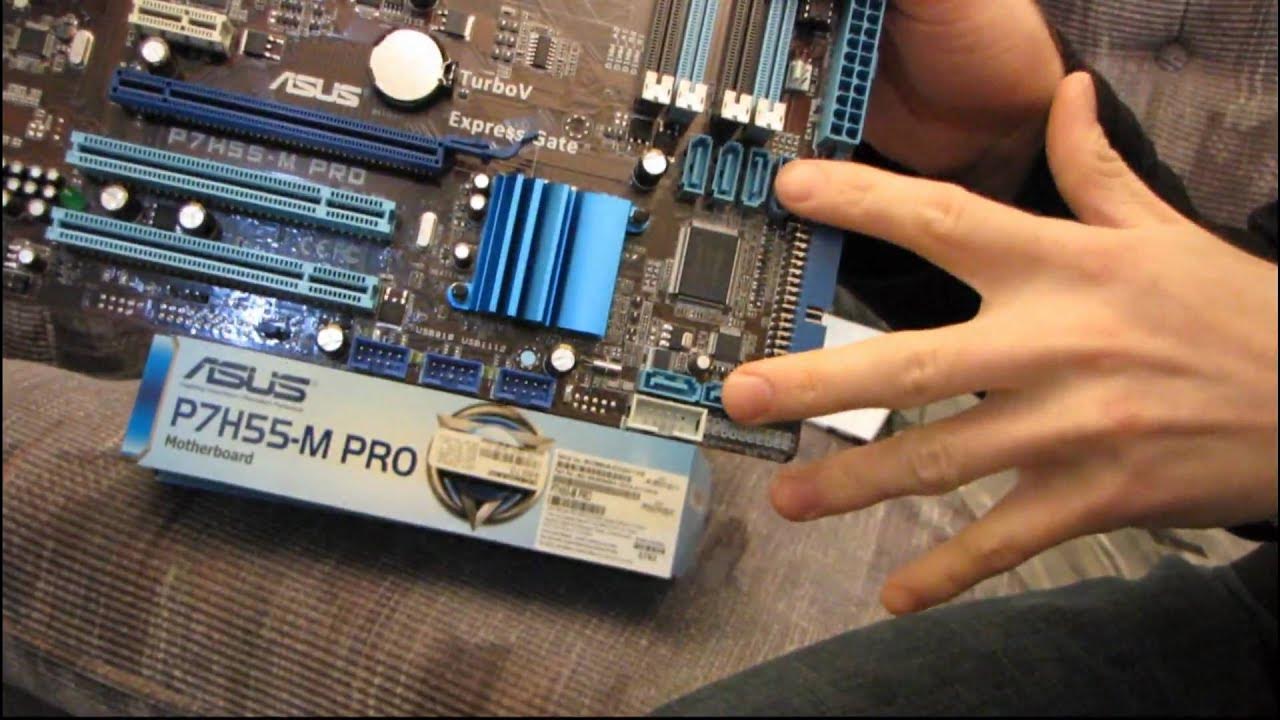
ASUS P7H55-M Pro Core i3 & i5 H55 Motherboard Unboxing & First Look Linus Tech Tips
0 up · 0 down · 0 ratings
Description
Another H55 board. Honestly there's nothing particularly glamorous about looking at these H55 boards, but it's great to know that there's finally a value option out there that nets you performance that's almost equal to the older i5 and i7 CPUs in 2-threaded applications.
This unboxing and first look at the ASUS P7H55-M Pro motherboard focuses on a compact Micro ATX H55 platform designed to support LGA1156 CPUs, including Core i3 and Core i5. The presenter highlights the board’s design choices, such as a fortress-like MOSFET cooling layout and a front that emphasizes engineering, USB 2.0 and USB 3.0 readiness, and multi-GPU considerations with multiple PCI slots. The packaging is described as eco-friendly with minimal plastic, and the included accessories include two SATA cables, an IDE cable, an IO shield, a driver DVD, and a users guide. The reviewer discusses interesting features like HDMI, DVI, and onboard graphics powered by the CPU rather than the chipset, noting that onboard video requires a CPU with an integrated GPU to function. He also points out practical layout decisions, like the 24-pin power connector placement, the six SATA ports, and the “easy one-sided RAM install” clip design, while cautioning that older IDE drives are less common today. Throughout the video, the host demonstrates the unboxing flow, comments on the board’s form factor, and explains how the Turbo Key and real-time igpu boosting could benefit users seeking better integrated graphics without a high-end GPU, concluding that this board offers solid value for budget or entry-level builds despite some caveats about onboard graphics dependence on CPU choice.
Topics · computer_hardware · unboxing · technology · hardware_review
Questions answered
- Does the ASUS P7H55-M Pro support onboard graphics on all CPUs with the H55 chipset?
- Onboard graphics are provided by the CPU, not the chipset, so you must use a Core i3 or Core i5 CPU that has integrated graphics in order for the onboard video to work.
- How many SATA ports and PCIe slots does the board offer, and what is the recommended configuration for a single GPU setup?
- The board provides six SATA ports and two PCI Express slots (one PCI Express x16 and one PCI Express x1). For a single GPU setup, the layout allows you to place a GPU in the PCIe x16 slot while leaving the adjacent PCIe slot available for other cards and maintaining airflow.