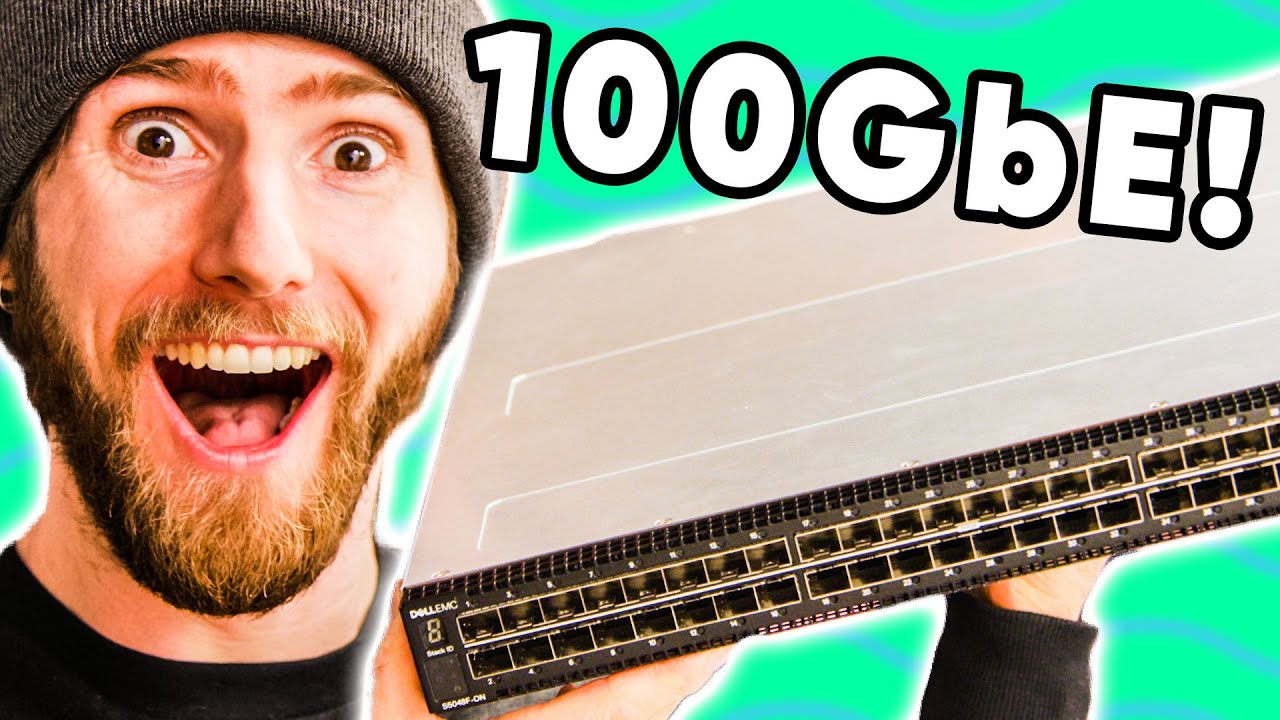
A $15,000 Network Switch?? - HOLY $H!T - 100GbE Networking
0 up · 0 down · 0 ratings
Promos
Sign up for Private Internet Access VPN at lmg.gg Save 10% and Free Worldwide Shipping at Ridge Wallets by using offer code LINUS at ridge.com Back in 2018, we tried out a direct system-to-system 100GbE link with the help of Mellanox. This time, we've got a switch and a plan to deploy what will be our fastest networking EVER. HOLY $H!T. Buy Fibre Cabling from Infinite Cables: lmg.gg Buy Transceivers from FS.com: lmg.gg Purchases made through some store links may provide some compensation to Linus Media Group. Discuss on the forum: linustechtips.com ►GET MERCH: lttstore.com ►SUPPORT US ON FLOATPLANE: floatplane.com ►LTX EXPO: ltxexpo.com AFFILIATES & REFERRALS --------------------------------------------------- ►Affiliates, Sponsors & Referrals: lmg.gg ►Private Internet Access VPN: lmg.gg ►Our Official Charging Partner Anker: lmg.gg ►MK Keyboards: lmg.gg ►Nerd or Die Stream Overlays: lmg.gg ►NEEDforSEAT Gaming Chairs: lmg.gg ►Displate Metal Prints: lmg.gg ►Official Game Store: nexus.gg ►Epic Games Store (LINUSMEDIAGROUP): lmg.gg ►Amazon Prime: lmg.gg ►Audible Free Trial: lmg.gg ►Streamlabs Prime: geni.us ►Our Gear on Amazon: geni.us FOLLOW US ELSEWHERE --------------------------------------------------- Twitter: twitter.com Facebook: @LinusTech Instagram: @linustech Twitch: twitch.tv FOLLOW OUR OTHER CHANNELS --------------------------------------------------- Techquickie: lmg.gg TechLinked: lmg.gg ShortCircuit: lmg.gg LMG Clips: lmg.gg Channel Super Fun: lmg.gg Carpool Critics: lmg.gg MUSIC CREDIT --------------------------------------------------- Title: Laszlo - Supernova Video Link: youtube.com iTunes Download Link: itunes.apple.com Artist Link: soundcloud.com Outro Screen Music Credit: Approaching Nirvana - Sugar High youtube.com Monitor And Keyboard by vadimmihalkevich / CC BY 4.0 geni.us Mechanical RGB Keyboard by BigBrotherECE / CC BY 4.0 geni.us Mouse Gamer free Model By Oscar Creativo / CC BY 4.0 geni.us
The video opens with an astonishing claim about network throughput, showing initial transfer speeds of over 11 gigabytes per second as 100 GbE links are pushed to their limits. The hosts walk through the current project, explaining that they have upgraded to a new Dell S5048F-ON switch with 48 SFP28 ports capable of 25 GbE and six 100 GbE ports, paired with fiber cabling to support editors and storage. They discuss the rationale behind the upgrade, highlighting the goal of removing bottlenecks on storage and workstation connections and the role of RDMA through SMB Direct in achieving lower latency and higher sustained transfers. Throughout the first minutes, the team frames the upgrade as a practical leap toward a fully high-speed editing workflow, detailing the gear they will be testing and how it will impact their video production pipeline. The tone remains exploratory and excited as they prepare to lift the performance envelope on their existing workstation and storage servers. In the middle portion of the video, attention shifts to the hardware specifics and setup challenges. The hosts explain the Dell switch’s architecture, including dual redundant 750-watt power supplies and non PoE operation, focused on handling fiber transceivers and high-throughput traffic. They introduce the Honey Badger from Liqid as a storage accelerator to feed the 100 GbE network with enough I/O to avoid bottlenecks, using an eight-slot NVMe card populated with four-terabyte drives. They also describe the client and server topology, with a Threadripper Pro workstation and a 3990X server, aiming to sustain 100 GbE links to storage and to the switch. The discussion touches on cabling choices, direct attach copper for short distances, and the rationale for using 25 GbE connections to client workstations as part of their testing matrix. The segment culminates in a practical demonstration of powering up the new switch and aligning airflow and cooling within a 1U rack enclosure. The performance testing phase follows, with real-world measurements that push multiple components to their theoretical limits. Early results show around 1.47 GB/s reads and 2.7 GB/s writes over the network, with CrystalDiskMark reporting multi-threaded performance that surprisingly remains CPU-light, indicating efficient data movement. The team highlights that the network stack is bypassed in large transfers, allowing the RDMA-enabled SMB Direct path to minimize CPU involvement and latency. They also compare different transfer tools, noting that Windows file copy is far less efficient than RDMA-enabled paths, and demonstrate the gains from using a multi-threaded approach like Robocopy and even a third-party copy utility. The visuals emphasize the dramatic improvements versus prior attempts, including a moment where a hundred-gigabit transfer peaks during a large data move and the team celebrates with technical camaraderie. In the wrap-up sections, the hosts discuss the implications of these results for their editing workloads and future upgrades. They observe that while raw throughput is phenomenal, the real value lies in latency and the ability to keep many editors across multiple machines synchronized without bottlenecks. They hint at upcoming videos featuring more hardware iterations, such as a second 100 GbE card in the workstation and further optimization of storage networking. The segment closes with a nod to viewer-suggested configurations and a call to action for subscribing to catch the next test, including potential demonstrations of Premiere timelines and more nuanced latency testing. The tone remains enthusiastic, acknowledging both the excitement of achieving near theoretical limits and the practical considerations of deploying such gear in a real-world editing studio.
Topics · technology · hardware · networking · data_center · performance
Questions answered
- What hardware enables the 100 GbE performance in this build?
- The Dell S5048F-ON switch with 48 SFP28 ports, six 100 GbE ports, Liqid Honey Badger storage accelerator, and high-end workstation/server hardware (3990X and Threadripper Pro) together drive the throughput.
- Why is RDMA important for these transfers?
- RDMA via SMB Direct reduces CPU involvement and latency by bypassing traditional network stacks, enabling faster, more efficient data transfers between servers and workstations.