Omnio WOW-Keys iPhone & iPod & Computer Keyboard Unboxing & First Look Linus Tech Tips
0 up · 0 down · 0 ratings
Description
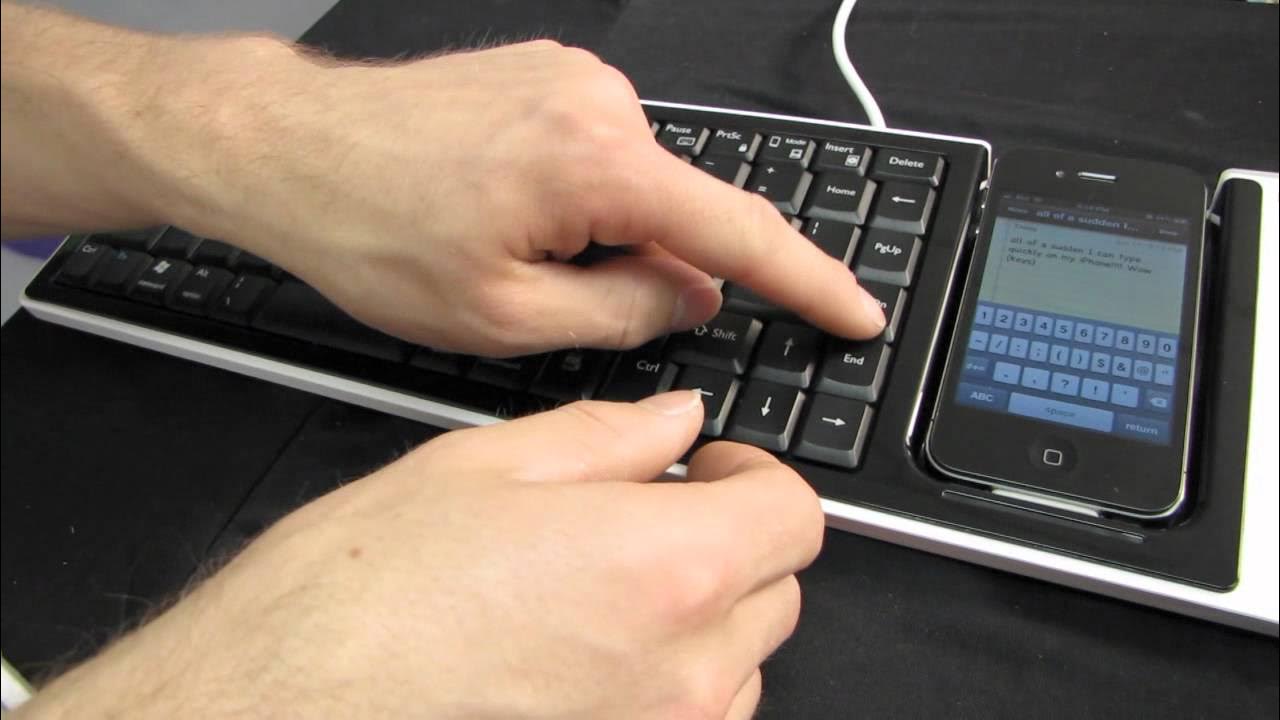
ncix.com Now this thing is COOL. A great alternative to something like a Phantom Lapboard for iPhone and iPod users.
The video opens with Linus presenting the Omnio WOW-Keys, highlighting its core concept as a unique keyboard accessory designed for iPhone, iPod, and desktop computers. He emphasizes the novelty by awarding it a top-spot status before unboxing, and walks through the basic layout on the back of the box, noting that the keyboard supports PC, Mac, and iOS 4.x, with hotkeys for home, search, play/pause, and more. Linus demonstrates the keyboard in action by attaching an iPhone to the device, powering it via USB, and installing a companion app from the App Store, which initially prompts for an app installation but is eventually shown to work after a quick setup. The on-device layout is discussed in detail, with comments on the placement of modifier keys, the backspace location, and the dedicated play button, along with thoughts on how the keyboard handles iPhone typing and navigation. He then explores additional uses, such as pairing with a PC or Mac in keyboard mode and using the Mobile Mouse Pro app to turn the iPhone into a trackpad for a media center, explaining how wireless communication can extend the product's versatility. The overall experience is framed as a versatile, if niche, media PC keyboard with potential for mobile use, while acknowledging some ergonomics trade-offs and the need for third-party apps to unlock full functionality. By the end, Linus summarizes that the Omnio WOW-Keys is cool and worth considering for the right setup, inviting viewers to subscribe for more unboxings and tech content.
Topics · technology · hardware · gadget · unboxing
Questions answered
- What is the Omnio WOW-Keys primarily designed to do?
- It is a keyboard accessory that can be used with a PC or Mac and also with iPhone or iPod to type and control devices, using hotkeys and iTunes integration.
- What is required to get full functionality on the iPhone?
- A companion app is required, and some features rely on third party apps like Mobile Mouse Pro for turning the iPhone into a touchpad or remote control.