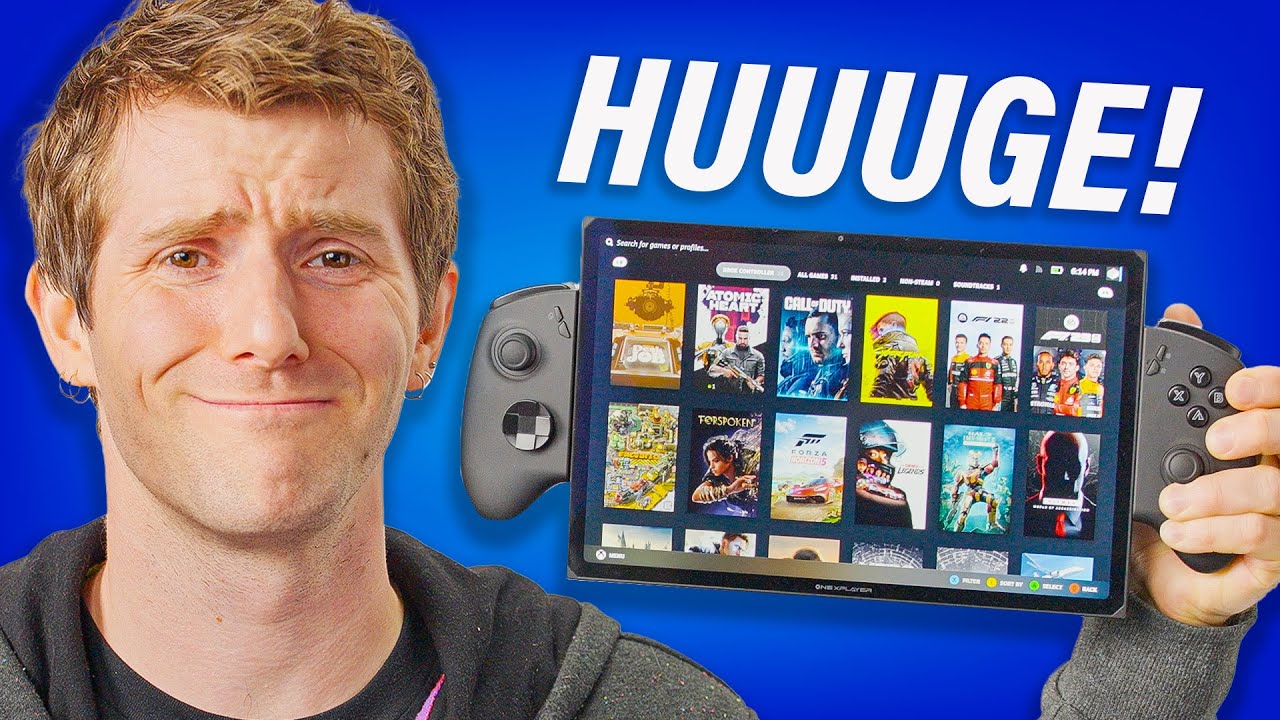
How is this even handheld?! - OneXPlayer X1
0 up · 0 down · 0 ratings
Promos
Get $5 off your Magic Spoon order with code LINUS at lmg.gg Handheld PCs. So hot right now. But also far too small, am I right? What if I want to game on an airplane without holding my tiny screen so close to my face, straining my arms and eyes? Luckily, OneXPlayer is here with a 10.95" screen that really pushes the term "handheld." With an Arc GPU, a big bright screen, and Joycon-style controllers, is this worth the wrist pain? Buy an OneXPlayer X1 Handheld Gaming PC on AliExpress: lmg.gg Buy a Lenovo Legion Go: geni.us (Canada: lmg.gg Buy an ASUS ROG Ally: geni.us (Canada: lmg.gg Purchases made through some store links may provide some compensation to Linus Media Group. Want us to unbox something? Make a suggestion at lmg.gg ► GET MERCH: lttstore.com ► GET EXCLUSIVE CONTENT ON FLOATPLANE: lmg.gg ► SPONSORS, AFFILIATES, AND PARTNERS: lmg.gg ► PRODUCTS WE USE ON THE SHORTCIRCUIT SET: lmg.gg FOLLOW US ELSEWHERE --------------------------------------------------- Twitter: twitter.com Instagram: @shortcircuityt TikTok: @linustech Facebook: @ShortCircuitYT CHAPTERS --------------------------------------------------- 0:00 These folks LOVE big handhelds 0:32 Unboxing, LABS battery test results, and specs 2:02 The keyboard, controllers, and ports 5:43 Display Specs and LABS test results 6:31 Sponsor - Magic Spoon 7:09 Ergonomics and more thoughts on the size 8:09 Linus' ASL story 8:58 Gaming impressions and LABS performance results 10:32 Software impressions 12:11 Trying out the keyboard 13:50 Turbo button oddity and built-in gyro controls 14:54 GPU memory and trying out the webcam 15:41 Speaker test and Linus Piracy Tips 16:17 Arc driver issues, pricing, and overall thoughts 17:27 Yvonne's thoughts on the size/ergonomics 18:03 Outro
The video dives into the OneXPlayer X1 handheld gaming PC, starting with a practical first impression of its size and weight. The host notes that the device is exceptionally large for a handheld, a trend driven by its 10.95 inch display and the bold form factor that includes Joy-Con style controllers. The unboxing reveals a 100 W charger and a USB-C power delivery capable supply, with a relatively short cable a point of slight dissatisfaction. The speaker then outlines core specs: Intel Core Ultra 7 155h with six high-performance cores, up to 64 GB of LPDDR5x RAM, and up to 4 TB of storage, all paired with Intel Arc graphics. The accessory ecosystem is introduced next, including an optional magnetic keyboard that can turn the unit into a laptop-like device, and detachable controllers that feel solid but show some movement in tests. Throughout, the host highlights the premium metal chassis, aluminum construction, and a comprehensive port set including USB-C, a writable dock interface, a 3.5 mm jack, and an Oculink PCIe Gen 4 x4 connection for eGPU docking. The segment ends with initial performance impressions suggesting strong display qualities, brightness, and color accuracy, albeit with caveats about Arc driver optimization and the potential for battery life to dip under high load.
Topics · technology · portable_computing · hardware_reviews · gaming_hardware · consumer_electronics · handheld_pc
Questions answered
- What are the main hardware specifications of the OneXPlayer X1 as presented in the video?
- The X1 uses Intel Core Ultra 7 155h with six performance cores, supports up to 64 GB of LPDDR5x RAM, and up to 4 TB of storage, all paired with Intel Arc graphics.
- What accessories are shown, and how do they affect use?
- An optional magnetic keyboard is shown to expand the device into a laptop-like form, and detachable controllers are included for gaming. The keyboard attachment is heavy and alters ergonomics, but it can be removed or adjusted for use as a handheld.
- What are the observed display characteristics and why do they matter?
- The display is 10.95 inches with a 2560x600 resolution and 120 Hz refresh rate, offering high pixel density and wide color coverage (around 99% DCI-P3). HDR is not supported, but SDR looks very strong, contributing to vivid gaming visuals.
- What software and performance considerations are discussed?
- The video covers Arc driver variability, with some games performing well and others underperforming. It also discusses a 35 W performance mode, turbo controls in software, and the impact of Windows background tasks on temperatures and fan behavior.