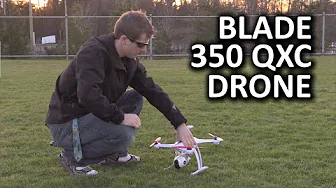
Blade 350 QX3 Quadcopter Drone from Horizon Hobby
0 up · 0 down · 0 ratings
Channels and socials
I decided it was time to step up my drone game, so I asked Horizon Hobby to send over this beast, the Blade 350 QX3. Massdrop link: dro.ps Corsair link: linustechtips.com Pricing & discussion: linustechtips.com Support us: linustechtips.com Join our community forum: bit.ly twitter.com @LinusTech Intro Screen Music Credit: Title: Laszlo - Supernova Video Link: youtube.com Outro Screen Music Credit: Approaching Nirvana - Sugar High youtube.com
The Blade 350 QX3 Quadcopter Drone from Horizon Hobby is introduced with an emphasis on the packaging and unboxing experience, setting the tone for what follows. The host highlights impressive packaging designed to withstand shipping, noting that all components, including extra transmitter batteries, are tucked neatly into the Ready-To-Fly package. While praising the packaging, he also flags user experience hurdles, such as multi-piece manuals and online-only technical references, which can slow first-time setup for newcomers. The video then transitions into a physical tour of the unit, describing its larger, hobbyist-grade build, the four brushless motors, integrated GPS, altitude and orientation sensors, and a 12-megapixel camera on a 130-degree field of view. The host explains the preflight routine, including compass and accelerometer calibration, and discusses the difference between hobbyist-grade flight characteristics and consumer-grade drones, setting the expectation for a more involved, hands-on flying experience. Navigation between Smart Mode and AP Mode is demonstrated, with practical notes on how orientation, return-to-home, and GPS reliability influence the flight experience. The review then moves from initial flights to more detailed observations, including control feel, video feed range, latency, and the distinction between a physical gimbal versus a digital one, as well as the shortcomings of the rear LED communication method. The host notes how the app-based configuration can be less convenient than the dedicated controller app, and shares his experience of upgrading the maximum flight range and altitude through a USB dongle during a PC-based reconfiguration. In terms of image quality, the camera footage is described as very stable with excellent low-light performance, though the 500 USD price point leaves room for improvement in resolution and aliasing, and the host muses about mounting a GoPro for enhanced footage. The video concludes with a balanced verdict, labeling the Blade 350 QX3 as a prosumer, hobbyist-grade drone that offers greater modifiability and direct hardware control, while also demanding more concept and flying know-how from users compared to consumer devices. Finally, the host acknowledges the sponsor shout-outs and community deals, and teases future content and potential accessories such as two-axis GoPro gimbal mounts, while inviting viewer engagement through comments and affiliate links.
Topics · drones · aerial_photography · consumer_electronics · product_reviews · unboxing
Questions answered
- What are the main pros of the Blade 350 QX3 according to the review?
- The Blade 350 QX3 offers high modifiability, direct hardware control, strong stabilization from a real gimbal, and improved performance relative to consumer drones, making it appealing for hobbyists who want more hands-on control.
- What are the main cons or drawbacks highlighted?
- Setup can be cumbersome due to documentation issues and online-only manuals, the video feed range is weak compared to some competitors, and there is noticeable aliasing in imagery at 1080p, plus the need for a PC-based reprogramming for higher range.
- Is the Blade 350 QX3 recommended for beginners?
- No, the review suggests it expects some prior RC experience and familiarity with flight controls, and it is less forgiving than consumer-targeted drones.