HD Tutorial: Enable Autopan in Camstudio (Request)
0 up · 0 down · 0 ratings
Channels and socials
***WATCH IN HD*** Just a quick answer to a recent question: "How do you get Camstudio to follow your mouse around like that?" Video requested by: youtube.com Enjoy - SUBSCRIBE
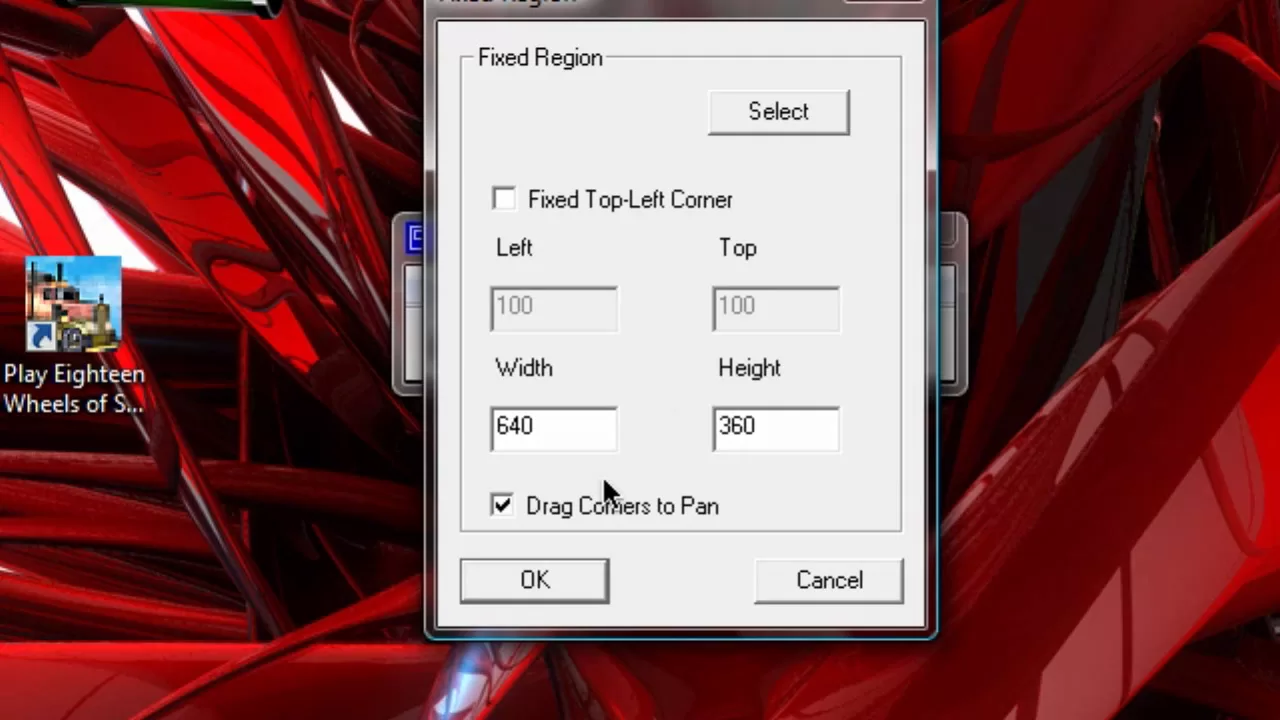
In this concise HD tutorial, the creator answers a viewer question about how CamStudio can be made to follow the mouse cursor across the screen. The video focuses on a feature built into CamStudio called Auto Pan, which allows the recording to stay within a fixed region rather than capturing the entire screen. The narrator explains that you need to record a fixed region, such as 640 by 360 pixels, and then enable the drag corners to pan option so the recording adjusts when the cursor moves toward the edges. He demonstrates the steps by going to the Options menu and checking the Enable Auto Pan box, noting that without this setting the mouse would slide off the screen and the motion would not be captured. The tutorial concludes with a brief recap that enabling Auto Pan ensures the recording follows the mouse around the screen, providing a simple solution for dynamic demonstrations or tutorials that rely on cursor movement.
Topics · software-tutorial · screen-recording · camstudio · autopan · how-to
Questions answered
- What is the key feature used to keep the CamStudio recording aligned with the cursor?
- The key feature is Auto Pan, which follows the mouse by recording a fixed region and panning when the cursor nears the edges.