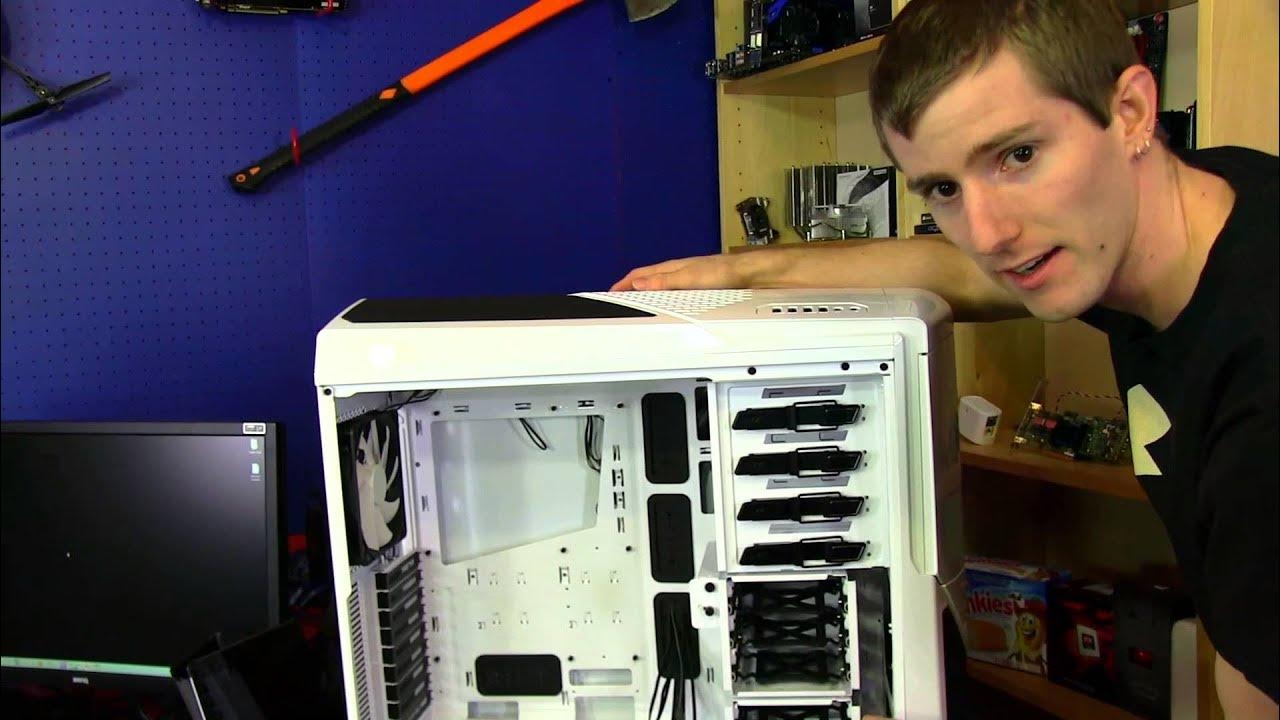
NZXT Phantom 630 Gaming Case Unboxing & First Look Linus Tech Tips
0 up · 0 down · 0 ratings
Channels and socials
The Phantom 630 is very similar to its bigger brother the Phantom 820, but comes in at a much lower price point! Read about this and join our forum: linustechtips.com twitter.com @LinusTech Buy at NCIX: ncix.com
This Linus Tech Tips unboxing and first look dives into the NZXT Phantom 630 gaming case, highlighting how it sits between the Phantom 820 and the Phantom 410 in size and price. The host walks through the exterior design, build quality, and included hardware, noting four 5.25-inch bays, a front panel mesh with removable dust filters, and the generous internal layout designed for high performance cooling. A key focus is the Phantom 630’s modularity, including moveable drive cages, removable dust filters, and a flexible fan controller, which together enable a variety of radiator and airflow configurations. The unboxing also emphasizes practical details such as cable management opportunities, rubber grommets, and the bottom-mounted power supply, which help keep the interior tidy and accessible. Throughout, Linus offers practical opinions on the aesthetic evolution of the Phantom line, the ease of assembly, and the tradeoffs involved with choosing air flow, noise, and cooling potential. In conclusion, the video presents the Phantom 630 as a versatile and well-thought-out case with strong cooling potential and a clean, modular interior, suitable for water cooling builds and high-end hardware, while noting some missing features like internal lighting options compared to earlier Phantom models.
Topics · technology · hardware · consumer_electronics · unboxing · pc_building
Questions answered
- What are the key cooling and airflow features of the NZXT Phantom 630?
- The Phantom 630 supports multiple radiators and cooling options, including three 200 mm fans in various positions, and supports dual 120 mm or 140 mm fans. It includes removable dust filters, and a flexible back panel design with ample cable management space to maximize airflow while keeping cables tidy.
- How is the internal layout and drive mounting setup described in the unboxing?
- The case features removable drive cages, tool-less mounting options, and a back-side SSD mounting system with thumb screws. There is a rotating panel for fan direction and multiple slots and mounting points that allow reconfiguring the layout for GPUs, radiators, and different drive arrangements.
- What are the notable design elements that Linus comments on during the unboxing?
- Linus highlights the case’s modular drive bays, the large mesh front with dust filters, the integrated single-channel fan controller, and the slim, clean cable management approach. He also notes the interior space, bottom power supply design, and the way the back panel protrudes slightly to reduce noise and improve airflow.
- Does the video mention any drawbacks or missing features of the Phantom 630?
- Yes, the video points out the absence of internal lighting effects, which were present on some Phantom models, and notes that the lighting is not customizable inside the case, which Linus sees as a drawback compared to earlier versions.