GTX 580: Updated Methodology For Removing the Cooler & Replacing Thermal Compound Linus Tech Tips
0 up · 0 down · 0 ratings
Description
NVIDIA asked me to show you guys this alternative method, which has some definite advantages!!
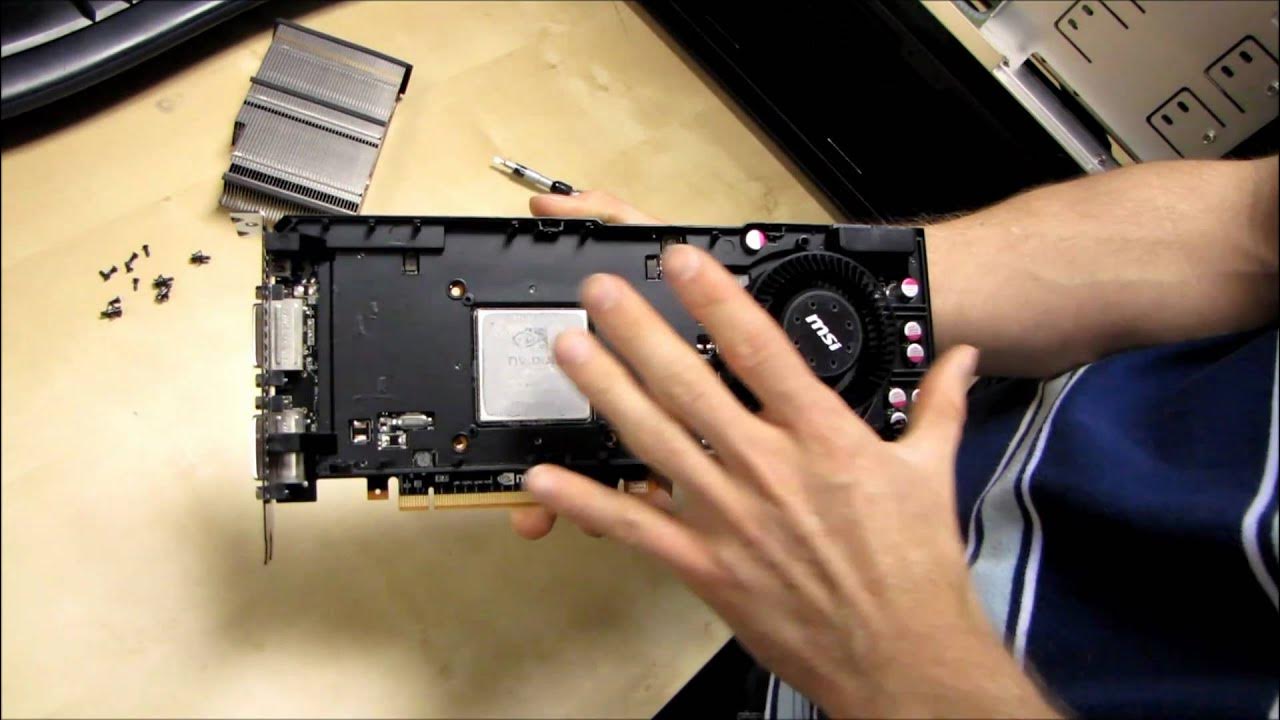
In this short Linus Tech Tips video, Linus presents an updated, easier methodology for removing the GTX 580 cooler and replacing the thermal compound, as requested by Nvidia. He explains that the key step is to remove the plastic shroud screws, which grants direct access to the graphics card without needing a Torx screwdriver. Once disassembled, the GPU is clearly exposed with the metal unisync left in place, preserving the thermal pads on the RAM and VRMs. Linus emphasizes that the original factory pads are compressed over time, so removing the unisync can lead to poor contact if not reassembled carefully, potentially shortening the card’s lifespan. The video highlights the advantages of this approach, including speed, simplicity, and the possibility to adapt the setup for GPU-only water cooling, such as using an MCW80 with minor modifications. Nvidia’s guidance is framed as a safer path that reduces risk of contact issues while offering a practical route for enthusiasts who want to refresh thermal performance or pursue alternative cooling options. The overall takeaway is that this method provides a faster, more accessible route to reapply thermal compound and maintain GPU health, with cautions about contact stability when reassembling the shroud and pads.
Topics · technology · hardware · computer_assembly · tutorials
Questions answered
- What is the key change in Linus Tech Tips' GTX 580 cooler removal method?
- The key change is to remove the plastic shroud screws to access the GPU directly without needing a Torx screwdriver, allowing for easier replacement of thermal compound.