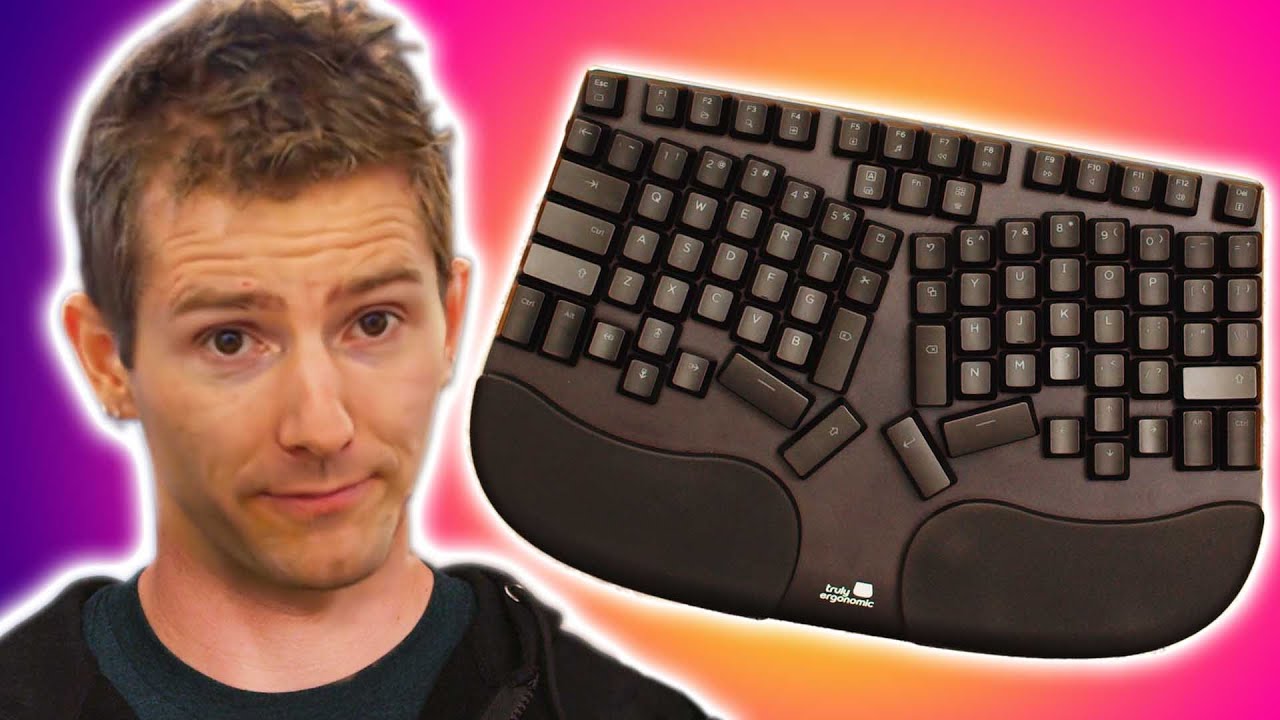
Robot Linus Reviews a Keyboard - Deepfake - Cleave Truly Ergonomic
0 up · 0 down · 0 ratings
Description
Linus checks out an ergonomic keyboard....... but something doesn't look right... he shaved!
Promos
Check out the Cleave Truly Ergonomic Keyboard at lmg.gg Buy Ergonomic Keyboards On Amazon (PAID LINK): geni.us On NewEgg (PAID LINK): geni.us On BHPhoto (PAID LINK): geni.us Purchases made through some store links may provide some compensation to Linus Media Group. GET MERCH: lttstore.com SUPPORT US ON FLOATPLANE: floatplane.com LTX EXPO: ltxexpo.com AFFILIATES & REFERRALS --------------------------------------------------- Affiliates, Sponsors & Referrals: lmg.gg Get Private Internet Access VPN at lmg.gg Get a Displate Metal Print at lmg.gg NEEDforSEAT Gaming Chairs: geni.us Support a Creator code LINUSMEDIAGROUP on Epic Games Store: lmg.gg Get a 30-day free trial of Amazon Prime at lmg.gg Our Test Benches on Amazon: lmg.gg Our Production Gear: lmg.gg FOLLOW US ELSEWHERE --------------------------------------------------- Twitter: twitter.com Instagram: @shortcircuityt Facebook: @ShortCircuitYT FOLLOW OUR OTHER CHANNELS --------------------------------------------------- Linus Tech Tips: lmg.gg TechLinked: lmg.gg Techquickie: lmg.gg LMG Clips: lmg.gg Channel Super Fun: lmg.gg Carpool Critics: lmg.gg
The video presents a satirical unboxing and hands-on evaluation of the Cleave Truly Ergonomic Keyboard, framed as a robotic Linus Torvalds lookalike review. The host describes the device as a compact, low-profile split keyboard with an aluminum faceplate and minimal deck flex, praising the integrated palm rest for being firm yet comfortable and noting that the cable could have benefited from a braided sleeve. A standout feature is the layout, which uses navigational clusters to allow stronger digits to perform most tasks, reducing reliance on the pinky for keys like Backspace. The reviewer highlights that by default the board offers two space bars and a variety of large keys such as Backspace, Delete, and Enter, but also points out that all keys can be reprogrammed to personal preferences, addressing the common issue of dedicated copy paste and undo keys. The Ergodynamic design is compared to the ErgoDox while noting that Cleave includes a full set of function keys and a consolidated arrow key area, which the presenter finds more practical than split layouts. A controversial design choice is Caps Lock being repurposed as a second control key, placing it high on the keyboard and making frequent access awkward. The keyboard uses optical switches that are removable and are labeled “Truly Ergonomic,” with color options like blues, browns, and reds described, though in practice swapping switches is limited by compatibility and the lack of extra spare parts in the box. The device features adjustable LED backlighting with 10 brightness levels and multiple lighting profiles, plus several lighting effects whose speed can be customized. Overall, the video concludes that the Cleave Truly Ergonomic Keyboard offers a compelling ergonomic form with a practical, all-in-one key layout, while acknowledging the premium price of around $300 and some caveats about switch availability and the unusual Caps Lock redesign. The host ends with a light endorsement, inviting viewers to subscribe for more tech product coverage and teasing a related Linus Tech Tips behind-the-scenes explanation video.
Topics · technology · product_review · ergonomics · hardware
Questions answered
- What makes the Cleave Truly Ergonomic Keyboard different from other ergonomic keyboards?
- It uses a split design with a navigational cluster to let stronger fingers handle most tasks, a customizable layout with two space bars, and programmable keys, plus an integrated palm rest and a full set of function keys in a compact form.