NVIDIA G-SYNC Tech Preview - Linus & Slick's Impressions
0 up · 0 down · 0 ratings
Channels and socials
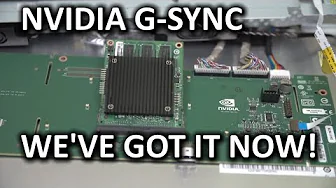
G-SYNC technology is officially in the house... My house, at least, but don't worry you'll be able to try it for yourself fairly soon... Sponsor link: linustechtips.com Pricing & availability: Not yet..... Join our community forum: bit.ly twitter.com @LinusTech Intro Screen Music Credit: Adhesive Wombat -
Check out his channel here: youtube.com Outtro Screen Music Credit: Approaching Nirvana - Sugar High youtube.com
NVIDIA G-SYNC Tech Preview explains the core idea behind G-SYNC and why it matters for smooth gaming, avoiding the usual tradeoffs of traditional V-Sync. The presenters describe how standard monitors refresh at fixed intervals and how the GPU may render frames at varying times, leading to tearing and stutter when the frame rate does not perfectly sync with the monitor. They emphasize that V-Sync can reduce tearing but introduces input lag, while leaving tearing visible when frame delivery and refresh are out of sync. G-SYNC is presented as a solution where the monitor waits for the GPU to be ready and updates exactly when the next frame is available, eliminating both tearing and stutter associated with mismatched frame timing and reducing input lag. The discussion covers the hardware requirements, including a G-SYNC capable GPU, a compatible G-SYNC monitor with a built-in module, and a DisplayPort connection, all of which must be in place for the technology to function. The hosts acknowledge that this is a tech preview, not a full product review, and stress that experiencing G-SYNC requires an end-to-end chain that supports it, otherwise the effect cannot be demonstrated accurately. They also note that demonstrations recorded with standard capture tools may not adequately convey the experience, and propose live meetups or hands-on events as a more faithful way for viewers to understand the impact. The video closes with a set of commonly held misconceptions about G-SYNC being debunked, including exclusivity rumors, compatibility across panel sizes, and the applicability to different refresh rates and resolutions, while candidly signaling that concrete availability and pricing will emerge closer to retail time, with further updates planned for CES and beyond.
Topics · technology · hardware · gaming
Questions answered
- What is G-SYNC and how does it differ from V-Sync?
- G-SYNC allows the monitor to wait for the graphics card to be ready to deliver a new frame and updates at that exact moment, eliminating tearing and stutter and reducing input lag compared to traditional V-Sync, which can cause lag or tearing depending on frame timing.
- What hardware do you need to use G-SYNC?
- You need a G-SYNC compatible graphics card, a G-SYNC monitor with a built-in G-SYNC module, and a DisplayPort connection between the GPU and the monitor.
- Will G-SYNC work on all panels and at all resolutions?
- The video notes that while the concept should extend beyond a single model or resolution, practical support depends on future driver and hardware integration, and real-world compatibility details were not finalized at the time of the preview.