Intel LGA775 Core 2 Duo Quad CPU Installation Tutorial Guide Walkthrough Linus Tech Tips
0 up · 0 down · 0 ratings
Description
This is the LGA775 edition of my CPU installation guide series.
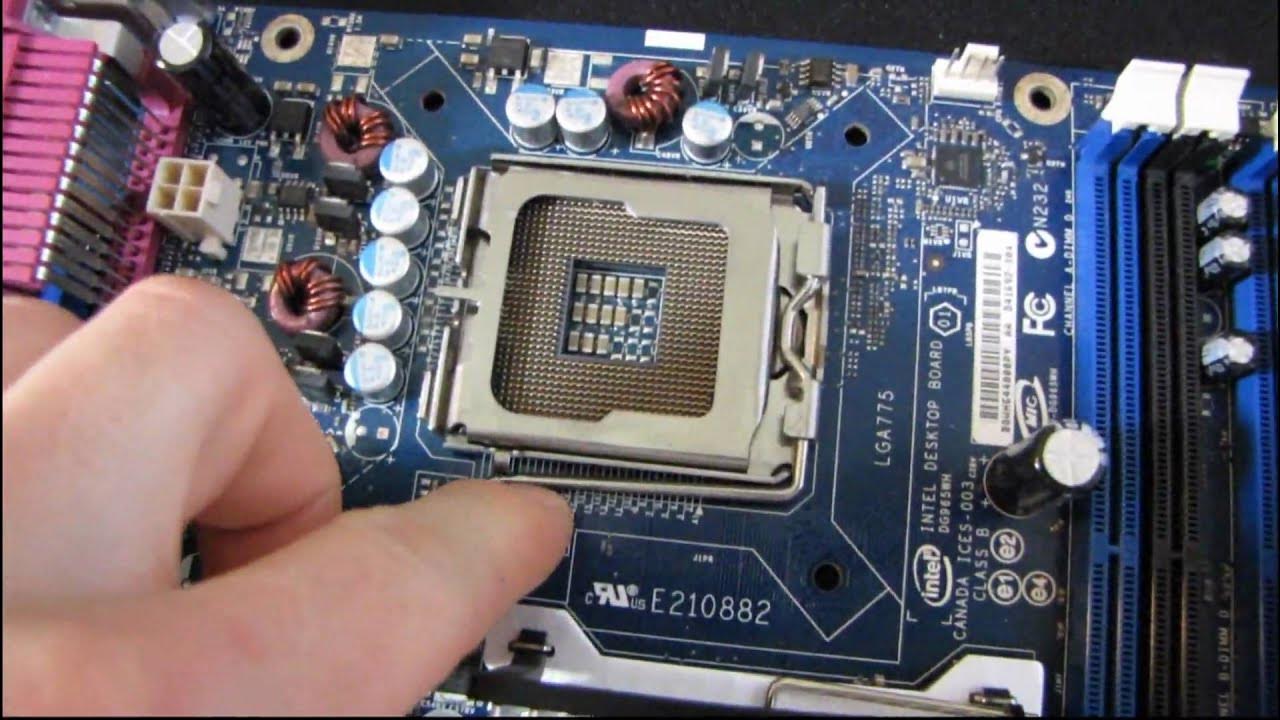
This installation walkthrough from Linus Tech Tips demonstrates the LGA 775 socket CPU installation process using an older Intel system as a demonstration. The presenter begins by noting that the motherboard is an Intel 965 series board and acknowledges that the guide is part of a broader CPU installation series. He explains how to remove the protective cover over the CPU socket pins, highlighting that the LGA 775 socket sits on top of the socket assembly, unlike some newer designs where the cover is positioned differently. The tutorial then guides the viewer through aligning the processor with the socket notches, seating the CPU with a careful wiggle to ensure proper alignment, and applying pressure via the lever mechanism to engage the pins and heat spreader contacts. The emphasis is on ensuring all contact pads on the bottom of the CPU meet the pins inside the socket, with a note that some force is necessary to push the lever and secure the processor under the hook. The segment concludes with confirmation that the processor is installed and the subsequent motion sequence demonstrates the CPU sitting properly in the socket, ready for cooling and further assembly. Throughout, the host reinforces core concepts such as pin alignment, the role of the socket lever, and how the pressure from the lever arm ensures electrical contact for reliable operation, framing the process as a repeatable, straightforward procedure applicable to Core 2 Duo and Core 2 Quad CPUs on the LGA 775 platform.
Topics · legacy hardware · computer hardware installation · pc building · retro tech · tech tutorials · cpu sockets lga775
Questions answered
- What is the first step to install an LGA 775 CPU on the motherboard?
- Remove the protective cover from the pins by lifting the tab and lever, then align the CPU with the socket notches before lowering it into place.
- Why is pressure necessary when locking the CPU in the socket?
- Pressure ensures that all contact pads on the bottom of the CPU engage with the pins in the socket for reliable electrical contact.