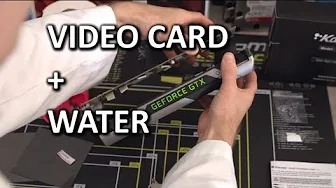
ULTIMATE Water Cool your Video Card "How To" Guide
0 up · 0 down · 0 ratings
Channels and socials
This guide shows you how to install a full cover graphics card water block and gives some helpful tips and tricks along the way. Sponsor link: linustechtips.com Join our community forum: bit.ly twitter.com @LinusTech Intro Screen Music Credit: Adhesive Wombat -
Check out his channel here: youtube.com Outtro Screen Music Credit: Approaching Nirvana - Sugar High youtube.com
The video is a step by step guide titled ULTIMATE Water Cool your Video Card How To Guide, focusing on installing a full cover graphics card water block. It starts with practical preconditions, urging viewers to test the card before disassembly and to work on a safe anti static workstation. The host emphasizes reading the water block manual carefully because different blocks have varying thicknesses and revisions and because mistakes can fry the GPU. The first major phase covers removing the stock cooler, organizing screws, and preserving components like thermal pads and heat sinks, with cautions about misplacing screws and the importance of pictures or notes for reassembly years later. The middle portion dives into preparing the GPU: cleaning the core, applying new thermal pads of the correct thickness, and ensuring all pads have the right contact with the GPU and back plate. The guide then demonstrates applying thermal compound, aligning the water block with the mounting holes, and installing the back plate and fittings, highlighting the need for even pressure and gradual tightening. The final part discusses choosing fittings, routing tubing, and balancing aesthetics with temperatures, concluding that water cooling can improve GPU temperatures and potentially boost performance, while acknowledging personal preference between stock coolers and water blocks in a compact setup. Overall, the guide blends hands on steps with practical tips, such as keeping track of screws, testing the assembly, and considering future warranty implications, making it a comprehensive walkthrough for DIY water cooling enthusiasts.
Topics · hardware · pc_building · water_cooling · technology
Questions answered
- What is the first crucial safety step before starting a water block installation?
- Test the graphics card before disassembly to avoid wasting effort if the card is faulty.
- Why is reading the water block manual emphasized?
- Different blocks have different pad thicknesses and revision notes, and following the manual prevents incorrect installation and GPU damage.
- What is recommended when removing the stock cooler?
- Take photos or carefully document screw locations to ensure proper reassembly and avoid missing screws.