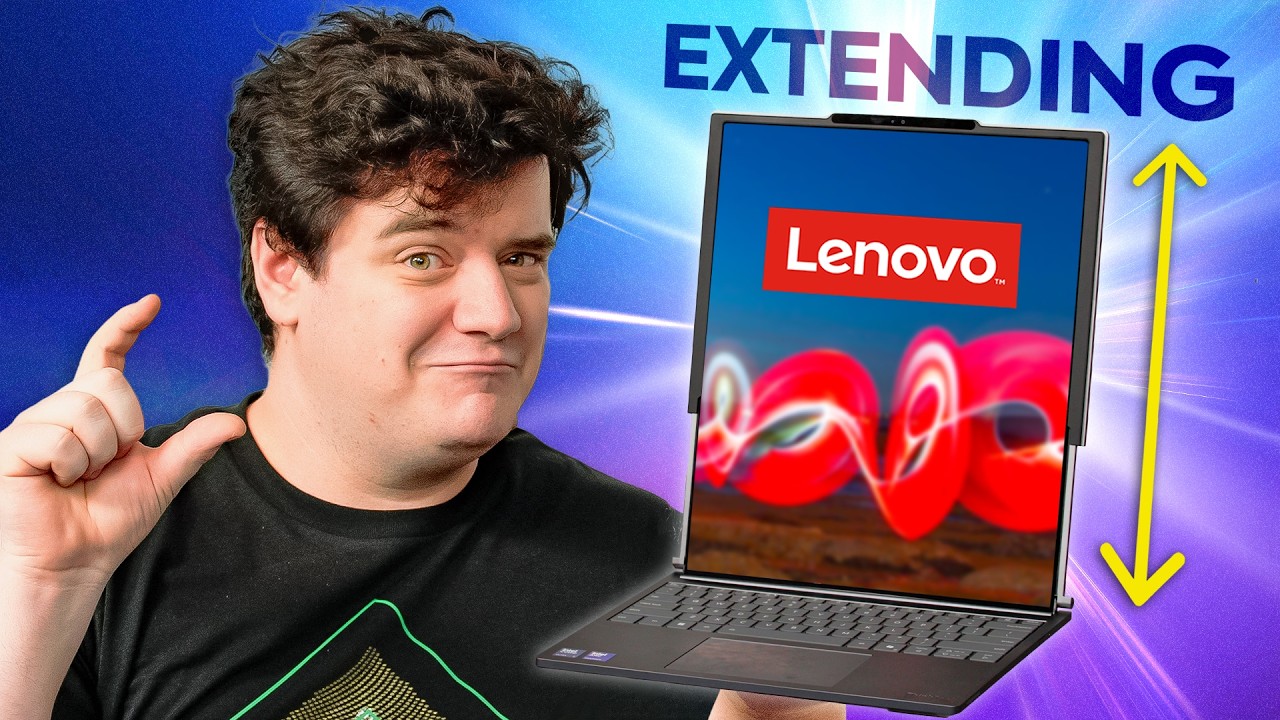
The price is worth a couple inches - Lenovo ThinkBook Plus Gen 6 Rollable
0 up · 0 down · 0 ratings
Promos
Get an exclusive 15% discount on Saily data plans! Use code SHORTCIRCUIT at checkout. Download Saily app or go to saily.com When you need a little extra screen and you don't want to carry one, there are only a few options and the Lenovo Thinkbook Plus Gen 6 rollable might be the best. Plus, we get to take the back off and see how it works! Buy Lenovo Thinkbook Plus Gen 6 - prsm2.com Want us to unbox something? Make a suggestion at lmg.gg Thanks to our channel partner Secretlab! - Grab a TITAN Evo ergonomic gaming chair: lmg.gg - Grab a MAGNUS Pro sit/stand gaming table: lmg.gg ► SHOP OUR PRODUCTS: lttstore.com ► GET A VPN: piavpn.com ► GET EXCLUSIVE CONTENT ON FLOATPLANE: lmg.gg ► DIVE DEEPER ON THE LTT LABS WEBSITE: lmg.gg ► SPONSORS, AFFILIATES, AND PARTNERS: lmg.gg Purchases made through some store links may provide some compensation to Linus Media Group. Affiliate links powered in part by affilimate.com Studio lighting by Aputure: aputure.com Linus Sebastian is an investor in Framework Computer, Inc and HexOS by Eshtek. CHAPTERS --------------------------------------------------- 01:12 - Charger in the box 01:40 - IO and Ports 03:28 - Specs 04:56 - A hinge issue 06: 03 - Can crabs rave? 06:44 - Sponsor 07:20 - Time to extend! 08:32 - Laptops in disguise 10:49 - Typing test 11:15 - Camera test 12:31 - Use the force Elijah 14:30 - Cyberpunk the long wayyyy 16:06 - Labs gaming testing 17:04 teardown 21:22 - final thoughts
The Lenovo ThinkBook Plus Gen 6 Rollable is introduced in unboxing form, highlighting its unique selling point: a rollable display that adds an extra 2.7 inches of screen real estate. The host notes the box contents briefly, mentions the 65 W charger and a short USB-C cable, and then moves to the external IO on the left side including a headphone jack and two USB-C/Thunderbolt ports. Initial impressions focus on the build, weight, and the unusual hinge mechanism that allows the display to extend, accompanied by audible cues from the flexible OLED panel and thoughts about potential wear and creases in the rolling display. The device ships with an Intel Core Ultra 7 258V, 32 GB of LPDDR5X RAM, and a 1 TB SSD, with the RAM soldered and upgradeability limited, setting expectations for upgradability. The review then turns to the display, noting a 120 Hz refresh rate, brightness around 400 nits, and a 2000x1600 resolution in the closed state, expanding to 2000x2350 when extended, which is framed as a potential game changer for on-the-go productivity. The host boot tests the machine, comments on the display quality and crease visibility, and compares the extended mode to having two stacked monitors, teasing the potential for multitasking and improved video calls by placing an active window on the top portion and calls on the bottom. A practical evaluation covers keyboard feel, trackpad quality, and speaker performance, with speakers earning a positive note while the trackpad receives a reservation. The narrative then shifts to software and usability, including an extended discussion about ThinkBook Workplace gestures, miscommunications in the setup process, and the device’s portrait vs landscape orientation behavior during usage. The review moves into real-world testing: gaming at 1080p averages around 120 FPS, which is framed as acceptable for lighter games but not a strong gaming machine, and HDR performance is acknowledged as needing tweaks for optimal results. Battery life testing with 1080p video shows surprisingly minimal difference between extended and non-extended modes for typical office tasks, reinforcing the device’s appeal for productivity, though gaming remains strenuous on power and thermals. A teardown reveals the internal architecture, including a history-making ribbon cable that snakes under the mainboard to drive the rollable display, with the host marveling at the engineering and its implications for the device’s durability and future maintenance. In closing, the presenter weighs the 3300 USD price against the novelty and productivity promise, arguing that a small tranche of users will pay for the extra real estate, while acknowledging that the market for such a gimmick exists but is niche, and suggesting alternative options like the Framework 16 for upgradeability. The video ends with a call to share opinions on whether the 2.7 inch extension justifies the cost and a nod to other tech alternatives for form factor innovation.
Topics · technology · hardware · laptops · product_review
Questions answered
- What is the main feature of the Lenovo ThinkBook Plus Gen 6 Rollable?
- The main feature is a rollable display that adds 2.7 inches of screen real estate when extended.
- What are the key specifications of the ThinkBook Plus Gen 6 Rollable?
- It uses an Intel Core Ultra 7 258V processor, 32 GB of LPDDR5X RAM, and a 1 TB SSD, with RAM being soldered and not upgradeable.
- How does the device perform for gaming and multimedia?
- In benchmarks at 1080p, it averages around 120 FPS across tested games, which is adequate for lighter games but not a high-end gaming machine; HDR performance exists but requires tweaks.
- Is the price of 3300 USD justified by the device’s features?
- The reviewer believes there is a niche market for the extra screen real estate and the novelty, but many will question the price given the overall laptop category and upgradeability concerns.