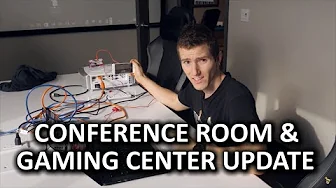
Pimp My Conference Room - Acer Projector, Carada Screen & More!
0 up · 0 down · 0 ratings
Channels and socials
We are FINALLY kitting out our conference room, one of the final steps in our big move! New chairs, projector, screen and more! Feenix giveaway link: linustechtips.com Cooler Master link: linustechtips.com Carada Screens like the one we showed off can be found here: carada.com Pricing & discussion: linustechtips.com Support us: linustechtips.com Join our community forum: bit.ly twitter.com @LinusTech Intro Screen Music Credit: Title: Laszlo - Supernova Video Link: youtube.com iTunes Download Link: itunes.apple.com Artist Link: soundcloud.com Outro Screen Music Credit: Approaching Nirvana - Sugar High youtube.com Title: Fractal - Omni Video Link: youtube.com iTunes Download Link: itunes.apple.com Label Channel: youtube.com Title: Volant - Minty Video Link: youtube.com iTunes Download Link: itunes.apple.com Label Channel: youtube.com
Pimp My Conference Room is Linus Tech Tips diving into a full boardroom upgrade that doubles as a gaming space. The video kicks off with the team outlining the plan to transform a bare conference area into a multimedia hub, featuring a new chair setup from Maxnomic, a Carada projection screen, and an Acer projector. The hosts discuss how the changes will enable clearer presentations and more engaging meetings, while also enabling casual gaming during downtime. They show off the Cooler Master MasterCase 5 as part of the broader PC upgrade philosophy, talk through mounting considerations for the projector, and begin assembling the wall frame and screen installation with an emphasis on maintaining a clean, wire-free table experience. The later sections focus on aligning the projector, testing the wireless HDMI kit, and evaluating latency using a Makey Makey-based method. The tone remains practical and hands-on as they troubleshoot mounting, alignment, and latency, then celebrate the setup with a playful gaming session and a callout of ongoing giveaways and community engagement. In the middle portion, the hosts tackle the hardware pieces in detail: seating arrangements by Maxnomic for the sides of the table, plus a Commander-level projector frame and screen mounting that requires precise stud placement and careful frame mounting. They explicitly demonstrate the screen clipping, frame tensioning, and wall mounting process, noting challenges like prepackaged mounting screws not always matching metal studs. The projector test is performed with a focus on alignment, keystone correction, and edge preservation, highlighting how a well-tuned setup improves both presentations and media viewing. A key moment involves testing wireless latency with a 60 GHz HDMI kit, where they quantify roughly 30 milliseconds of added input delay but conclude this remains acceptable for non-competitive gaming and standard presentations. Toward the end, the video shifts to a broader feature showcase and viewer engagement: a quick peek at three sets of Phoenix collection peripherals, including the Arya headset, a high-end mouse, a large mouse pad, and a Cherry MX Brown keyboard, all framed as potential giveaways. They provide entry instructions and emphasize the limited time window for participation, inviting viewers to join the Linus Tech Tips community forum. The wrap-up reinforces the success of the conference room upgrade, noting the space now supports both productive meetings and casual gaming, with a light-hearted nod to audience reactions and the ongoing community interaction, sponsorships, and merchandise options.
Topics · technology · hardware · lifestyle · review · office_setup
Questions answered
- What projector and screen were used for the conference room upgrade, and what are their key features?
- The setup uses an Acer h7550st DLP projecter paired with a Carada screen, chosen to provide clear projections for meetings and to enable a large viewing surface for charts and content.
- How is the wireless HDMI kit evaluated for latency, and what were the findings?
- The team tested the wireless HDMI kit using a Makey Makey delay test and frame-by-frame video analysis, finding approximately 30 milliseconds of added latency, which is acceptable for presentations and casual gaming but not for competitive play.
- What future plans are indicated for the conference room upgrade beyond the initial install?
- Plans include ceiling mounting the projector for a cleaner look, continuing to optimize alignment, and possibly expanding gaming peripherals and giveaways to the community through the forum and sponsor partners.