WAN Show Repair Vlog - It finally works!!!
0 up · 0 down · 0 ratings
Description
Sponsored by Corsair. FINALLY. We fixed the WAN Show setup... hopefully for good ;) PC: Buy Corsair K65 Lux RGB on Amazon: geni.us Buy Corsair M65 Pro RGB on Amazon: geni.us Buy Corsair RM 1000x on Amazon: geni.us Buy Corsair H100i v2 on Amazon: geni.us Buy Corsair MM300 on Amazon: geni.us Buy Corsair Vengeance LED 64GB on Amazon: geni.us Buy Corsair MP500 NVMe on Amazon: geni.us Buy Corsair 570x on Amazon: geni.us Buy Corsair RGB Fans on Amazon: geni.us Buy Corsair sleeved cables on Amazon: geni.us Audio gear: Buy SE4400a mic on Amazon: geni.us Buy Rode arm on Amazon: geni.us Buy Soundcraft Mixer on Amazon: geni.us Buy dbx166xs compressor on Amazon: geni.us Buy Focusrite 18i20 on Amazon: geni.us Buy Focusrite headphone amp on Amazon: geni.us Buy Focusrite 6i6 on Amazon: geni.us Capture gear: Buy Epiphan AV.IO on Amazon: geni.us Learn more about Epiphan AV.IO: epiphan.com Cables: Buy Cablemod power cables on Amazon: geni.us Buy TP-link Wifi smart plugs on Amazon: geni.us Discuss on the forum: linustechtips.com Our Affiliates, Referral Programs, and Sponsors: linustechtips.com
Channels and socials
Check out our Linus Tech Tips posters at crowdmade.com twitter.com @LinusTech Intro Screen Music Credit: Title: Laszlo - Supernova Video Link: youtube.com iTunes Download Link: itunes.apple.com Artist Link: soundcloud.com Outro Screen Music Credit: Approaching Nirvana - Sugar High youtube.com Sound effects provided by freesfx.co.uk
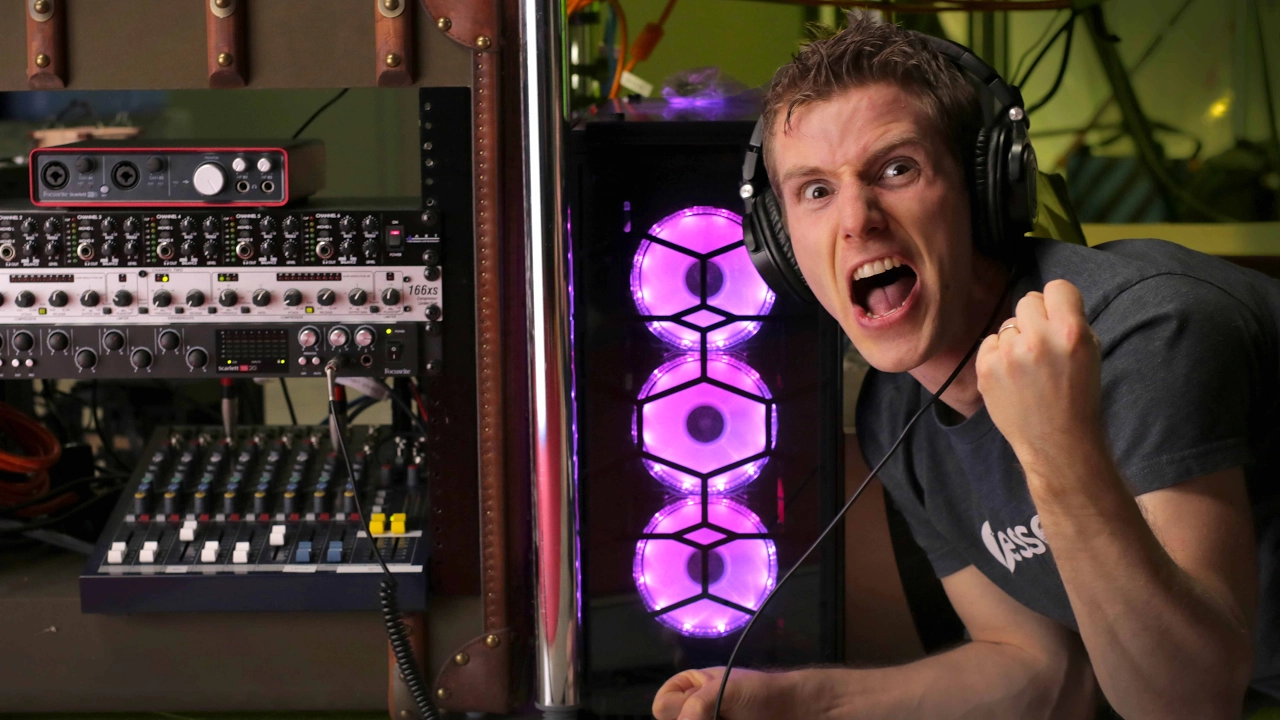
The WAN Show Repair Vlog documents Linus and the team tackling a long-standing stability and audio-visual pain point for the WAN Show setup, driven by a Corsair sponsorship. The video opens with a candid admission of past problems, including audio issues, video drops, and overall system instability, and it frames the repair as a collaborative effort with Corsair to refresh the entire streaming rig. The host narrates a meticulous teardown, emphasizing the importance of taking detailed before-and-after photos to aid reassembly. Core hardware is identified as an aging but capable base, including an x99 Deluxe motherboard and a 5930K CPU, complemented by a sizable Corsair RAM kit, NVMe storage, and a tempered-glass case with RGB. The team plans a substantial upgrade: upgrading the PC, cables, peripherals, and the audio chain, leveraging Focusrite interfaces, a dbx compressor, Epiphan capture gear, and a revamped monitoring path. The narrative alternates between showing the messy prior arrangement and the fresh, organized build process, underscoring the payoff of better cable management, more robust power delivery, and cleaner signal paths. The finished tour is presented as a dramatic improvement: better lighting, a dedicated streaming hub, and a tidy retro-style server cabinet housing most of the audio gear, all aimed at delivering a more reliable, visually appealing WAN Show experience. The video closes with a tour of the completed setup and a call to action to check the video description for gear links, sponsor notes, and a prompt to watch the next video, reinforcing both the entertainment value and the practical gains of the upgrade.
Topics · technology · hardware · content_creation · sponsorship