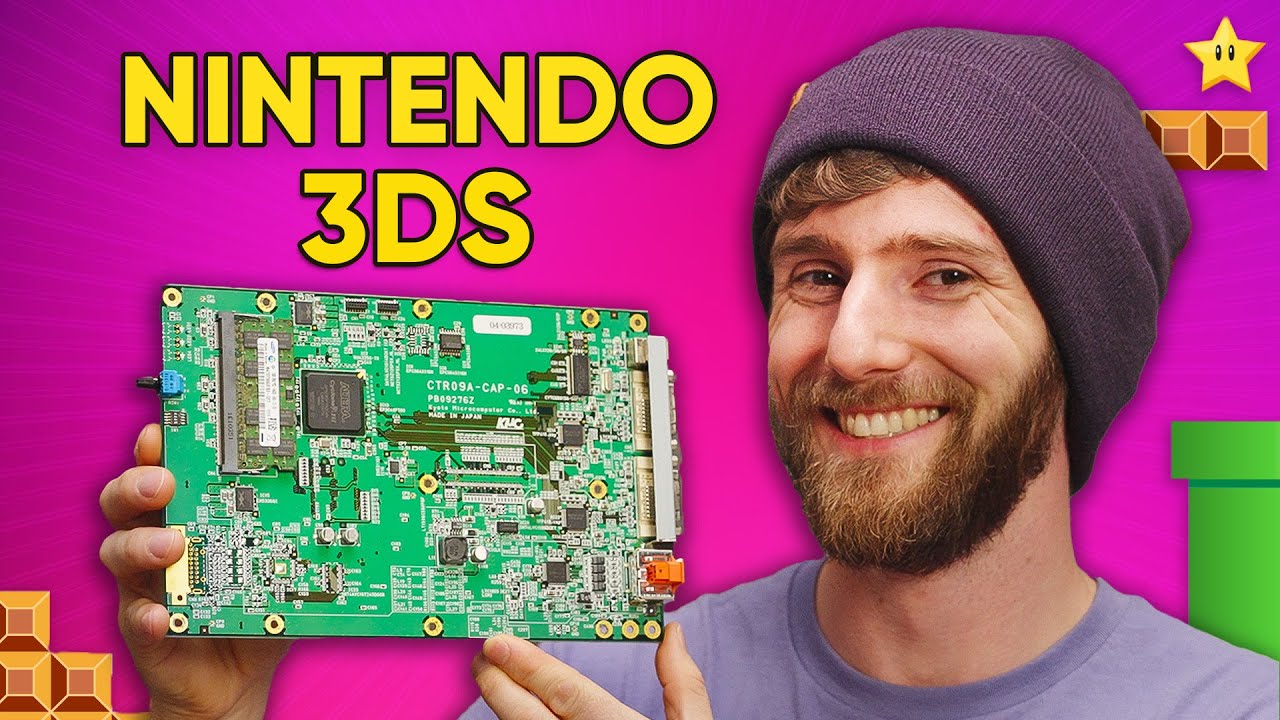
Want this back, Nintendo? - 3DS Dev Kit
0 up · 0 down · 0 ratings
Promos
See NordPass Business in action now with a 3-month free trial here: nordpass.com and use code linusbusiness at the checkout! It’s risk free with 30 day money-back guarantee! UGREEN 100W GaN Charging Station (25% OFF): amzn.to UGREEN Nexode Chargers: amzn.to Ever wanted to play your Nintendo 3DS games on the TV? We’ve got a Nintendo 3DS development unit, but it does more than just develop! Discuss on the forum: linustechtips.com ► GET MERCH: lttstore.com ► SUPPORT US ON FLOATPLANE: floatplane.com ► AFFILIATES, SPONSORS & REFERRALS: lmg.gg ► PODCAST GEAR: lmg.gg FOLLOW US --------------------------------------------------- Twitter: twitter.com Facebook: @LinusTech Instagram: @linustech TikTok: @linustech Twitch: twitch.tv MUSIC CREDIT --------------------------------------------------- Intro: Laszlo - Supernova Video Link: youtube.com iTunes Download Link: itunes.apple.com Artist Link: soundcloud.com Outro: Approaching Nirvana - Sugar High Video Link: youtube.com Listen on Spotify: spoti.fi Artist Link: youtube.com Intro animation by MBarek Abdelwassaa @mbarek_abdel Monitor And Keyboard by vadimmihalkevich / CC BY 4.0 geni.us Mechanical RGB Keyboard by BigBrotherECE / CC BY 4.0 geni.us Mouse Gamer free Model By Oscar Creativo / CC BY 4.0 geni.us CHAPTERS --------------------------------------------------- 0:00 Intro 1:37 What Makes it Special? 2:47 Handheld Unit 3:17 Software 7:42 Let's Play a Game 8:36 Exterior I/O 11:39 Getting in the Guts 18:15 Nitro CTR
LinusTechTips dives into a Nintendo 3DS development kit, exploring what was previously a mostly opaque corner of Nintendo hardware history. The video kicks off by framing the Partner CTR as a powerful, albeit rare, dev kit from Kyoto Microcomputer Company that expands beyond ordinary development tools. The host explains that this unit not only enables remote debugging and extra memory, but also introduces a direct video output path to a television, a feature many classic consoles had long assumed to exist. Early on, the team emphasizes the kit’s complexity, with the brains housed in the handheld unit while external cables route signals to build displays, creating a multi-screen development environment. This segment sets the stage for a deep dive into both the hardware layout and the software menus that make the dev kit distinctive. The second paragraph focuses on the hardware and the unusual design choices that separate this kit from consumer 3DS units. The presenters show how the external monitor outputs per screen work and highlight the surprising fact that this dev kit can output to two separate displays. They demonstrate basic wake and debug operations without disassembling the device, including viewing the system mode, build number, and potential frame-time indicators. A crucial moment comes when they attempt more involved actions, revealing the bottom display’s output and the quirky quirks that come with early firmware and bespoke hardware. This portion blends hands-on troubleshooting with an appreciation for the engineering tradeoffs of a development platform. In the third portion, the team ventures into software and firmware experimentation, attempting to access debug menus and latency settings. They reveal a menu stack with language options, developer mode switches, and latency emulation, prompting questions about how developers would stress test timing and performance. A misstep leads to a boot loop and a firmware update attempt, which briefly bricks the unit before a recovery is found via a system update or reconfiguration, illustrating the fragility and risk of hardware capture gear. Throughout, the conversation touches on QA processes and the inherent teething problems of working with prototype hardware that isn’t intended for consumer use. This section demonstrates both the potential of the dev kit for genuine development work and the practical challenges that come with it. The fourth paragraph centers on the hands-on experiment of running actual games and testing oddball peripherals. The hosts load New Super Mario Bros 2 on the dual-monitor setup, marveling at the unexpectedly chunky and non-native rendering, and even discovering a development controller that resembles a Wii Classic Controller Pro. They explore different video modes, including a surprising 3D projection trick that shows side-by-side views, and discuss how the kit includes a DS/DSi compatible cartridge system that is not a standard retail 3DS game loader. The spectacle of seeing a real game run through a dev box,complete with a curious assortment of I/O, power, and capture hardware,underscores both the nostalgia and the novelty of Nintendo’s underground hardware ecosystem. The segment ends by noting the practical limits of the kit, including the fact that standard 3DS games won’t play on the dev unit and that some ports and features are reserved for development only. The final paragraph zooms out to reflect on the broader significance of the Partner CTR and similar devices. The hosts note the presence of field-programmable FPGA chips that can be reprogrammed to mirror final silicon behavior, a capability that dramatically accelerates testing and iteration without costly tape-outs. They discuss the trade-offs of dev kits priced well beyond consumer hardware but invaluable for hardware testing, certification, and carve-out features for big events like world championships or promotional showcases. The video closes with a snapshot of the kit’s back panel, the power and video pathways, and a final appreciation for how these devices capture the spirit of hardware tinkering. Throughout, the hosts balance enthusiasm with careful caveats about the accessory’s intended audience and purpose, leaving viewers with a clear sense of why this piece of hardware remains a fascinating artefact of classic console development.
Topics · technology · gaming hardware · retro hardware · electronics · Nintendo
Questions answered
- What is the Partner CTR in this video?
- It is a Nintendo 3DS development kit with extra memory, debug capabilities, and the unique ability to output video to two displays, used for development and capture.
- Can you play standard 3DS games on this dev kit?
- No, the video explains that standard retail 3DS games cannot be played on this unit; it is intended for development and capture work.
- What unusual features does the kit have?
- The kit includes dual monitor output, an FPGA-based main board, a specialized cartridge system for development cartridges, and a dedicated capture pathway over USB.
- What happens when attempting firmware updates on the kit?
- Firmware updates can cause boot loops or bricking; recovery may require changing settings or system updates under specific menus.