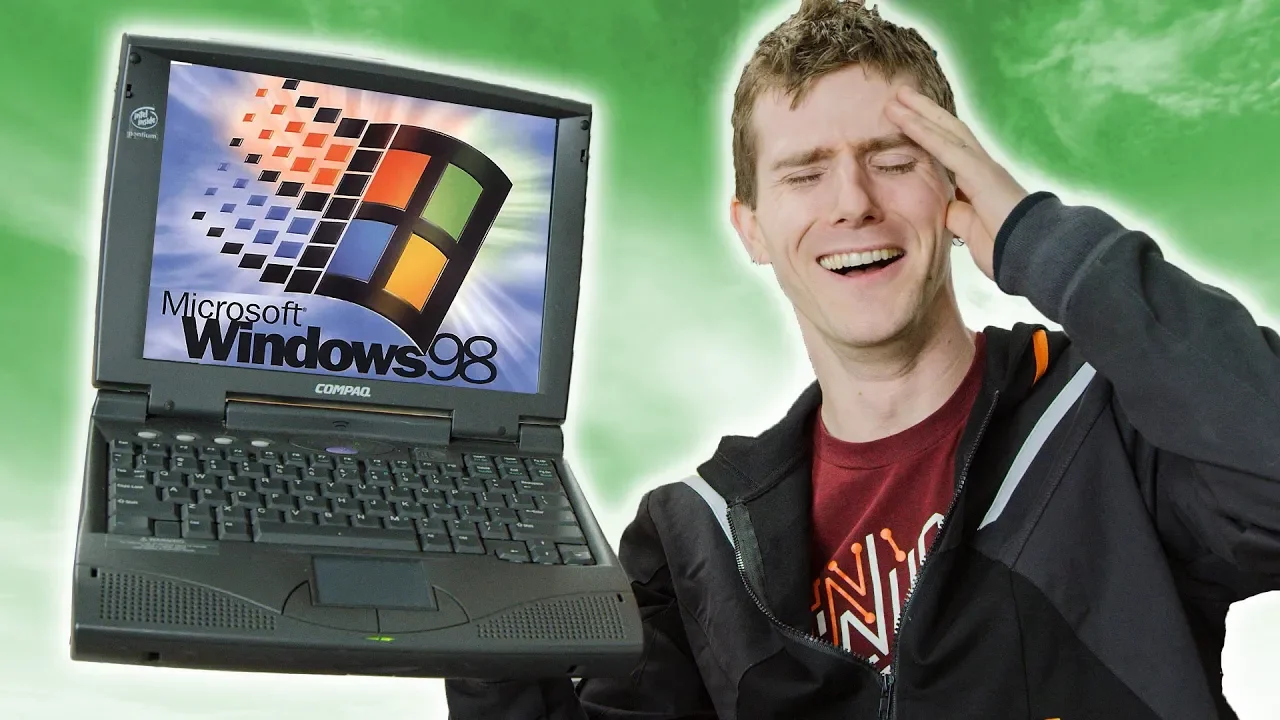
Gaming on a 25 YEAR OLD Laptop!!
0 up · 0 down · 0 ratings
Promos
Buy laptops on Amazon: geni.us Discuss on the forum: linustechtips.com Our Affiliates, Referral Programs, and Sponsors: linustechtips.com Get Private Internet Access today at geni.us Linus Tech Tips merchandise at lttstore.com Linus Tech Tips posters at crowdmade.com Our Test Benches on Amazon: amazon.com Our production gear: geni.us Twitter - twitter.com Facebook - @LinusTech Instagram - @linustech Twitch - twitch.tv Intro Screen Music Credit: Title: Laszlo - Supernova Video Link: youtube.com iTunes Download Link: itunes.apple.com Artist Link: soundcloud.com Outro Screen Music Credit: Approaching Nirvana - Sugar High youtube.com
This video dives into the nostalgia and practical quirks of using a 25 year old laptop for gaming and everyday tasks. The host boots up the machine, notes the lack of an external power brick due to an internal power supply, and remarks on the surprisingly readable RAM amount for its era. He walks through the initial setup, comments on the dim display and rudimentary Windows 95-era user experience, and contrasts it with modern grid layouts and resource management. The exploration covers hardware quirks, like the two PS/2 ports and the presence of a floppy drive, while also highlighting the surprisingly long list of legacy I/O options such as RS-232, parallel, and infrared. The tone remains playful and educational as he demonstrates both the limitations and the charms of vintage computing, including the keyboard feel and the distinct lack of USB or Wi-Fi. Overall, the video frames the laptop as a tangible artifact that still enables genuine, if slow, retro gaming and computing experiments, rather than a mere curiosity. The middle sections focus on actually getting software and games to run, including attempts to run Liero on Windows 95/98 environments. A major note is the reliance on older peripherals like a PS/2 mouse adapter and a ball mouse, which adds a tactile, hands-on challenge to the experience. The host demonstrates the machine’s storage limits, the FAT32 formatting reality, and the slow but persistent progress of loading and configuring old software. He digs into the ergonomics of the era, praising the keyboard layout and the dedicated home, end, and page keys, while also lamenting the heavyweight chassis and suboptimal touchpad. The video then showcases practical tasks such as burning a CD to move files between machines, including the slower-than-modern CD burning speeds and the quirks of early optical media. Through these steps, viewers gain appreciation for how technology has shrunk tasks that used to take patience and planning. In another sequence, the host installs and tests classic games like 1602 A.D., discussing multiplayer limitations and the oddities of retro controls and ghosting on older keyboards. He narrates the experience of sourcing and loading software from discs, and even attempts to view pictures via Internet Explorer from the era, illustrating how color depth and display capabilities constrained what users could see. The presentation includes candid observations about the software ecosystem, including the absence of USB storage and Wi-Fi at the time, and the surprisingly rich port selection on the laptop compared to many modern devices. The exploration of 1602 A.D. doubles as a reminder of the social and educational context of early PC gaming, where friends gathered around shared screens and local multiplayer was king. The video culminates in a lighthearted reflection on why such hardware remains fascinating to retro enthusiasts and tech historians alike. The closing portion wraps with a witty, affectionate goodbye to the clunker, thanking a friend who lent the machine and inviting viewers to engage with the video through likes, subscriptions, and forum posts. The host reiterates the educational value of revisiting old hardware and the lively, nostalgic comments from the audience. He leverages practical demonstrations,like hardware ports, battery life, and CD burning,to convey a broader point: even dated laptops can offer meaningful, entertaining experiences when explored with curiosity and care. The overall takeaway is a celebration of retro technology as a learning tool and a source of humor and shared memory, not merely a step back in time. Viewers are left with a sense of respect for how far computing has come and a smile at how much character old machines still carry.
Topics · technology · gaming · history · laptops · hardware · retro-computing · science-technology
Questions answered
- What makes this 25 year old laptop still interesting for modern viewers?
- It offers tangible insight into the hardware limits and software ecosystems of the era, shows how people interacted with early laptops, and demonstrates that even old gear can provide genuine, goofy enjoyment and learning through hands-on experimentation.
- Which hardware features stood out as particularly characteristic of the time?
- The presence of a built-in power supply, PS/2 ports, two PCMCIA slots, a floppy drive, an infrared port, and the absence of USB and Wi-Fi are all emblematic of that period.