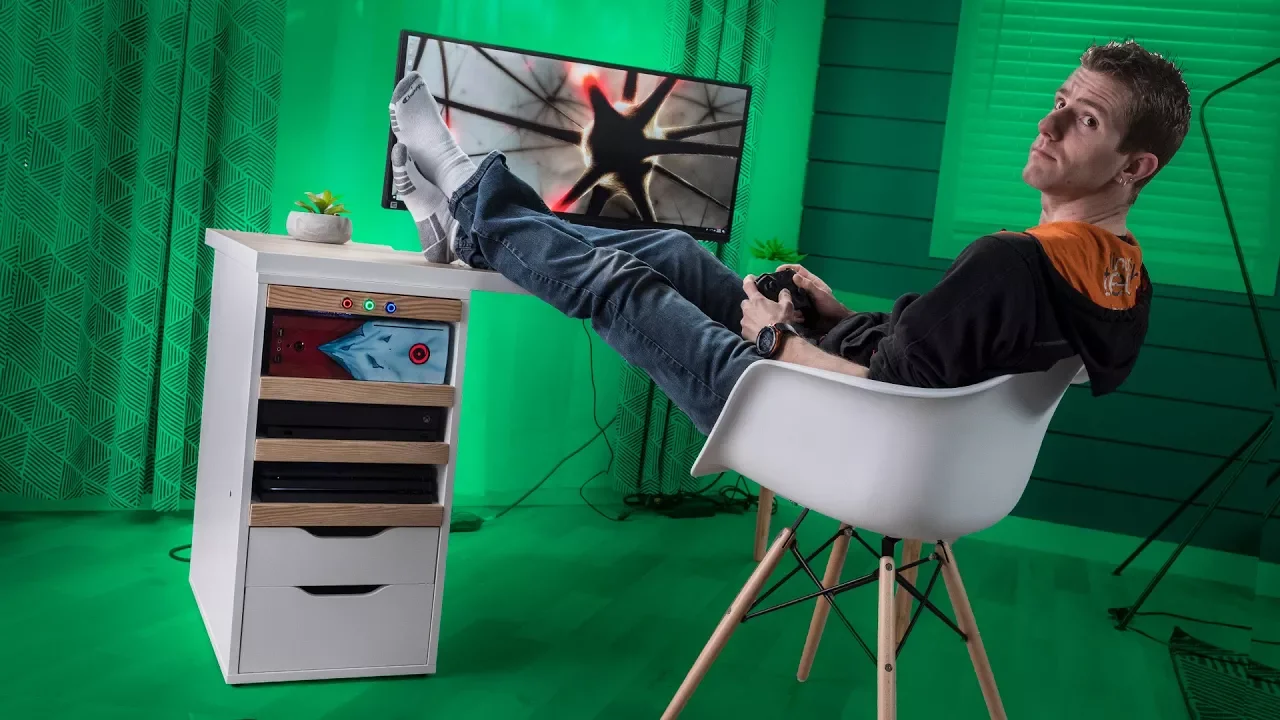
Ultimate PC AND Console Gaming Battlestation
0 up · 0 down · 0 ratings
Promos
Thanks to Intel for sponsoring this video! Want to win the awesome Intel Core i7 8700k-powered gaming rig we feature in this video? Then tweet what you love about the new 8th Gen Intel Core i7 processors with the hashtag #GameWithIntelSweeps. Sweepstakes ends on 3/30! Full terms: bit.ly (US & Canada only, excluding Quebec) Buy Intel Core i7 8700K on Amazon: geni.us Discuss on the forum: linustechtips.com Our Affiliates, Referral Programs, and Sponsors: linustechtips.com Linus Tech Tips merchandise at designbyhumans.com Linus Tech Tips posters at crowdmade.com Our production gear: geni.us Get LTX 2018 tickets at ltxexpo.com Twitter - twitter.com Facebook - @LinusTech Instagram - @linustech Twitch - twitch.tv Intro Screen Music Credit: Title: Laszlo - Supernova Video Link: youtube.com iTunes Download Link: itunes.apple.com Artist Link: soundcloud.com Outro Screen Music Credit: Approaching Nirvana - Sugar High youtube.com Sound effects provided by freesfx.co.uk
This video documents a high‑concept DIY battlestation build that blends a compact Origin Chronos gaming PC with a multi‑input hub for PC and console gaming, all housed inside a modified desk. The creators aim to switch between PC, Xbox One X, and PS4 Pro with ease, while keeping a clean, modern look that emphasizes RGB lighting and a seamless user experience. Early on they outline a plan to augment an existing desk rather than start from scratch, selecting a mix of wood finishes and white panels to reflect a contemporary aesthetic that also helps bounce light from the RGB setup. The segment then dives into the Chronos PC, highlighting its 4.7 GHz Core i7‑8700K processor cooled by a Frostbite 120 liquid cooler, designed to keep performance stable in a small form factor. As the build progresses, the crew explains how they modified the cabinet to hold multiple systems, including an Xbox One X and a PS4 Pro, and wired up an Arduino brain to manage input switching via a custom HDMI arrangement. The project encounters a pivotal challenge when sourcing physical input buttons for each HDMI input, ultimately resolving it by wiring the Arduino to control the switch directly after an initial setback with a miswired remote. The final assembly features custom shelves, cable management holes, and RGB strips tucked behind wood trim to achieve a subtle glow, culminating in a single, compact hub that routes all inputs through a shared, programmable control system. In the closing moments, the hosts reflect on the budget, noting the total comes in around $420, and invite viewers to explore sponsoring brands and the project’s evolution, while encouraging likes, subscriptions, and checkouts of related links. Overall the video blends practical hardware integration with a dash of “Gerry rigged” charm, delivering a concrete, usable concept for enthusiasts who want a unified gaming environment that supports both PC and console play without sacrificing aesthetics or airflow. The narrative moves from concept and planning to hands‑on modification, then to a functional proof of concept, and finally to reflections on budget and sponsor integration, making it clear how each decision impacts usability and visual coherence. Viewers get concrete takeaways on how to repurpose an Existing desk, how to route cables neatly, and how to implement an Arduino‑driven control scheme for input management, all while maintaining a strong emphasis on style and light effects. The result is presented as both a technical achievement and a practical blueprint for other builders who want a compact, versatile gaming station that can handle multiple platforms with a single interface.
Topics · technology · hardware · diy · gaming_setup