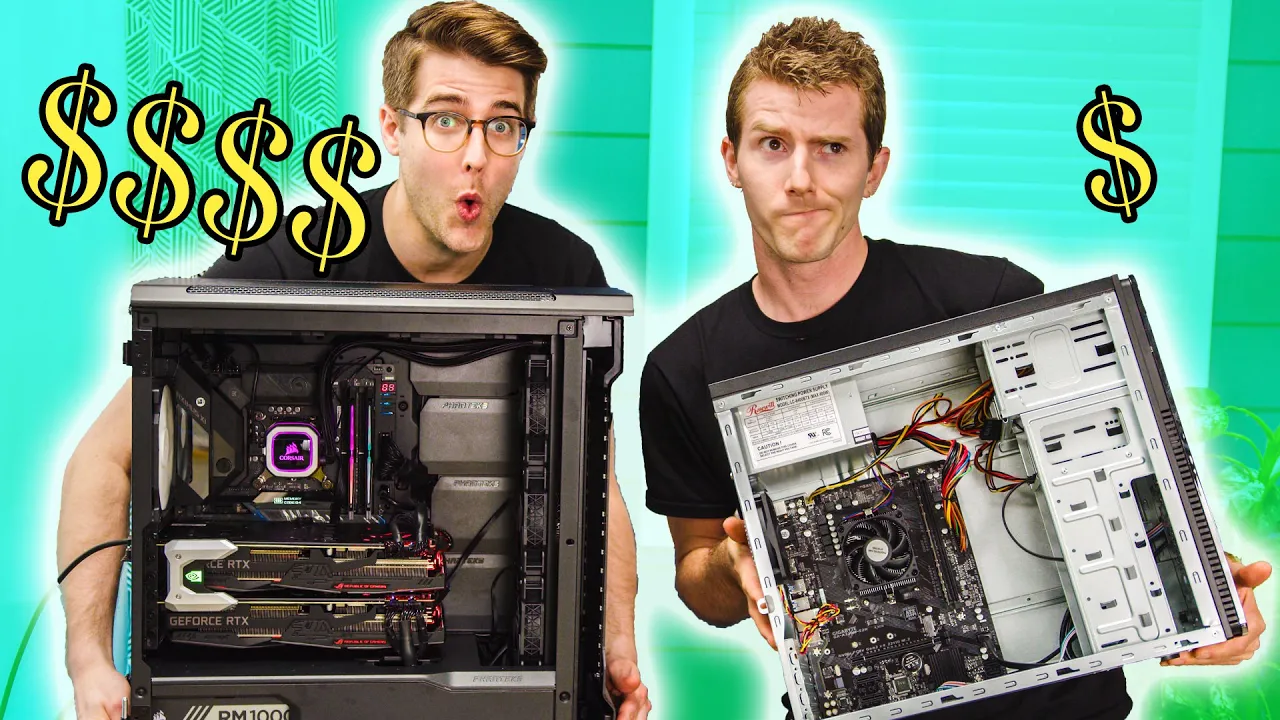
Cheap vs. Expensive Gaming!?
0 up · 0 down · 0 ratings
Promos
Get the Ring Doorbell Welcome Kit today at ring.com Use code LINUS and get 25% off GlassWire at lmg.gg We built six gaming PCs at six different budgets to find out what it's like to game at every price point! (Almost). Buy PC parts: On Best Buy: shop-links.co On Amazon: geni.us On Newegg: lmg.gg Buy CORSAIR: On Best Buy: shop-links.co On Amazon: geni.us Get your tickets to LTX19 at lmg.gg Link to Build specs and discuss on the forum: linustechtips.com Our Affiliates, Referral Programs, and Sponsors: linustechtips.com Get Private Internet Access today at geni.us Displate metal posters: lmg.gg Linus Tech Tips merchandise at lttstore.com Linus Tech Tips posters at crowdmade.com Our Test Benches on Amazon: amazon.com Our production gear: geni.us Twitter - twitter.com Facebook - @LinusTech Instagram - @linustech Twitch - twitch.tv Intro Screen Music Credit: Title: Laszlo - Supernova Video Link: youtube.com iTunes Download Link: itunes.apple.com Artist Link: soundcloud.com Outro Screen Music Credit: Approaching Nirvana - Sugar High youtube.com
The video explores how much you really need to spend to get a satisfying gaming PC experience, presenting six distinct builds categorized by price point and named with memorable personas: El Cheapo, Athlete, Mid‑Ranger, Gentleman, Royal Wii, and Overkill Budgets. The host emphasizes that these builds are representative samples meant to illustrate how performance and experience scale with budget, not exhaustive inventories of every possible configuration. He also notes that no overclocking or tweaking is performed, to keep the out‑of‑box experience authentic, and mentions that newer CPU and GPU generations released shortly after recording would slightly change the landscape but that the overarching price‑to‑performance trends remain meaningful. Each build includes a complete tower and essential peripherals, with explicit attention to monitor choice and upgrade paths. The first budget, El Cheapo, uses an AMD Athlon APU and very modest storage to demonstrate that basic gaming is possible even with very limited hardware, though expectations must be tempered by frame rates and game choice. The second tier, Athlete, introduces a discrete GPU and faster CPU, delivering a noticeably smoother experience with higher frame rates and better input response, illustrating how incremental upgrades translate to tangible gameplay improvements. The Mid‑Ranger adds both CPU and GPU upgrades along with larger storage and a more capable monitor, highlighting the point where price to performance starts to feel balanced for many gamers. The Gentleman tier continues with substantial improvements, including a more powerful GPU, 144 Hz or higher monitors, better cooling, and a more premium chassis, showing how you can push comfort and visuals without breaking the bank. The Royal Wii raises expectations further with high‑end components and features that edge toward enthusiast territory, such as a modern flagship GPU, superior cooling, and a more expansive monitor setup, while the Overkill builds demonstrate the absolute upper bound with top‑tier CPUs, multi‑GPU configurations, and maxed‑out storage. Across all builds, the host frames the discussion around where the sweet spot lies for different gaming needs, such as 1080p with solid frame rates versus 4K with ultra details, and points out that the right choice depends on the games you play, the monitor you own, and the upgrade path you value most. In closing, the video connects the hands‑on build experience to a broader context by noting that the rigs were showcased at a hardware event (LTX) and inviting viewers to test different price points themselves to determine what fits their budget and preferences, while also hinting at the practical reality that many players will be satisfied with midrange setups given the right expectations and game choices.
Topics · technology · gaming · hardware · pc-builds · consumer-electronics
Questions answered
- What is the main goal of the six builds in this video?
- The video aims to illustrate how gaming performance and experience change across a range of budgets, from a very cheap setup to an overkill, high-end configuration, to help viewers understand price to performance at different points.
- Why are no overclocking or tweaking adjustments included in the builds?
- To preserve an authentic out of the box experience and show how a standard, non‑touched system performs at each price point.
- Which monitor characteristics are highlighted as important for budget to midrange builds?
- Important monitor aspects include resolution, refresh rate, response time, and the value offered by affordable IPS or TN panels, with higher refresh rates benefiting gaming responsiveness.
- What is a key takeaway about upgrade paths across the builds?
- Even budget builds typically offer upgrade paths like more RAM, a better CPU or GPU, and a higher quality power supply, which can significantly improve performance without an immediate, full rebuild.
- What is the recommended approach for most players to get a satisfactory experience within their budget?
- Choose a price point that offers a balanced combination of GPU, CPU, RAM, and monitor, then adjust settings and game choices to match the hardware, rather than chasing the absolute highest specs.