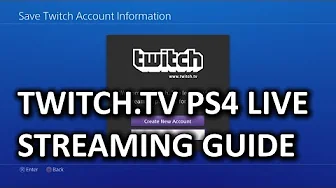
How to Stream from PS4 to Twitch.tv & My First Gameplay Commentary Video
0 up · 0 down · 0 ratings
Channels and socials
Playstation 4 streaming directly to Twitch is a thing, and we'll be showing you how easy it is to do. Normally the stuff we do tutorials for on this channel is like... difficult in some way, but in this case I made a deal with Twitch to have them get me one because I really really needed a PS4 to make this video: youtube.com Sponsor link: linustechtips.com Pricing & availability: linustechtips.com Join our community forum: bit.ly twitter.com @LinusTech Intro Screen Music Credit: Adhesive Wombat -
Check out his channel here: youtube.com Outtro Screen Music Credit: Approaching Nirvana - Sugar High youtube.com
This video serves as a practical guide for livestreaming gameplay from a PlayStation 4 directly to Twitch, highlighting how Sony integrated live broadcasting into the PS4 and eliminating need for external capture devices for basic streaming. The presenter walks viewers through the initial setup, including navigating to Broadcast Gameplay, selecting Twitch as the streaming platform, and logging into a Twitch account to configure stream options such as camera, microphone, and chat display. Throughout the walkthrough, the steps are broken down with emphasis on how to adjust stream quality and channel information, and the presenter notes that PS4 does not inherently archive streams, offering alternatives using HDMI splitters and capture devices for recording. The tone blends instructional content with light, self-deprecating humor, culminating in a brief reflective moment about the First Gameplay Commentary video that accompanies the tutorial. The overall aim is to empower PS4 users to start streaming with minimal barrier to entry while providing practical tips for possible archiving and higher production values if desired.
Topics · Technology · Gaming · Tutorials · Broadcasting
Questions answered
- What is the first step to stream from PS4 to Twitch according to the video?
- Go to Broadcast Gameplay on the PS4, select Twitch as the streaming platform, and log in to a Twitch account to configure the stream.
- Can PS4 streams be archived natively, and what are the alternatives mentioned?
- PS4 does not natively archive streams at the time of the video; alternatives include using an HDMI splitter to remove HDCP protection and a capture device or PC capture station to record the gameplay for archiving.