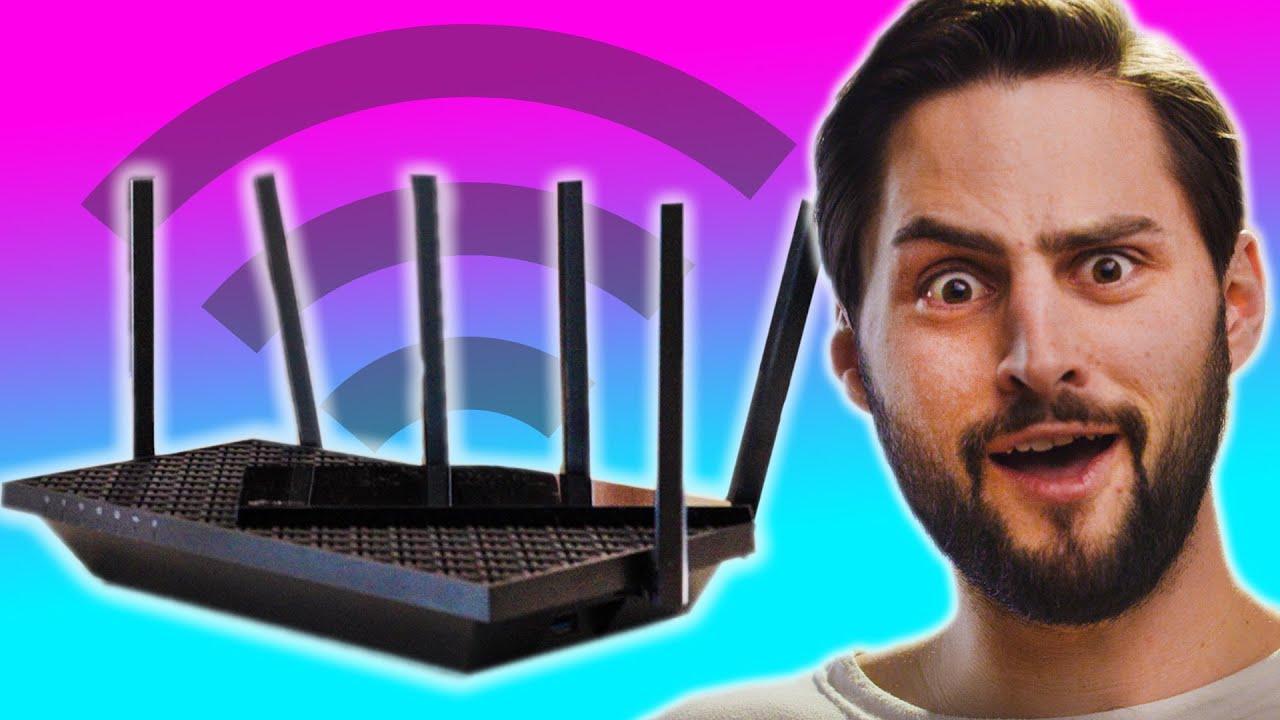
I FINALLY can get WiFi on my ROOF! - TP-Link Archer AX5400
0 up · 0 down · 0 ratings
Promos
Thanks to TP-Link for sponsoring today's video. Purchase the Archer AX5400 Dual-Band Gigabit WiFi 6 Router for just $149.99 for a limited time at: lmg.gg 10 lucky participants have the chance to win the Archer AX5400 Dual-Band Gigabit WiFi 6 Router, Archer AX73 at: lmg.gg WiFi is basically a necessity these days, with almost all of your devices needing to be connected to the internet, like a fridge! TP-Link's Archer AX5400 router allows you to have all those devices connected without worrying about a slowdown. Let's install it in James' house! Purchases made through some store links may provide some compensation to Linus Media Group. ►GET MERCH: lttstore.com ►SUPPORT US ON FLOATPLANE: floatplane.com ►LTX EXPO: ltxexpo.com AFFILIATES & REFERRALS --------------------------------------------------- ►Affiliates, Sponsors & Referrals: lmg.gg ►Check out our podcast gear: kit.co ►Private Internet Access VPN: lmg.gg ►Our Official Charging Partner Anker: lmg.gg ►Secretlabs Gaming Chairs: lmg.gg ►MK Keyboards: lmg.gg ►Nerd or Die Stream Overlays: lmg.gg ►Green Man Gaming lmg.gg ►Amazon Prime: lmg.gg ►Audible Free Trial: lmg.gg ►Our Gear on Amazon: lmg.gg FOLLOW US ELSEWHERE --------------------------------------------------- Twitter: twitter.com Instagram: @shortcircuityt Facebook: @ShortCircuitYT FOLLOW OUR OTHER CHANNELS --------------------------------------------------- Linus Tech Tips: lmg.gg TechLinked: lmg.gg Mac Address: lmg.gg Techquickie: lmg.gg LMG Clips: lmg.gg Channel Super Fun: lmg.gg Carpool Critics: lmg.gg
The video documents installing a TP-Link Archer AX73 (Wi-Fi 6) router in a three-level townhouse to extend WiFi up to the roof. The host walks through unboxing, highlighting the design, venting, and the six adjustable high gain antennas. He demonstrates the process of mounting and wiring the router, and then performs a live speed test on the second floor before heading to the roof to test connectivity from there. The rooftop test reveals strong improvements with the 5 GHz band, delivering 334 Mbps which is faster than the subscriber's baseline, and the 2.4 GHz band provides 40 Mbps on the lower floors. Back inside, he explores advanced features like antivirus, parental controls, QoS, guest networks, and Home Shield security, emphasizing device management, scheduled night mode for LEDs, and the ease of sharing WiFi credentials. The host wraps up with a quick summary of the Archer AX73 capabilities, the value proposition at under $200, and a holiday promo, encouraging viewers to upgrade their home networks. Overall, the video blends a hands-on setup tutorial with practical performance demonstrations and a spotlight on TP-Link ecosystem features, concluding that the AX73 is a strong option for upgrading home WiFi.
Topics · technology · networking · home_improvement · consumer_electronics
Questions answered
- What router is demonstrated in the video and what key feature makes it suitable for multi-story homes?
- The video demonstrates the TP-Link Archer AX73 Wi-Fi 6 router, which supports high-speed dual-band performance and features like a mesh extension option to create a wider coverage area in multi-story homes.
- What were the observed speeds on the roof compared to the second floor during testing?
- On the roof, the 5 GHz band delivered 334 Mbps, exceeding the subscriber's basic speed, while the 2.4 GHz band provided stronger performance on the lower floors, around 40 Mbps on the first floor and improved 26 Mbps on the lower end of the 5 GHz penetration.