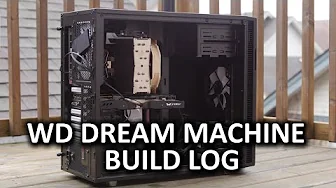
Video Editing Workstation Build Log - WD Dream Machine for Good
0 up · 0 down · 0 ratings
Channels and socials
What goes together as well as Linus and Luke? Watch the video to find out... Thanks to WD for making this build log possible! Question thread: linustechtips.com Pricing & discussion: linustechtips.com Support us: linustechtips.com Join our community forum: bit.ly twitter.com @LinusTech Intro Screen Music Credit: Adhesive Wombat -
Check out his channel here: youtube.com Outro Screen Music Credit: Approaching Nirvana - Sugar High youtube.com Title: Favright - Iceladen Video: youtu.be Beatport: monster.cat Label channel: youtube.com
The video documents a collaborative build log for a high-end workstation configured for video editing, following Linus Tech Tips and WD’s Dream Machine for Good initiative. The presenters explain the goal of pairing solid state storage with large capacity hard drives to create a balanced, responsive system ideal for content creation tasks like editing and rendering. They describe the core choices: upgrading the motherboard to an X99 Deluxe for availability reasons, selecting a speedy 512 GB SSD as the OS drive, and using two 6 TB WD Green drives for mass storage. The discussion emphasizes cost-per-gig, performance, and future expandability, noting that the 6 TB drives give ample space for student projects while keeping the system quiet and classroom-friendly. They also highlight practical optimization tips, such as relocating installation directories to the HDD, using space analysis tools to manage SSD space, and being mindful of defragmentation practices for HDDs while avoiding defrag for SSDs. The hosts acknowledge tweaks from the community-submitted configurations, describe the final component choices including the Asus PB278Q monitor and the Defin RTX 980-based chassis, and frame the build as a philanthropic effort to donate the finished workstation to a local school. The video closes with reminders to consult the discussion threads for further questions, an invitation to join the community, and thanks to WD for enabling the project, reinforcing the dual goals of education and open sharing of hardware optimization strategies.
Topics · technology · hardware · education · build-log