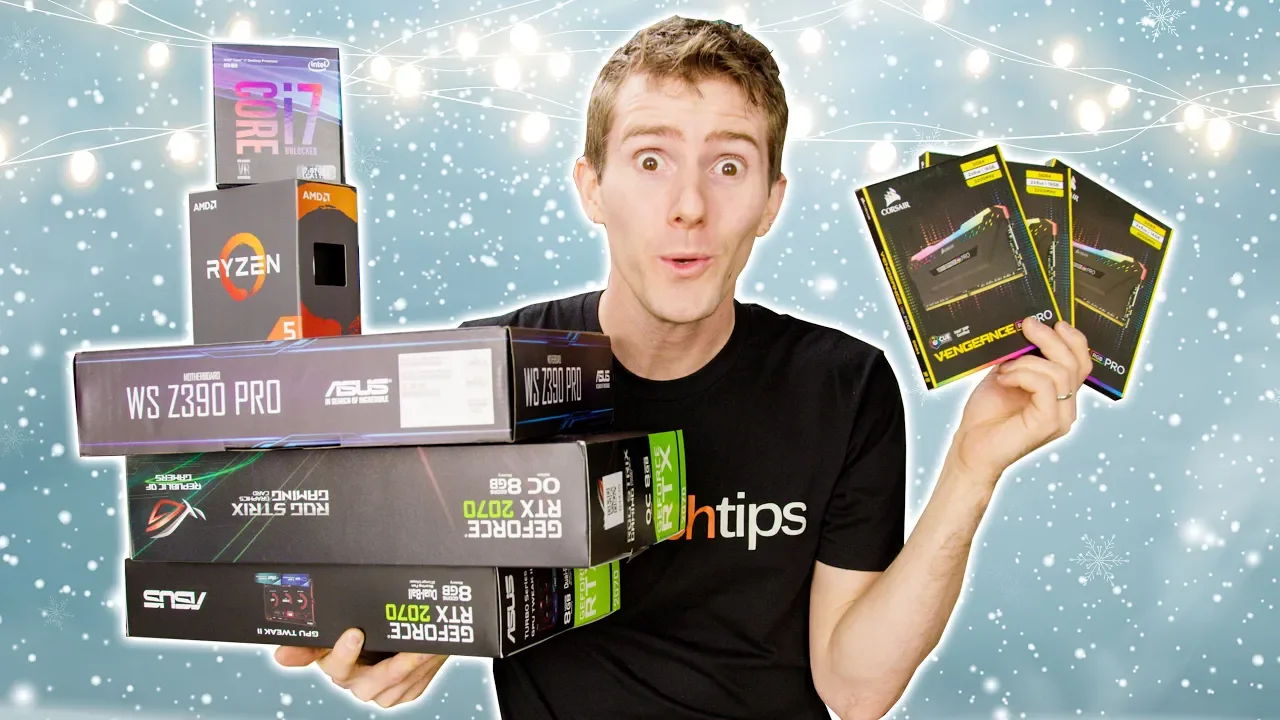
It's a GREAT Time to Build a PC - Holiday Buyer’s Guide 2018
0 up · 0 down · 0 ratings
Promos
Get iFixit's NEW Manta Driver Kit now for only $59.99 USD at ifixit.com Get iFixit's Pro Tech Toolkit now for only $59.95 USD at ifixit.com Get ready to disagree with Linus in the comments below as we dive into this year’s holiday PC builds, now with reasonable pricing! Buy Just Game On Amazon: geni.us On Newegg: - Ryzen 3 2200G: lmg.gg - 2x4 GB DDR4-2400: lmg.gg - Gigabyte AB350M-DS3H: lmg.gg - FSP Berserker 500W: lmg.gg - Cougar MG110: lmg.gg - Radeon RX 570 4GB: lmg.gg - Seagate FireCuda 1TB SSHD: lmg.gg Buy Game Now On Amazon: geni.us On Newegg: - Ryzen 5 2600: lmg.gg - 16GB DDR4-3200: lmg.gg - Gigabyte B450 AORUS Elite: lmg.gg - EVGA 650 B3: lmg.gg - Corsair Carbide 270R: lmg.gg - GTX 1070 Ti: lmg.gg - WD Blue 1TB M.2 SATA: lmg.gg Buy Game On On Amazon: geni.us On Newegg: - Core i7 9700K: lmg.gg - 2x16GB DDR4-3200: lmg.gg - ASUS ROG STRIX Z390-E GAMING: lmg.gg - SeaSonic FOCUS Gold 750W: lmg.gg - Noctua NH-U14S: lmg.gg - Corsair Crystal 460X RGB: lmg.gg - Gigabyte RTX 2070 WINDFORCE: lmg.gg - WD Blue 1TB M.2 SATA: lmg.gg - Seagate Barracuda 4TB: lmg.gg Discuss on the forum: linustechtips.com Our Affiliates, Referral Programs, and Sponsors: linustechtips.com Get Private Internet Access today at geni.us Linus Tech Tips merchandise at designbyhumans.com Linus Tech Tips posters at crowdmade.com Our Test Benches on Amazon: amazon.com Our production gear: geni.us Twitter - twitter.com Facebook - @LinusTech Instagram - @linustech Twitch - twitch.tv Intro Screen Music Credit: Title: Laszlo - Supernova Video Link: youtube.com iTunes Download Link: itunes.apple.com Artist Link: soundcloud.com Outro Screen Music Credit: Approaching Nirvana - Sugar High youtube.com
The video opens by noting that 2018 has been a roller coaster for PC components, with shortages, price fluctuations, and a bloom of holiday deals. The host sets the framing around building three distinct gaming PCs at different budget tiers: a $500 budget build, a mid-range $1000–$1200 build, and a high-end $2000+ setup. He emphasizes that the goal is to present practical parts lists that deliver gaming performance, while keeping an eye on real-world sale prices rather than inflated MSRP. The segment guides viewers through the reasoning behind each component choice, including a Ryzen 3 2200G for the budget system and a Ryzen 5 2600 for the mid-range build, highlighting how these processors balance price and multi-core performance for gaming and productivity. Throughout, the video anchors the recommendations to actual availability and value, noting frequent sales and the potential for upgrades in the future while encouraging viewers to adjust the configurations to local deals and timing. By the end of the section, the hosts underscore that the builds are intended as solid starting points for most users who want strong gaming performance without chasing the most premium parts. In the mid-range build, the presentation shifts to a more balanced configuration that improves overall speed and multitasking capability. Upgrades from the prior year include moving to a six-core Ryzen 5 2600, faster DDR4-3200 memory, and a 1 TB SSD for fast boot and load times, while maintaining a sensible price. The narrative explains the value of 3200 MHz RAM for gaming performance and the benefit of a larger, faster boot drive to minimize stutter during game loading and software use. Storage strategy is clarified: an NVMe/SATA SSD for the OS and frequently used programs, plus a 4 TB hard drive for mass storage, with a suggestion to employ software caching to further optimize performance. The case and power supply choices are revisited, with emphasis on build quality, modular options, and headroom for future upgrades, alongside a capable cooling solution to ensure stable operation at modest temperatures under load. The overall takeaway is that the mid-range system offers a strong blend of speed, capacity, and upgrade potential suitable for both gaming and productivity. The high-end build section centers on maximizing both gaming and productivity performance, with a focus on a higher-end GPU and a robust power and cooling foundation. The host explains that while moving from older workstation-oriented platforms to a consumer high-end CPU like the Core i7 on a consumer socket might seem like a downgrade in PCIe lanes, the practical gains in single-thread performance and core speed can offset some multi-core drawbacks for mainstream gaming. The RAM remains at 32 GB of fast DDR4, configured in dual channel, with expansion slots left available for future upgrades. Storage scales up to include a fast 1 TB SSD paired with additional hard drives for ample space, and a premium-case with tempered glass and RGB lighting is highlighted for aesthetics and airflow. The video candidly discusses the RTX 2070 as a controversial but viable option in this price tier, noting that newer RTX cards may not yet offer proportionate value at the time, while also acknowledging that stock and pricing considerations can impact the recommended choices. The conclusion reinforces that these builds are meant to be starting points with wide configurability and that the video does not accept kickbacks from manufacturers, focusing on value and upgrade paths for a varied audience. Overall, the guide emphasizes realistic pricing, future upgrade potential, and the importance of shopping around for the best deals. It positions these configurations as practical, balanced platforms that perform well in modern gaming while remaining capable for everyday tasks, with strong guidance on how to adapt components to local sales and availability. The closing remarks invite viewers to explore the linked purchase options and to engage with the community for further customization ideas, reinforcing the message that holidays are an excellent time to invest in a capable, value-focused PC build.
Topics · technology · gaming
Questions answered
- Welke componenten vormen de budgetbouw van $500 en waarom zijn ze gekozen voor budgetgaming?
- De budgetbouw gebruikt een Ryzen 3 2200G en een gekozen moederbord met PCIe overclocking-ondersteuning, samen met voldoende RAM en een krachtige opslagstrategie om laadtijden te verkorten, zodat gaming op lage tot middelhoge instellingen haalbaar blijft binnen het budget.
- Waarom wordt de RTX 2070 besproken als controversiële keuze voor de high-end build?
- De RTX 2070 wordt gezien als controversieel vanwege de prijs-kwaliteitverhouding op het moment van de video, waar nieuwere kaarten mogelijk betere opties bieden voor dezelfde of lagere kosten, maar de 2070 levert nog steeds sterke prestaties in gaming en productiviteit.
- Welke opslagstrategie wordt aanbevolen voor de mid-range en high-end builds en waarom?
- Voor de mid-range wordt een snelle 1 TB SSD gecombineerd met een 4 TB HDD voor massaopslag aanbevolen, optimaliseer snelheid en capaciteit. Voor de high-end build wordt eveneens een snelle SSD gebruikt naast extra opslag, zodat OS en veel gebruikte programma’s snel laden en er voldoende ruimte is voor verschillende games en projecten.