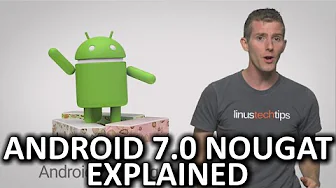
Android 7.0 Nougat as Fast As Possible
0 up · 0 down · 0 ratings
Description
Android 7.0 Nougat has a ton of new features that could make it the creamy, satisfying center of your mobile device. Freshbooks message: Head over to freshbooks.com and don’t forget to enter Tech Quickie in the “How Did You Hear About Us” section when signing up for your free trial. Follow: twitter.com Join the community: linustechtips.com
Android 7.0 Nougat is introduced as a major step forward for Android, emphasizing real multitasking and better utilization of large screens. The video explains that Nougat moves away from the traditional one app at a time model by introducing a native split screen mode, which allows users to view two apps side by side and drag thumbnails to activate the feature. It also highlights a quick way to switch between recent apps by double tapping the recent apps button, functioning similarly to alt tab on desktop, and notes improved scaling of text and UI elements to accommodate different device sizes from phones to tablets. The host emphasizes that these changes address long standing mobile UI limitations and improve how users interact with content on bigger displays, describing them as a crucial usability enhancement rather than a cosmetic update. Concrete examples include using split screen on larger devices and the ability to resize on screen text and UI elements to fit user preferences. The section concludes by framing Nougat as a significant upgrade that unlocks more efficient use of screen real estate and smoother multitasking.
Topics · technology · mobile · operating-system · software-development
Questions answered
- What are the two main multitasking features introduced in Android Nougat 7.0?
- Nougat introduces a native split screen mode for viewing two apps side by side and a quick switch between the two most recent apps by double tapping the recent apps button.
- How does Nougat improve notifications and quick access on the status bar?
- Notifications can be expanded to handle individual messages, you can reply directly from the notification panel, and the quick settings for Wi-Fi and storage are moved to the top of the notifications panel for easier access.
- What security enhancements does Nougat bring?
- Nougat adds file level encryption and lets apps access only specific directories, reducing privacy concerns compared to full device encryption at boot.
- What hardware or feature support is mentioned as part of Nougat’s ecosystem?
- Vulkan API support is mentioned for compatible devices, along with features like low latency VR mode and a work mode toggle to disable work-related apps.