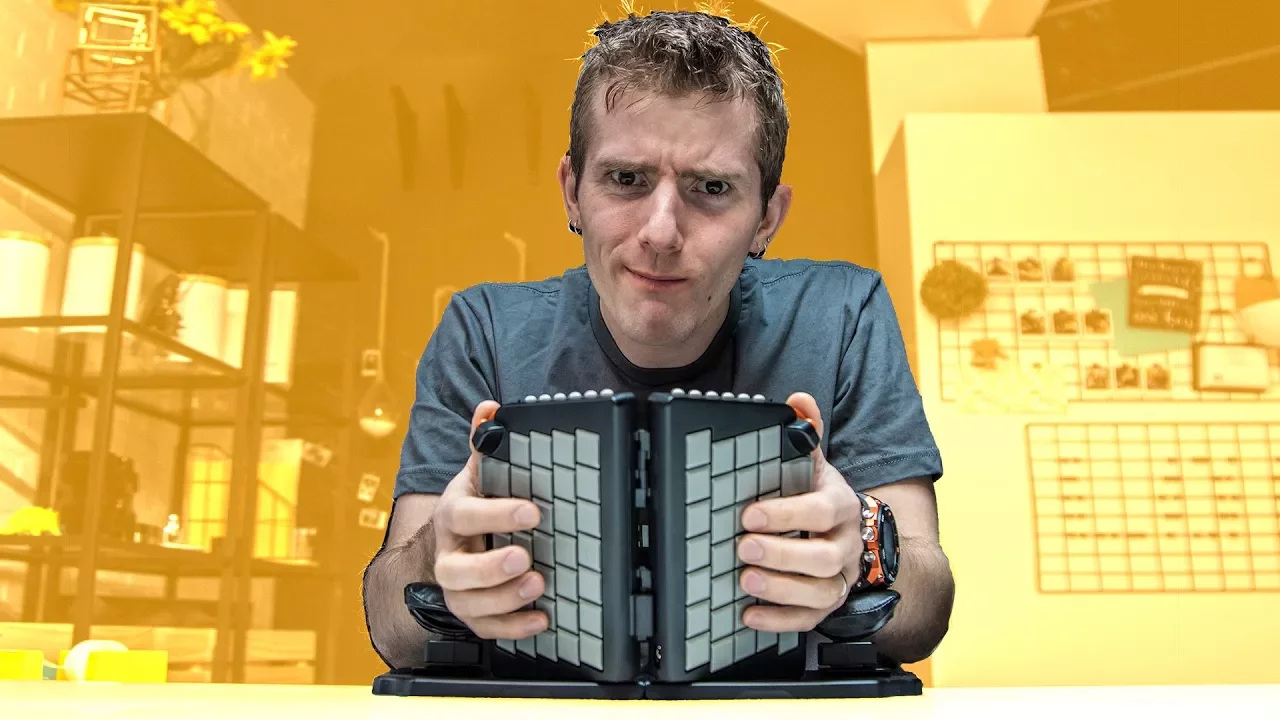
This Keyboard Makes You Type Backwards! - Yogitype
0 up · 0 down · 0 ratings
Promos
Who says you need to see the tops of the key caps? Yogitype is an ergonomic keyboard that gets a lot of things right. But not everything... Visit squarespace.com and use offer code LTT for 10% off Try Tunnelbear for free, no credit card required, at tunnelbear.com Buy the Yogitype: yogitype.com Buy Ergonomic Keyboards on Amazon: geni.us Discuss on the forum: linustechtips.com Our Affiliates, Referral Programs, and Sponsors: linustechtips.com Linus Tech Tips merchandise at designbyhumans.com Linus Tech Tips posters at crowdmade.com Our production gear: geni.us Twitter - twitter.com Facebook - @LinusTech Instagram - @linustech Twitch - twitch.tv Intro Screen Music Credit: Title: Laszlo - Supernova Video Link: youtube.com iTunes Download Link: itunes.apple.com Artist Link: soundcloud.com Outro Screen Music Credit: Approaching Nirvana - Sugar High youtube.com Sound effects provided by freesfx.co.uk
The Yogitype is presented as a foldable ergonomic keyboard designed to reduce pronation by keeping the hands in a more natural, vertical orientation. The host walks through the unboxing, noting the bougie carrying case, the base, wrist pads, and how simple the setup is, which makes it seem travel-friendly. The review highlights visual aids like colored LEDs that illuminate the key modules, aiding key recognition despite the upside-down appearance when typing. A key focus is the ergonomic argument, including the inward angle of the key modules and their potential benefits for finger relaxation and extension, while also acknowledging visibility challenges and the need to adapt to a non-traditional layout. The host provides practical feedback on the wrist pads, praising their cushioning and adjustability, but also criticizes their fixed height and the risk of inadequate support for some users. Overall, the Yogitype is framed as an incremental improvement over some prior ergonomic designs, with clear trade-offs between portability and the learning curve required to type efficiently. The segment ends with a cautious note that while the device shows promise, several usability issues may prevent it from earning a full endorsement for all typists. In the second part of the video, the reviewer tests actual typing performance, noting tactile guides for index and pinky fingers and the general similarity of most keys to a standard keyboard, except for the shifted positions of some commonly used keys like backspace and apostrophe. The discussion shifts to practical concerns such as the oddly placed backspace next to the P key and the difficulty of correcting mistakes, which forces users to adapt with their pinky. The reviewer critiques the layout where space and backspace are pressed with the base of a finger, while suggesting alternative thumb-based strategies similar to other ergonomic setups. The built-in joystick-like controls for the mouse are examined and found to be problematic, with acceleration and control issues that hinder navigation, though the possibility of replacing them with a trackball is proposed. A few notable quirks are pointed out, including inconsistent side key alignment, which sparks confusion about the overall design. The verdict weighs price against performance, noting the Yogitype is around three hundred fifty dollars and arguing that while it offers some advantages over competing models, it does not earn a full endorsement due to several notable drawbacks. The sponsor segment and outro are briefly acknowledged, followed by a closing recommendation to explore the product links if interested, and an invitation to join the community forums for further discussion.
Topics · technology review · ergonomics · gadget hardware · consumer electronics
Questions answered
- What is the primary ergonomic benefit of Yogitype compared to traditional keyboards?
- The main ergonomic benefit is its vertical, inward-angled layout designed to reduce forearm pronation and promote a more natural hand position, potentially relieving strain.
- What are the main drawbacks identified in the review?
- Key drawbacks include the nontraditional layout of common keys like backspace and apostrophe, the problematic built-in mouse controls, inconsistent key alignment, and the overall price relative to the value offered.