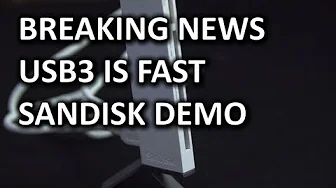
Sandisk ImageMate All-In-One USB3 Card Reader Unboxing & Speed Comparison
0 up · 0 down · 0 ratings
Channels and socials
We really needed a USB3 card reader, and in this video I attempt to demonstrate why. Sponsor link: linustechtips.com Join our community forum: bit.ly twitter.com @LinusTech Pricing & availability: ncix.com Intro Screen Music Credit: Adhesive Wombat -
Check out his channel here: youtube.com Outtro Screen Music Credit: Approaching Nirvana - Sugar High youtube.com
The video presents an unboxing and practical speed comparison of the SanDisk ImageMate All-In-One USB 3 card reader. The host explains the need for a USB 3 capable reader because standard USB 2 devices are too slow for modern file transfers, especially when moving large 16 to 32 GB blocks of data. The device itself is shown with its metal stand, several card slots for compact flash, SD, MMC, MS Pro Duo, and micro SD variants, and a slim USB 3 interface at the back. The unboxing then shifts to a hands-on speed test, starting with a micro SD card installed via adapter to accommodate notebooks without micro SD slots. The host notes the physical stability of the reader, aided by its weighted base, which helps prevent tipping when a USB 3 cable is connected. In the demonstrations, USB 2 speeds are observed in the 18 to 23 MB/s range for typical transfers, and the USB 3 setup is contrasted to highlight the performance advantage. An anecdotal aside reveals a prior testing mishap where the USB 2 port produced bottlenecks, and a later reveal shows an unusually high sustained speed of around 80 MB/s on a micro SD card when properly tested with USB 3, underscoring the real-world gains USB 3 can offer. The host closes with practical takeaways, encourages liking or disliking based on personal experience, invites comments, and signs off with a reminder to subscribe. Overall the video combines an informative hardware walkthrough with a clear demonstration of how USB 3 enhances card reader performance across multiple card formats, while also acknowledging minor testing caveats and the importance of choosing the right interface for speed.
Topics · technology · hardware · consumer_electronics · usb · storage