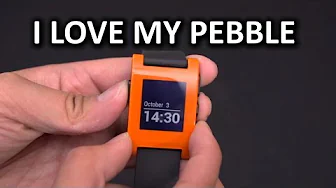
Pebble Smartwatch Unboxing & Review
0 up · 0 down · 0 ratings
Channels and socials
My Pebble unboxing and review might be a bit on the late side, but I hope you enjoy it as much as I enjoy the Pebble. Sponsor link: linustechtips.com Pricing & availability: getpebble.com Join our community forum: bit.ly twitter.com @LinusTech Intro Screen Music Credit: Adhesive Wombat -
Check out his channel here: youtube.com Outtro Screen Music Credit: Approaching Nirvana - Sugar High youtube.com
The video opens with the presenter detailing the Pebble smartwatch unboxing, noting the eco friendly packaging and the plastic feel of the orange model. He explains that the box contains the Pebble itself and a magnetic charging cable, which does not include an AC adapter, requiring the user to supply their own. He comments on the color choice and the silicone strap, describing the device as toy like in its construction but highlighting the upgradeable aspects such as interchangeable watch faces and replaceable straps. The presenter then walks through the device’s hardware controls, pointing out the lone button on the left side used for back navigation and the up and down controls on the right used for menu navigation and clock face cycling. He emphasizes the ease of first setup via the Pebble app, which he describes as a simple one button connection process that pairs through Bluetooth and quickly bridges notifications from the phone. The discussion expands to compatibility, noting broad Android support while mentioning some caveats with certain Samsung devices, and outlines the notification options including calls, SMS, calendar, Facebook, and Hangouts, with Twitter noted as unsupported but workaround configurations exist. He showcases third party apps that expand Pebble’s functionality, such as Pebble Notifier and Run Keeper, and concludes that the device’s software ecosystem and ease of use substantially contribute to its value. The review closes with a practical assessment of battery life, asserting a claimed 5 to 7 day use window that translates to about two days in heavy use, and praises the E Ink style display for always-on readability. He reflects on the wearable’s time saving potential, explaining that while it may not dramatically speed up tasks, the quick glance capability reduces phone interruptions and improves life usability, before weighing its price against features and comparing it to more expensive rivals like the Galaxy Gear. In closing, the presenter affirms that the Pebble adds meaningful functionality and expresses personal satisfaction with the device, encouraging viewers to share opinions and visit the forum for more discussions while signing off with a request for likes, dislikes, and subscriptions.
Topics · technology · wearable_tech · gadgets
Questions answered
- What is included in the Pebble unboxing and how is the charging setup described?
- The unboxing includes the Pebble smartwatch and a magnetic charging cable; there is no AC adapter included, so you must use an existing charger or computer USB port.
- How does the Pebble app setup work and what notifications can it handle?
- The Pebble app is a one button connection process that pairs via Bluetooth and enables notifications for calls, SMS, calendar, Facebook, and Hangouts, with Twitter supported through third party configurations.