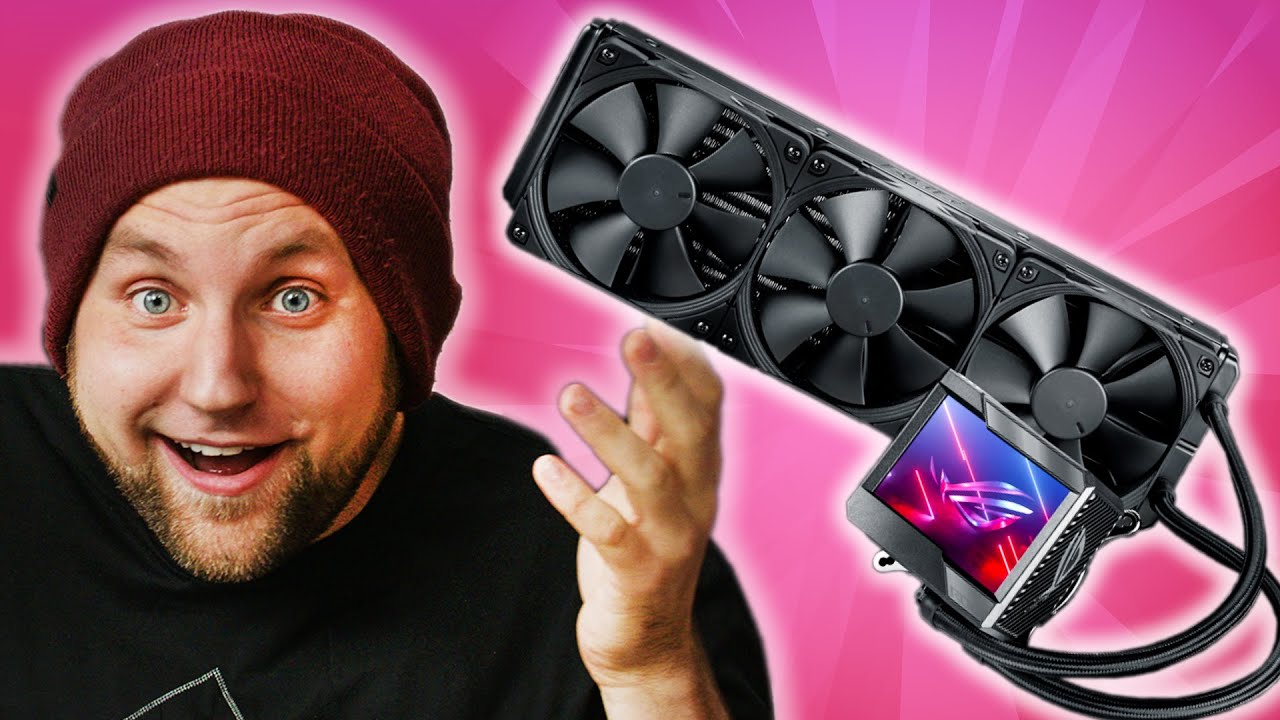
How to keep Intel's newest CPU COOL! - ASUS ROG Ryujin II AIO Cooler
0 up · 0 down · 0 ratings
Promos
Thank you to Wealthfront for sponsoring this video! Use my link invest.wealthfront.com to open a Wealthfront investment account and get $5K managed for free. ASUS ROG gear is quality, but it does come at a cost. Their ASUS ROG Ryujin II AIO cooler can be added to that list, but it's something that can actually tame Alder Lake's extreme temperatures at full loads. So Colin takes it for a spin! Buy ASUS ROG Ryujin II 360 On Newegg: geni.us Buy Intel i9-12900k CPU On Amazon: geni.us On Best Buy: geni.us On Newegg: geni.us Buy Noctua NH-D15 On Amazon: geni.us On Newegg: geni.us On B&H: geni.us Buy NVIDIA 3090 On Amazon: geni.us On Best Buy: geni.us On Newegg: geni.us Buy ASUS ROG Maximus Z690 Hero On Amazon: geni.us On Best Buy: geni.us On Newegg: geni.us Buy iFixit Pro Tech Toolkit On Amazon: geni.us On Best Buy: geni.us On Newegg: geni.us ShortCircuit receives cash compensation from Wealthfront Advisers LLC (“Wealthfront Advisers”) for sponsored advertising materials. ShortCircuit is not a client and this is a paid endorsement. ShortCircuit and Wealthfront Advisers are not associated with one another and have no formal relationship outside of this arrangement. Nothing in this communication should be construed as a solicitation, offer, or recommendation, to buy or sell any security. Any links provided by ShortCircuit are not intended to imply that Wealthfront Advisers or its affiliates endorses, sponsors, promotes and/or is affiliated with the owners of or participants in those sites, or endorses any information contained on those sites, unless expressly stated otherwise. Investment management and advisory services are provided by Wealthfront, an SEC registered investment adviser. All investing involves risk, including the possible loss of money you invest, and past performance does not guarantee future performance. Purchases made through some store links may provide some compensation to Linus Media Group. ►GET MERCH: lttstore.com ►SUPPORT US ON FLOATPLANE: floatplane.com ►LTX EXPO: ltxexpo.com AFFILIATES & REFERRALS --------------------------------------------------- ►Affiliates, Sponsors & Referrals: lmg.gg ►Check out our podcast gear: kit.co ►Private Internet Access VPN: lmg.gg ►Our Official Charging Partner Anker: lmg.gg ►Secretlabs Gaming Chairs: lmg.gg ►MK Keyboards: lmg.gg ►Nerd or Die Stream Overlays: lmg.gg ►Green Man Gaming lmg.gg ►Amazon Prime: lmg.gg ►Audible Free Trial: lmg.gg ►Our Gear on Amazon: lmg.gg FOLLOW US ELSEWHERE --------------------------------------------------- Twitter: twitter.com Instagram: @shortcircuityt Facebook: @ShortCircuitYT FOLLOW OUR OTHER CHANNELS --------------------------------------------------- Linus Tech Tips: lmg.gg TechLinked: lmg.gg Mac Address: lmg.gg Techquickie: lmg.gg LMG Clips: lmg.gg Channel Super Fun: lmg.gg Carpool Critics: lmg.gg CHAPTERS --------------------------------------------------- 0:00 - Intro 0:31 - Unboxing 2:10 - Pricing and product overview 3:30 - Install 6:24 - Sponsor - Wealthfront 7:09 - Powering it on 8:00 - Temperature ratings 9:15 - Changing GIFs 9:40 - Final thoughts
The video begins with an unboxing and first impressions of the ASUS ROG Ryujin II 360mm AIO cooler, highlighting its size, three Noctua iPPC fans, a top mounted bonus fan, and a prominent three and a half inch display. The presenter discusses build quality, the pre-applied thermal paste, and the bundled components including a fan hub, mounting hardware, and stickers, while weighing the value proposition of a premium cooler against the complexity of custom loops. He contrasts the cost with performance expectations and points out that the unit uses an Asetek seventh generation pump with a SeffuFirm2 style mounting system, noting the potential friction with the mounting process on a large X99 era motherboard style layout. The discussion then shifts to installation on a test bench, addressing practical challenges such as space around VRMs, the difficulty of using a conventional mounting approach on nonstandard boards, and the importance of quick, sealed integration that saves time over building a custom loop. Once powered, the performance segment shows the Ryzen-like gooseberry style benchmarking context, with the cooler’s fans spinning up and the display functioning, while the host tracks CPU and VRM temperatures under heavy load to gauge real-world thermal behavior. The verdict emphasizes solid cooling, quiet operation, and the premium price, while noting the caveat that in-case performance can differ and there is headroom for potential overclocking when housed inside a case. Viewers are reminded that the big screen and the simplified setup are central selling points, with a final nod to the product’s overall value and ASUS branding potential for enthusiasts willing to pay a premium for convenience and aesthetics.
Topics · hardware · pc-cooling · tech-review · intel · overclocking · build-guide · pc-performance
Questions answered
- What makes the ASUS ROG Ryujin II stand out among premium all-in-one coolers?
- Key differentiators include a large 360mm radiator, a built-in three and a half inch display, a top mounted extra fan, high-end Noctua iPPC fans, and a simplified mounting system aimed at saving installation time while delivering strong cooling performance.
- How does this cooler perform under heavy workloads compared to a traditional air cooler?
- Under Gooseberry-like workloads, the Ryujin II maintains lower CPU and VRM temperatures with quiet operation, demonstrating effective thermal management that can rival or exceed high-end air coolers, though exact gains depend on case airflow and mounting.