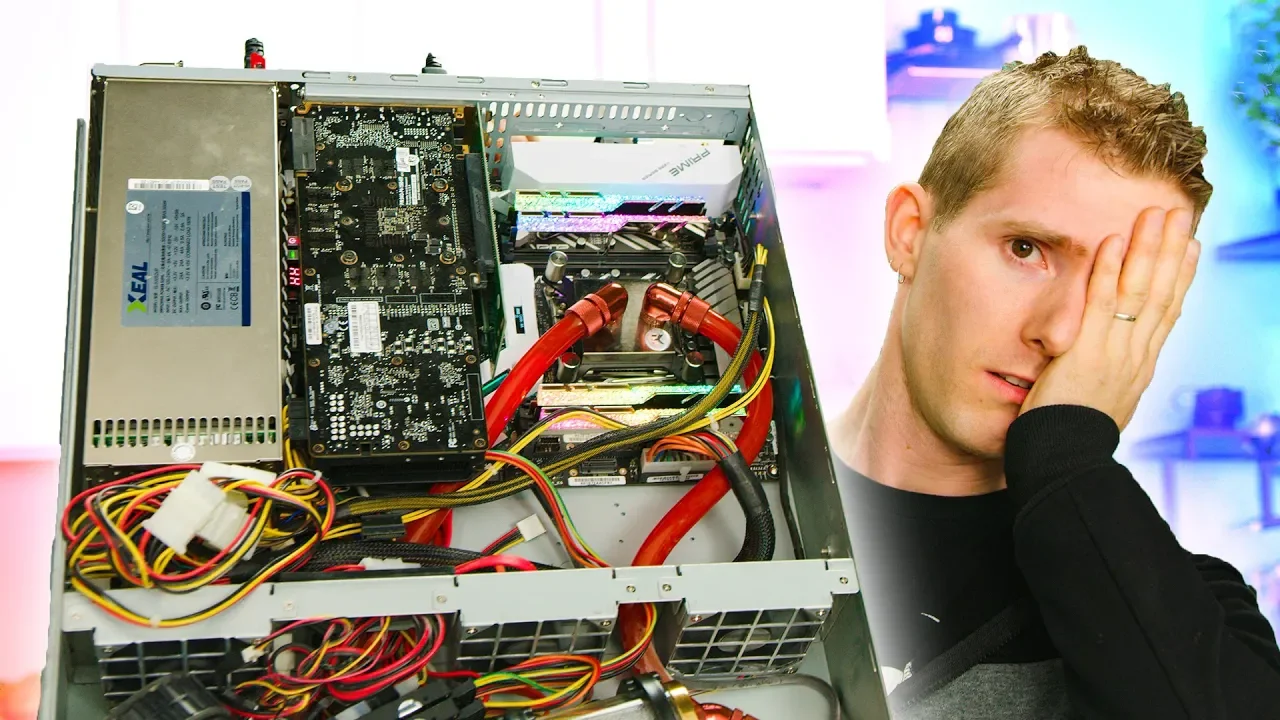
All this work... for what?? - Upgrading the Video Render Server
0 up · 0 down · 0 ratings
Promos
Sign up for Skillshare today: skl.sh and get a 2-month free trial, big thanks to Skillshare for sponsoring this video! Buy an LTT shirt, hoodie, hat, and even our own water bottle at lmg.gg We tried to improve our video rendering times significantly with a hardware upgrade, and the results were... interesting. Buy Z390 Aorus Xtreme: On Amazon: lmg.gg Buy Z390 Aorus Xtreme Waterforce 5G: On Newegg: lmg.gg Discuss on the forum: linustechtips.com Our Affiliates, Referral Programs, and Sponsors: linustechtips.com Get Private Internet Access today at geni.us Displate metal posters: lmg.gg Linus Tech Tips merchandise at lttstore.com Linus Tech Tips posters at crowdmade.com Our Test Benches on Amazon: amazon.com Our production gear: geni.us Twitter - twitter.com Facebook - @LinusTech Instagram - @linustech Twitch - twitch.tv Intro Screen Music Credit: Title: Laszlo - Supernova Video Link: youtube.com iTunes Download Link: itunes.apple.com Artist Link: soundcloud.com Outro Screen Music Credit: Approaching Nirvana - Sugar High youtube.com
The video opens with Linus describing the core premise: upgrading the video render server to find the sweet spot where performance improves without wasting money. He recalls that in the past, adding more cores did not linearly scale rendering speed, and that frequency often mattered more than core count. The team revisits their older 6950X based render setup and explains how it has fallen behind modern consumer CPUs in both price and performance, motivating a hardware refresh to maximize transcoding throughput. The initial portion outlines the workflow: using CineForm as a timeline codec to preserve image quality and enable efficient editing, then rendering CineForm to H.264 for faster uploads and more reliable processing. The host emphasizes the practical goal of reducing render and transcode times to keep editors productive, given the large video sizes typical for Linus Tech Tips. Transitioning into the teardown, the video walks through the cooling solution, the reservoir and pump choices, and the decision to upgrade the motherboard, CPU, RAM, and GPU to test whether a more aggressive, high-frequency setup yields meaningful gains. The narrative then shifts to the bench work, where they install new components, adapt a custom water cooling loop, and attempt a careful reuse of liquid within the loop to minimize draining. As the system powers up, they document initial signs of success, including BIOS resets and the discovery that the idle and load states can be tuned to reach the promised 5.1 GHz with the new hardware, all while monitoring stability. The test results bring mixed signals: Cinebench shows a strong single-thread boost but AVX-like behavior in Adobe encoding dampens gains, prompting a broader rethink about core count versus clock speed. Returning to a more measured plan, Linus introduces an 18-core Intel 7980XE bench to quantify scaling across cores, aiming to discover how many cores are truly needed for optimal performance. The Puget-built Core i9 9990 XE option is teased as a potential wildcard with high turbo clocks, leading to another motherboard swap and a reminder of the complexity of high-end water cooling. By the mid-video mark the team evaluates stability, power, and the potential bottlenecks in the loop, and they experiment with enabling XMP memory profiles to unlock faster memory bandwidth, chasing a further reduction in render time. In a critical reflection, the video acknowledges that despite substantial tinkering, the final gains hinge on software encoder behavior and AVX utilization, which may limit clock amplification. The conclusion pivots to a plan for a future, purpose-built enclosure and more robust VRMs, recognizing that the current setup has room to grow and that the next project might deliver bigger improvements than the present one. The sponsor segment and plugs appear, but the strongest takeaway remains: hardware upgrades can dramatically reduce transcoding time, but the exact gains depend on the workload and software optimizations, so the team plans another iteration with improved cooling and possibly a higher-capacity power supply. Finally, the video closes with a nod to Skillshare for education and a reminder that the team will return with further hardware refinements to push render performance even further.
Topics · technology · hardware · video production · computing · coding · software engineering
Questions answered
- What was the main engineering goal of upgrading the render server?
- The goal was to reduce render and transcode times by upgrading from an aging multi-core system to a newer, higher-frequency configuration and to test whether this yields meaningful gains for CineForm to H.264 transcoding and faster uploads.
- Why did the team use CineForm as the intermediate format?
- CineForm preserves image quality better than highly compressed codecs and is easier to edit and re-render in a timeline, making it a practical mezzanine format for faster final output.
- What were the key hardware changes attempted in the upgrade?
- The team swapped to a newer motherboard, a higher-frequency CPU, faster memory, and a GPU upgrade, along with an upgraded liquid cooling loop to handle the increased heat.
- Did enabling XMP consistently improve performance?
- XMP sometimes helped, sometimes caused instability depending on the motherboard and memory configuration, so results were mixed and required testing with stabilization iterations.
- What lesson did the team take away about cores versus clock speed?
- The results showed that simply increasing core count does not guarantee proportional performance gains; clock speed, memory bandwidth, and encoder behavior play crucial roles in render workloads.