NZXT Switch 810 Full Tower Gaming Case Unboxing & First Look Linus Tech Tips
0 up · 0 down · 0 ratings
Description
CA: ncix.com US: us.ncix.com This thing is beast. Designed for both water cooling and air cooling with plenty of space, the Switch 810 brings hardcore features AND value to the full tower market. It's surprisingly inexpensive for what it can do!
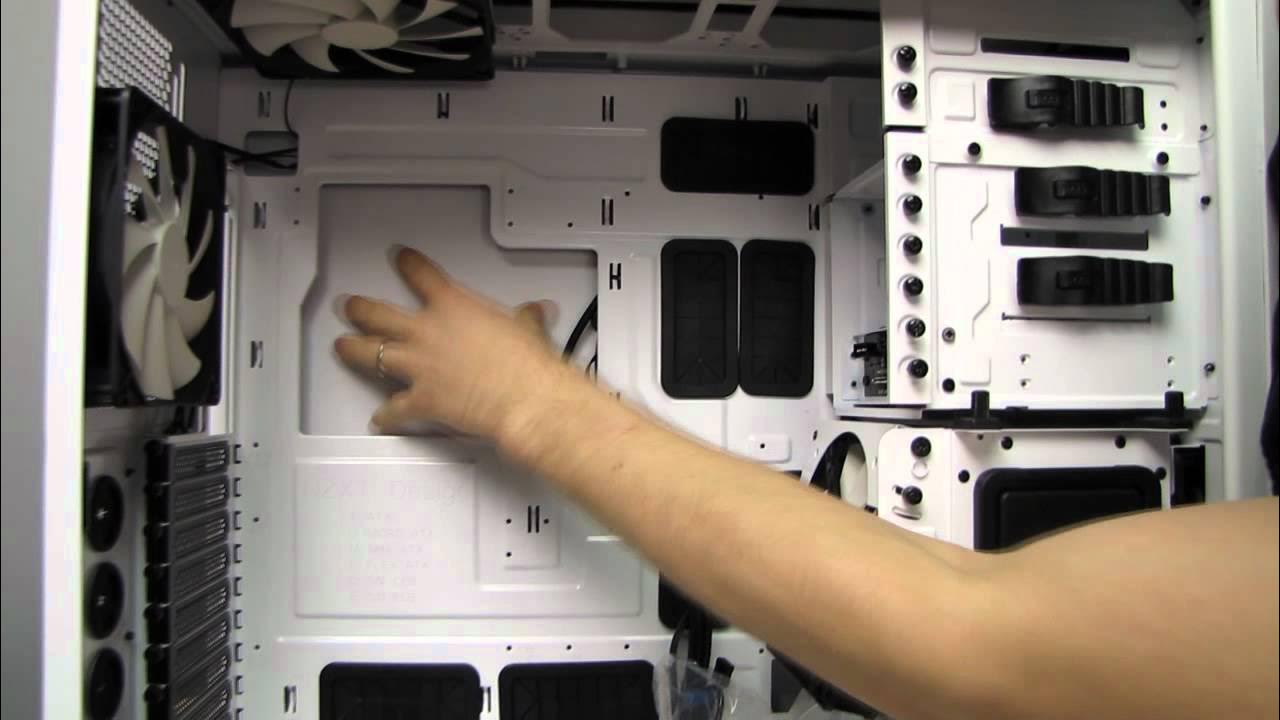
The NZXT Switch 810 is presented as a premium full tower chassis designed to cater to both water cooling enthusiasts and air cooling fans, with a focus on modularity and future-proofing. The host walks through the unboxing experience, noting the heavy build quality and the protective foam packing that minimizes transit damage. He highlights the case’s large external and internal bays, its nine expansion slots, and its XL ATX compatibility, which allows for massive motherboards and expansive layouts. Attention is given to the front I/O panel that includes USB ports, an SD card reader, audio jacks, and a novel LED switch, as well as the top-mounted power button that complements the case’s overall design language. The discussion then shifts to the top panel’s airflow options, featuring a mechanism to switch between optimal airflow and silent operation, and the ability to install up to a triple radiator configuration without compromising interior space. The high level of customization continues with a thorough look at the interior, including the tool-less drive cages, hot-swap bays, and the versatile cable management system that provides ample routing options and reinforced rubber grommets for clean builds. The presenter emphasizes how removable drive cages and flexible mounting options enable longer GPUs or more radiators, underscoring NZXT’s philosophy of user empowerment through screw-based construction rather than rivets. Moving inside the chassis, the reviewer comments on NZXT’s hallmark white finish and a large, unobstructed window that reveals the internal skeleton of the build. He explains the CPU cutout for easy cooler changes and the backside cable management space, which is generous enough to accommodate multiple PCIe cables and power leads. The back panel features seven fan slots and a clever hard drive sled system that can be repositioned or removed to maximize cooling efficiency, a testament to the Switch 810’s adaptability for varied cooling strategies. The host also demonstrates the integrated fan controller, a feature that allows for centralized power and speed management of multiple fans, and notes the front bottom filter and its accessible design for routine maintenance. In closing, he praises the case’s build quality, expansion potential, and thoughtful touches like a sleeve 8-pin motherboard extension, which eases cable routing in a tall XL-ATX enclosure. The video ends with a recap of the Switch 810 as a versatile, high-value option for enthusiasts who demand flexibility and future-ready cooling options in a flagship chassis. In summary, the video communicates that the NZXT Switch 810 is a thoughtfully engineered full tower that prioritizes modularity, cooling flexibility, and user-serviceability. The host substantiates these claims with hands-on demonstrations of removable drive cages, configurable radiator placements, accessible bottom and back filters, and a robust cable management ecosystem. The overall takeaway is that the Switch 810 delivers substantial hardware compatibility, a polished aesthetic, and practical features that appeal to water cooling setups and air-cooled builds alike, all at a compelling price point for its class. Viewers should come away with a clear sense of why this case stands out for its internal versatility and ease of customization, making it a strong candidate for future-proof PC builds. The unboxing and first-look format provides concrete, in-depth exposure to the chassis layout, component compatibility, and assembly considerations that enthusiasts care about when selecting a full-tower case for high-end configurations.
Topics · computer hardware · pc case review · unboxing · water cooling · air cooling · hardware design · modular case · system build
Questions answered
- What motherboard sizes does the NZXT Switch 810 support?
- The Switch 810 is an XL ATX capable chassis, supporting large motherboards including XL-ATX, with nine expansion slots for extended setups.
- What cooling options are available in the Switch 810?
- The case can accommodate up to a triple radiator configuration at the top, supports both air and liquid cooling, and provides front and rear fan options including 140 mm and 120 mm sizes.
- What are some user-friendly features for cable management and maintenance?
- Extensive cable management holes, a roomy backside, detachable drive cages, a robust fan controller, and removable front and bottom filters all contribute to easier builds and maintenance.