What's on my Android! (Early 2015)
0 up · 0 down · 0 ratings
Promos
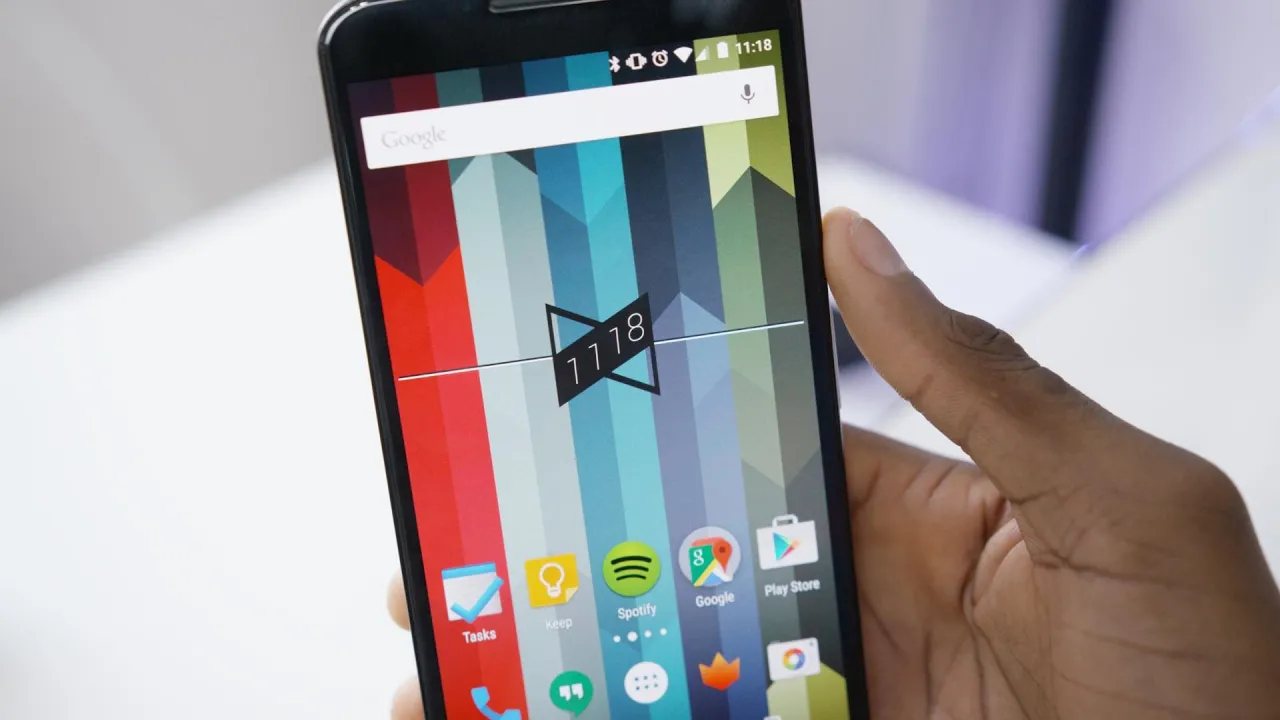
What's on my Nexus 6 for my last "back to school" Wallpaper: i.imgur.com Skin: dbrand.com Snapchat: MKBHD Apps mentioned: Google Now Launcher: play.google.com Fenix: play.google.com Tasks: play.google.com Keep: play.google.com Spotify: play.google.com Zooper Widget: play.google.com MKBHD Clock Widget: play.google.com YouTube Studio: play.google.com SoundHound: play.google.com Aftership: play.google.com SoundCloud: play.google.com Phillips Hue: play.google.com Reddit News: play.google.com Today Calendar Widget: play.google.com
This video provides a detailed tour of Marques Brownlee's Nexus 6 setup during the early days of Android 5.0 Lollipop. He explains that the phone is a 64GB white Nexus 6 and highlights his approach to a simple, easily portable home screen configuration, designed to facilitate switching between devices throughout the school year. The launcher used is the Google Experience Launcher, and the home screen showcases a concise assortment of essential apps in the dock, including Hangouts for SMS, the camera, and Twitter, along with a dedicated Google folder containing Maps, YouTube, and Inbox. He emphasizes practicality over clutter, noting that his daily driver often changes and that the focus is on quick access to key apps and services rather than a widget-heavy layout. Throughout the tour, he discusses app choices such as Fenix for package tracking, Keep for notes, Spotify for music, SoundsHound for music identification, and a set of utility tools like Zooper Widget, a custom MKBHD clock widget, and Aftership. The video also covers social and smart home integrations, with Philips Hue controlling room lights and the Google Calendar widget providing a visual agenda of classes and practices. In closing, Marques invites questions and signals an ongoing conversation about Android 5.0 and the Nexus 6, encouraging viewers to engage in the comments with their own setups and questions. The overall takeaway is a practical, school-focused Android setup that favors clean aesthetics, quick access to essential apps, and simple customization to support a busy student lifestyle. In the span of the first five minutes, he methodically walks through his rationale for a lightweight home screen, explains the exact apps in each area of the screen, and demonstrates how widgets and a few tweaks (like the MKBHD clock widget) enhance usability without overwhelming the layout. He also touches on device variations, mentioning a preference for a more battery-efficient phone, and notes how he can quickly adapt to different devices while staying organized. The result is a clear snapshot of a functional daily driver approach on Android 5.0 that balances style with practicality, aimed at students and power users who want fast access to communication, media, productivity, and smart home controls.
Topics · technology · mobile · software · lifestyle · education
Questions answered
- Which launcher is used on the Nexus 6 in the video?
- The Google Experience Launcher is used on the Nexus 6 in this video.
- What widgets are highlighted on the home screen and what do they do?
- The video features a MKBHD clock widget (requires Z Widget Pro) for quick time access, and a Today Calendar Widget to display an agenda view of calendar events.