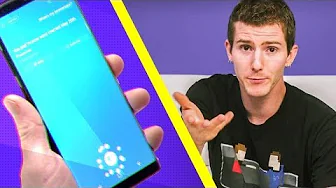
Bixby Showcase - It does more than you might think!
0 up · 0 down · 0 ratings
Description
Thanks to Samsung for sponsoring this video! Learn more about Bixby: bit.ly Are you always looking for a "smarter way to use your phone?"
Channels and socials
Check out what Bixby can do... Discuss on the forum: linustechtips.com Twitter - twitter.com Facebook - @LinusTech Instagram - @linustech Twitch - twitch.tv Intro Screen Music Credit: Title: Laszlo - Supernova Video Link: youtube.com iTunes Download Link: itunes.apple.com Artist Link: soundcloud.com Outro Screen Music Credit: Approaching Nirvana - Sugar High youtube.com Sound effects provided by freesfx.co.uk
Bixby is presented as a versatile interface for Samsung devices that goes beyond simple voice commands. The host demonstrates hands free control to unlock the phone and perform quick actions using a dedicated Bixby button or wake word, illustrating how quick commands can automate everyday tasks. The video shows practical examples like setting reminders for when you leave work, determining anniversaries from stored personal data, and controlling phone settings such as screen timeout, notifications, and flashlight with natural language prompts. The presenter also highlights more advanced capabilities like creating macro-like sequences to streamline multi-step actions, for instance turning off the display after a delay while reading an article, or measuring personal metrics such as stress levels via voice driven prompts. Throughout, the emphasis is on Bixby’s integration with native Samsung apps and third party apps, as well as Bixby Vision for visual search and shopping. The message culminates with encouragement to explore Bixby further through the official links and an invitation to consider its evolving learning capabilities as you use it more. The sponsor attribution to Samsung frames the showcase as a practical look at how Bixby could become a more intelligent assistant that users interact with through voice and vision, rather than a traditional assistant alone. In summary, the video blends demonstrations of everyday productivity uses with insights into customization and future learning, positioning Bixby as a flexible interface that can adapt to user routines. The overall takeaway is that Bixby is designed to streamline tasks across apps and devices, while offering new ways to interact with your phone through voice, vision, and context aware shortcuts.
Topics · Technology · Mobile technology · Smartphones · Voice interfaces
Questions answered
- What practical tasks can Bixby perform hands free in this video?
- Bixby can unlock the phone, set reminders based on location, tell you about stored personal data like anniversaries, control settings such as screen timeout and flashlight, take a photo, and perform quick actions inside apps or via macros.
- How does Bixby Vision fit into the showcased capabilities?
- Bixby Vision is demonstrated as a visual search tool for shopping and image-based recommendations, showing how it can identify objects and suggest related items or similar products from services like Amazon or Pinterest.