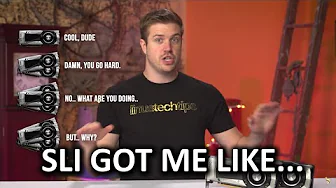
WTF is going on with SLI?
0 up · 0 down · 0 ratings
Channels and socials
Is SLI limited to 2-way? Can you do 3- and 4-way? The answer may not be as simple as "yes" or "no" this time... TunnelBear message: TunnelBear is the easy-to-use VPN app for mobile and desktop. Visit tunnelbear.com to try it free and save 10% when you sign up for unlimited TunnelBear data. Cooler Master Store link: bit.ly Buy GTX 1080 on Amazon: geni.us Discuss on the forum: linustechtips.com Affiliates, referral programs, & sponsors: linustechtips.com Join our community forum: bit.ly twitter.com @LinusTech Intro Screen Music Credit: Title: Laszlo - Supernova Video Link: youtube.com iTunes Download Link: itunes.apple.com Artist Link: soundcloud.com Outro Screen Music Credit: Approaching Nirvana - Sugar High youtube.com Sound effects provided by freesfx.co.uk
The video opens with Linus tackling a question that has sparked a lot of confusion: is multi-GPU SLI configuration still viable with the GTX 1080 and GTX 1070 era, and can you actually run three or four GPUs together? The host reads Nvidia white papers and shares the blunt reality that three and four-way SLI are not for standard gaming, but they are still relevant for benchmarking and certain professional-grade tasks. He explains that Nvidia has moved away from enthusiast unlocks for multi-GPU configurations, and that developer support for explicit multi-GPU scaling in games is inconsistent, which means benchmarks in normal gaming will not reflect three or four-way setups. The discussion then shifts to practical considerations: the new high bandwidth SLI bridge is not required for many resolutions, with the exception of 5K and Surround gaming where it is necessary. He notes that Nvidia will alert users if their bridge is insufficient for a given setup, and that in practice users should plug in and test, as real-world results depend on the game and application, with no universal, all-encompassing performance claim. The host then delves into the two alternative modes for GPU cooperation, MDA (multi-display adapter) and LDA (link display adapter) explicit modes, and how they differ from the default LDA implicit mode used by SLI. He explains that MDA can combine mixed-brand GPUs and leverage DirectX 12 shared fences, potentially sharing system memory and enabling more complex GPU configurations, while LDA explicit lets SLI bridge-based communication implement more robust data transfer between GPUs. The conclusion emphasizes a pragmatic stance: for most gamers, sticking to two GPUs is the safer choice, since outcomes are highly game-specific and the added expense may not translate into consistent, meaningful gains across titles. The video wraps with general guidance, encouraging discussion on the forum and teasing additional content on advanced topics like overclocking and more nuanced GPU configurations, while acknowledging the need to wait for more DirectX 12 multi-GPU data to form clearer guidelines.
Topics · technology · computer_hardware · gaming · multigpu
Questions answered
- Are three or four way SLI configurations viable for modern gaming with GTX 1080 and 1070 cards?
- Three and four way SLI configurations are not intended for standard gaming today; they are not supported for gaming, but may be used for certain non-gaming tasks or benchmarking in specific contexts.
- What are MDA and LDA modes and how do they differ from traditional SLI?
- MDA is a Microsoft mode allowing arbitrary GPU sets to work together, potentially mixed brands, with DirectX 12 shared memory features. LDA explicit mode uses the SLI bridge for GPU communication, enabling scaling in games coded to support explicit multi-GPU, while LDA implicit is the default for SLI. The practical impact depends on game support and future DX12 data.