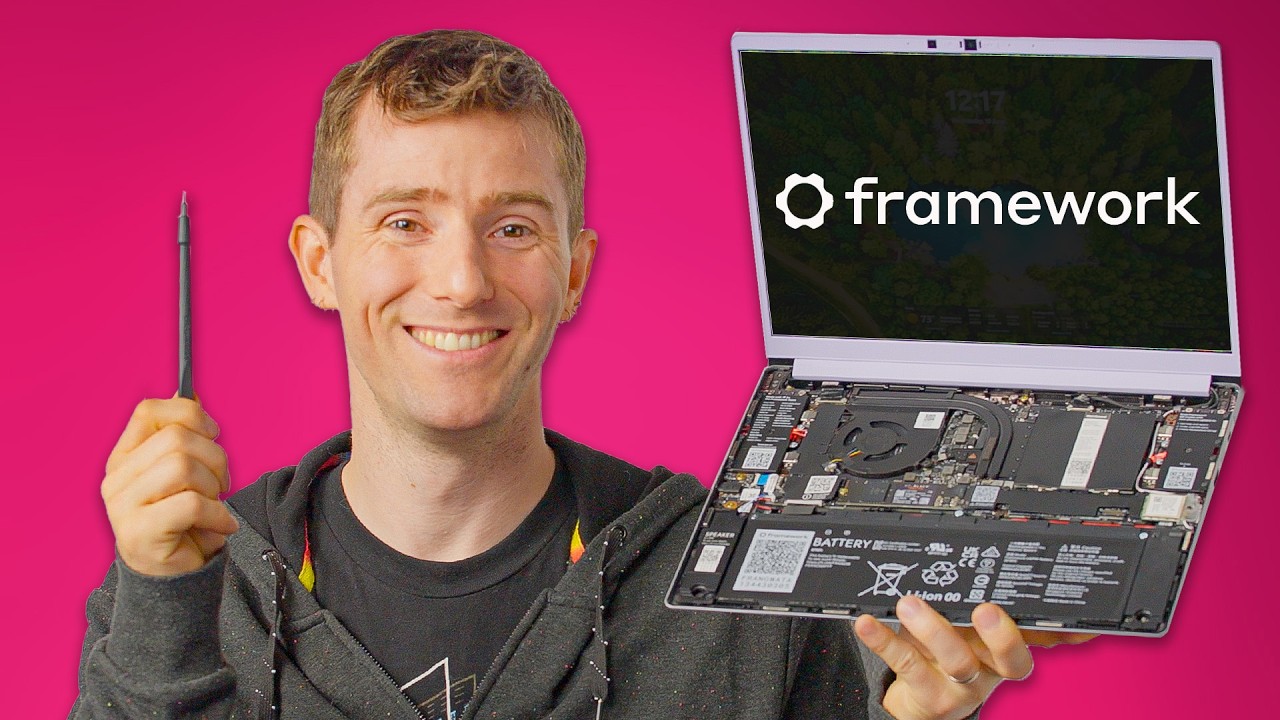
I regret auctioning my laptop for charity - Framework Laptop 13 DIY Kit
0 up · 0 down · 0 ratings
Promos
Thanks to MANSCAPED for sponsoring today's video. Get 20% Off + Free International Shipping with promo code CIRCUIT or visit manscaped.com Linus loves his Framework laptop -- so much so that he invested in the company, but when we had our charity auction a while back he sold it to the top bidder and now needs something new. Luckily, Framework is back with a new AMD-powered 13" laptop that seems to fit all his needs. Buy a Framework 13” AMD DIY Kit: lmg.gg Purchases made through some store links may provide some compensation to Linus Media Group. Want us to unbox something? Make a suggestion at lmg.gg ► GET MERCH: lttstore.com ► GET A VPN: piavpn.com ► GET EXCLUSIVE CONTENT ON FLOATPLANE: lmg.gg ► SPONSORS, AFFILIATES, AND PARTNERS: lmg.gg ► PRODUCTS WE USE ON THE SHORTCIRCUIT SET: lmg.gg FOLLOW US ELSEWHERE --------------------------------------------------- Twitter: twitter.com Instagram: @shortcircuityt TikTok: @linustech Facebook: @ShortCircuitYT CHAPTERS --------------------------------------------------- 0:00 Laptop of Theseus 0:24 Unboxing, building, and design/specs 4:57 Expansion cards 6:38 Display impressions and LABS performance test results 8:03 Sponsor - Manscaped 8:49 Keyboard, webcam, and more thoughts on the screen 10:55 Gaming impressions and LABS productivity/battery test results 11:59 Final thoughts 12:48 Outro
The video follows Linus as he revisits the Framework Laptop 13 DIY Kit, focusing on the experience of unboxing, assembling, and evaluating the AMD-powered variant. He walks through the kit contents, including the purple bezel, keyboard, memory, and storage options, and highlights how Framework enables easy upgrades to RAM, storage, and Wi‑Fi modules. He discusses the key design decisions, such as a machined aluminum chassis, 180-degree hinge, and a modular IO expansion system that lets users mix and match ports to fit their needs. The host explains how the build process emphasizes serviceability, with replaceable components and swappable parts, and demonstrates installing expansion cards to tailor the machine for tasks like video output, USB connectivity, or high‑speed networking. He also comments on the display options, battery choices, and the possibility of running Linux or a DIY setup without Windows, noting that the AMD model can handle gaming and productivity tasks more capably than prior Intel configurations. Throughout, the presenter compares the AMD Framework 13 to the original Intel model, underscoring improvements in screen brightness, hinge robustness, and thermal management, while acknowledging some tradeoffs such as color accuracy on the matte panel and the premium price. In the middle section, the video shifts to a hands-on evaluation of expandability and performance. Linus demonstrates multiple expansion cards, explaining how users can swap in HDMI, USB, Ethernet, or DisplayPort modules to create a highly customizable laptop footprint. He emphasizes the modular ecosystem as a standout feature, with upgradable RAM and storage and the ability to reuse the same chassis with different components over time. The discussion then moves to practical considerations, including the frame’s weight, keyboard feel, webcam privacy switches, and the overall user experience of a repairable and configurable device. In gaming and productivity benchmarks, the AMD model shows solid performance, with playable frame rates at modest resolutions and strong multitasking capabilities in creative workloads. He concludes that the Framework 13 AMD DIY Kit remains a compelling choice for users who value repairability, hardware longevity, and the ability to tailor a laptop to their exact needs, even if it carries a premium price and a few compromises in areas like device‑out-of-the-box color accuracy for the display. The closing segment reinforces the core message: Framework continues to pursue a repairable, upgradeable laptop ecosystem, offering a DIY kit that enables enthusiasts to build and customize an AMD-powered 13‑inch notebook. Linus notes that the keyboard feels good for the form factor, the pair of speakers gets loud, and the trackpad remains reliable, helping the device serve well in daily driving and creative work when properly configured. He also reiterates the option to run Linux or a zero‑bloat setup for users who prefer a non‑Windows environment. The video wraps with a reminder of the product’s upgradeability as a long‑term selling point, and a nod to continued improvements in firmware and driver support that could further boost performance and usability in future iterations.
Topics · technology · hardware · computers · laptops · DIY · reviews · unboxing · gaming
Questions answered
- What makes the Framework Laptop 13 DIY Kit particularly upgradeable and repairable?
- The chassis is a single machined aluminum piece with easily replaceable RAM, storage, and Wi‑Fi cards, plus multiple IO expansion modules that can be swapped to customize ports and functionality.
- Can you use the AMD Framework 13 DIY Kit with Windows, Linux, or both?
- Yes, you can run Windows if you install it, or opt for a DIY version pre-loaded with no operating system and install Linux or other distributions.
- What are the key tradeoffs of choosing the AMD model vs the Intel model?
- The AMD model offers better gaming and productivity performance, along with a high‑quality display option, but color accuracy on the matte panel and some premium costs may be tradeoffs.