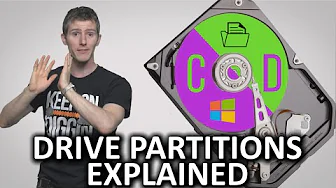
What are Drive Partitions?
0 up · 0 down · 0 ratings
Promos
Drive partitioning can give you greater flexibility with how you store your data. How does it work? Squarespace link: Visit squarespace.com and use offer code TECHQUICKIE to save 10% off your first order. Follow: twitter.com Join the community: linustechtips.com
Partitioning a drive is the act of dividing a single physical disk into multiple logical drives or volumes, each with its own file system, drive letter, and folder structure. The video explains that although modern NTFS-based systems often don’t require partitioning for everyday use, it remains a valuable tool for flexibility, data safety, and advanced configurations. You learn how hidden partitions, recovery partitions, and dual boot setups can coexist with a main OS volume, enabling safer OS reinstallations or testing different operating systems without buying new hardware. The host walks through practical outcomes of partitioning, such as isolating personal data from the operating system to protect important files if the OS becomes corrupted, or using a small fast partition for a system that boots quickly from the outer regions of the disk via short stroking. The dialogue also covers drawbacks, including reduced overall capacity due to file system overhead and the complexity of moving programs between partitions. The video then outlines several methods to create partitions, from built-in tools like Windows Disk Management to third-party utilities such as Paragon Hard Disk Manager, highlighting that every approach has its own trade-offs. Finally, the host emphasizes that partitioning is a tuning and backup strategy rather than a universal necessity, and he ends with light commentary on partitions being ubiquitous in everyday systems, contrasting it with a humorous, offbeat aside about their role in public bathrooms. The overall takeaway is that partitions offer structure and resilience, but they require careful planning and maintenance to avoid complicating data management.
Topics · technology · computing · data_storage · computer_hardware
Questions answered
- What is the primary purpose of partitioning a drive as described in the video?
- Partitioning splits a physical drive into multiple logical drives, each with its own structure and drive letter, allowing separate management of data, OS, and applications.
- Why might someone want a hidden partition or a recovery partition?
- Hidden or recovery partitions help restore the OS or protect important software and drivers without exposing them to casual users, making system recovery easier after issues.