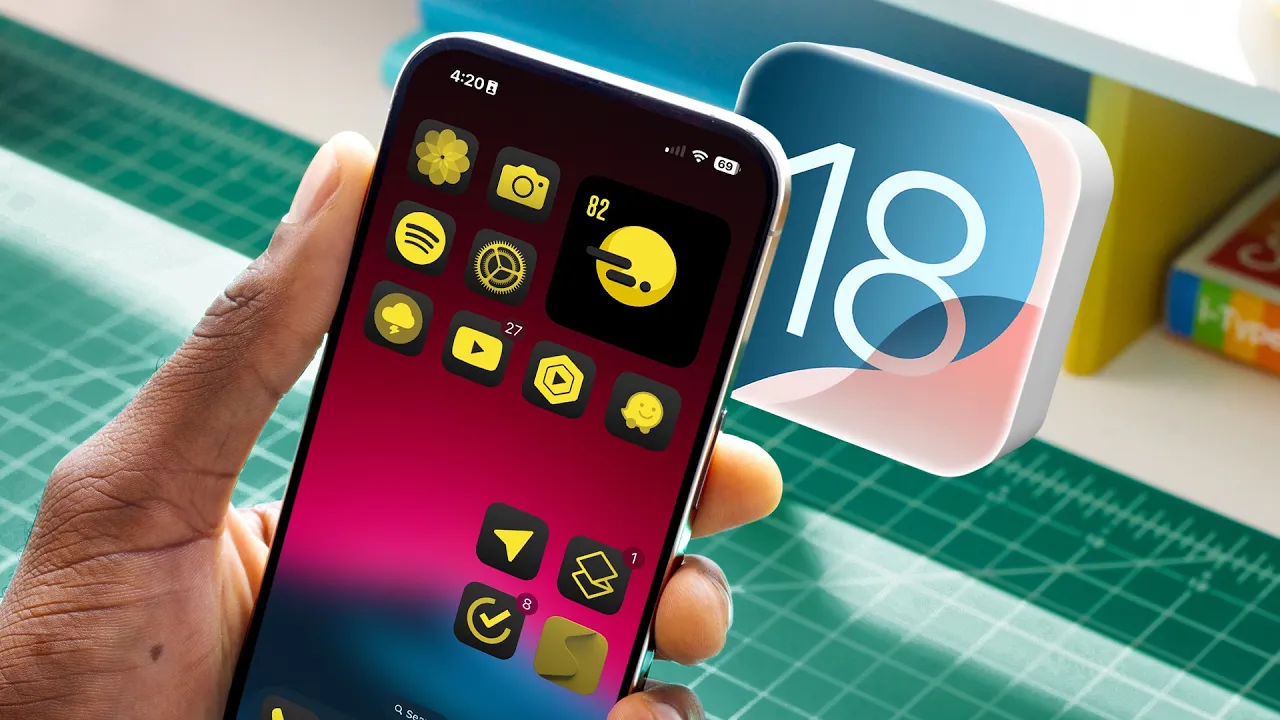
iOS 18 Hands-On: Top 5 Features!
0 up · 0 down · 0 ratings
Promos
iOS 18. Coming soon to an iPhone near you. MKBHD Merch: shop.mkbhd.com Tech I'm using right now: amazon.com Playlist of MKBHD Intro music: goo.gl ~ twitter.com @MKBHD @MKBHD 0:00 Control Center and shortcuts 3:29 The Passwords app 4:58 Homescreen customization 8:20 The little things (and RCS) 10:10 That calculator doe
In this iOS 18 hands-on, the host walks through the top five features that stand out in the current beta, starting with a refreshed Control Center. The new Control Center is now more colorful and paginated across three pages, with a prominent grid editor that lets you resize and reposition controls, including potential third-party integrations in the future. There is also a new flashlight control that exposes adjustable intensity and beam width, along with a quick toggle to power off the device and the ability to customize lock screen controls. The host then shifts to the newly separated Passwords app, which consolidates password management, two-factor authentication, and pass keys into a dedicated, easy-to-navigate interface. While the app promises stronger password hygiene, the presenter notes limitations like the absence of an Android companion and the reliance on Face ID for login. Next comes the redesigned home screen customization, arguably the most visible change, allowing icons to be placed anywhere on the grid, not just in strict rows. The customization menu introduces options to switch between dark and light icon modes, enlarge icons, and tint icons with a color picker drawn from the wallpaper. The presenter cautions that icon readability can vary depending on the app, with some third-party icons looking less legible under tinting, and compares the look to Android’s Material You approach. The video then highlights a cluster of smaller enhancements nicknamed "the little things" like practical performance improvements, smarter Photos app search with improved recognition and filtering, and expanded shortcuts for Shazam usage in Settings. The final focal point is the top feature, a calculator with an accompanying Math Notes mode that lets you handwrite equations, solve them in real time, and sync variables and notes across devices, making it a surprisingly capable educational tool. The host concludes by teasing an upcoming deep dive into Apple Intelligence features that permeate the entire ecosystem, signaling that iOS 18’s strongest waves come from system-wide enhancements rather than single-app updates. Overall, the video emphasizes practical, user-facing improvements that affect daily workflows, from easier password management and more flexible home screens to more capable calculators and cross-device utilities. The host provides balanced commentary on what works well versus what may need more polish, particularly around icon tinting and third-party app compatibility. Viewers are left with a confident sense that iOS 18 moves the iPhone toward deeper customization and smarter, integrated tools, while also awaiting further evaluations of the broader Apple Intelligence suite in a follow-up video.
Topics · technology · mobile operating systems
Questions answered
- What is the top feature highlighted in iOS 18 according to the video?
- The top feature highlighted is the Calculator with the new Math Notes mode, which lets you handwrite equations, solve them, and sync notes across devices.
- Does iOS 18 support cross-platform messaging improvements with Android?
- Yes, RCS support is now live on iPhone, allowing high-quality media and typing indicators between iPhone and modern Android devices.
- What changes are there in the Passwords app?
- The Passwords app consolidates password management, two-factor authentication, and pass keys into a dedicated app, with shared passwords and pass keys across trusted contacts, and it uses Face ID for login.