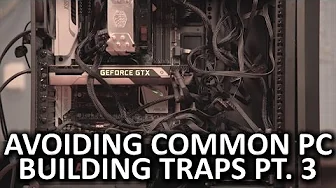
Avoiding Common PC Building Traps - Episode 3
0 up · 0 down · 0 ratings
Description
Are you looking for an Episode III that won't disappoint you? We're back with another installment of our series covering helpful tips to prevent your excitement over building your PC from dying with thunderous applause. TunnelBear message: TunnelBear is the easy-to-use VPN app for mobile and desktop. Visit tunnelbear.com to try it free and save 10% when you sign up for unlimited TunnelBear data. Follow: twitter.com Join the community: linustechtips.com
In Episode 3 of Avoiding Common PC Building Traps, the host emphasizes the importance of balancing a PC build before purchasing parts. He explains that choosing a low-end CPU with an expensive graphics card can bottleneck performance, preventing the GPU from reaching its full potential. The segment also warns against overinvesting in impractical setups, such as extremely large power supplies for singular components or excessive RAM that won’t provide meaningful gains for most users. The host advocates planning around the intended use of the system, ensuring each component contributes to overall performance rather than chasing high-end specs without cohesion. As the build progresses, the video shifts to practical assembly advice focusing on cable management, noting that clean routing improves airflow and simplifies upgrades or repairs. Even with cases without side panels, tidy cables reduce dust accumulation and maintenance headaches. The host then covers how to connect displays, cautioning against plugging a monitor directly into a motherboard when a discrete GPU is present, as this can bypass the GPU and throttle performance. The tutorial continues with RAM configuration, stressing the importance of following the motherboard manual to use the correct slots for multi-channel memory. Although faster RAM is beneficial in some scenarios, the speaker notes that the performance uplift is not universal, so users should align memory configuration with their application needs. Finally, the video covers BIOS updates, warning that an interrupted flash can brick a motherboard, and suggests using features like dual BIOS or a UPS to mitigate risk during firmware updates, especially during storms. The host concludes by inviting viewers to share their own tips for future episodes and plugs a promotional VPN service, reminding the audience to stay engaged with the channel for more PC-building guidance. The episode blends practical do-it-yourself advice with cautionary notes about costly missteps, reinforcing a philosophy of thoughtful component selection, meticulous assembly, and proactive maintenance to avoid common traps in PC building.
Topics · technology · computer_hardware · tutorial · diy
Questions answered
- Waarom is het belangrijk om componenten te balanceren bij een PC-build?
- Balanceren zorgt ervoor dat geen enkel onderdeel een bottleneck vormt, zodat de GPU zijn potentieel volledig kan benutten en de algehele systepprestaties stabiel blijven.
- Welke BIOS-veiligheidsmaatregel wordt aanbevolen bij een BIOS-update?
- Gebruik bij voorkeur een UPS of dual-BIOS/BIOS-flashback-functie om te voorkomen dat een stroomstoring een bricked moederbord veroorzaakt.