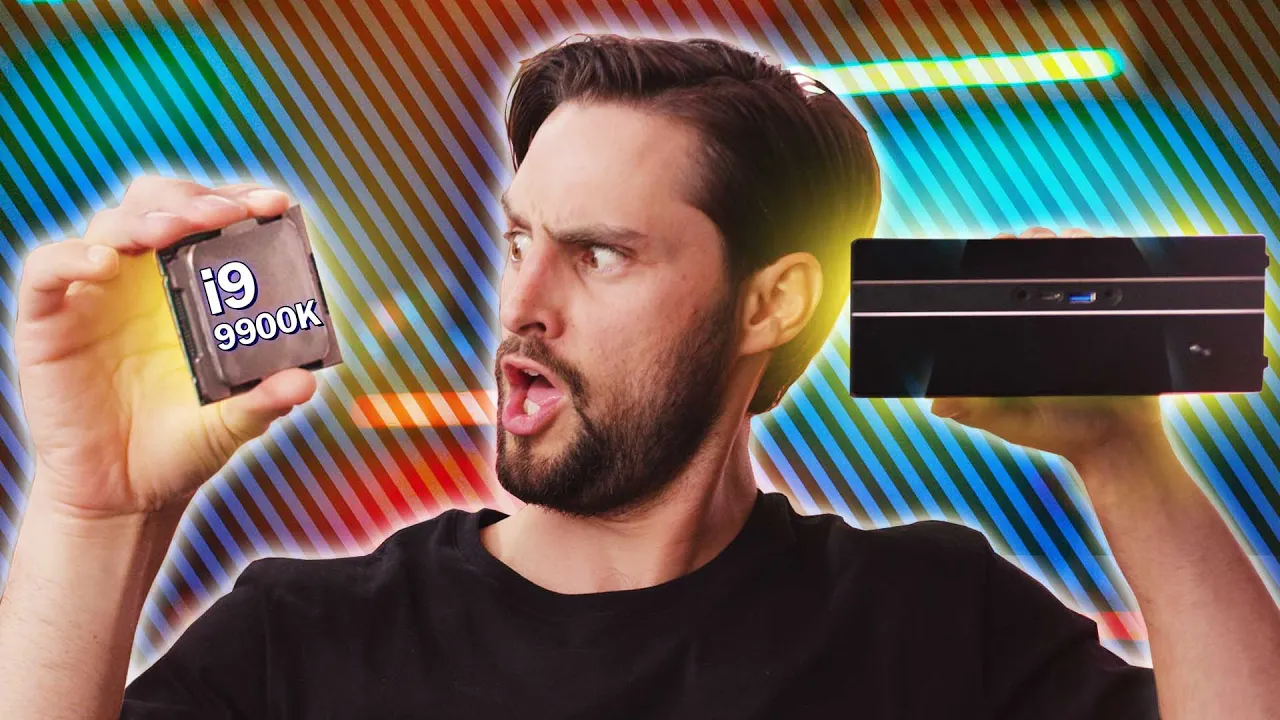
A Core i9 in This Tiny Thing?? - AsRock DeskMini Review
0 up · 0 down · 0 ratings
Promos
Lower your phone bill at linus.ting.com and get $25 in Ting credit Sign up for Private Internet Access VPN at lmg.gg AsRock has crammed some really impressive power into the DeskMini, but is it enough to beat the Mac Mini? Buy the Desk Mini On Amazon: geni.us On Newegg: geni.us Discuss on the forum: linustechtips.com Our Affiliates, Referral Programs, and Sponsors: linustechtips.com Get Private Internet Access today at geni.us Displate metal posters: lmg.gg Linus Tech Tips merchandise at lttstore.com Linus Tech Tips posters at crowdmade.com Our Test Benches on Amazon: amazon.com Our production gear: geni.us Twitter - twitter.com Facebook - @LinusTech Instagram - @linustech Twitch - twitch.tv Intro Screen Music Credit: Title: Laszlo - Supernova Video Link: youtube.com iTunes Download Link: itunes.apple.com Artist Link: soundcloud.com Outro Screen Music Credit: Approaching Nirvana - Sugar High youtube.com
The AsRock DeskMini review opens by contrasting compact desktop builds with larger towers, showing how the DeskMini fits into a minimal desk aesthetic while punching high performance for its size. The host highlights the unusual approach of using a 330 watt external power brick, a stark difference from the Mac Mini’s simple wall cord, and explains that the DeskMini ships as a bare bones kit that requires user installation of RAM and storage. The RAM and storage installation is walk-through guided, with clear steps to remove screws, access two DDR4 slots for up to 32 GB of RAM, and reveal three M.2 slots plus two 2.5 inch bays for additional drives. The internal hardware presentation is revealing: under a modest heatsink sits a full GTX 1080 GPU and a 95 watt Core i9 9900K, a pairing that promises strong performance for a device that size. Blender tests suggest the DeskMini can rival larger systems in creative tasks, maintaining solid boost clocks with 85 C temperatures and no overclocking, while remaining quiet for normal use. The first major conclusion is that while the DeskMini excels at content creation tasks, its size and cooling limits prevent aggressive overclocking, yet it remains impressively capable for its footprint. In short, the DeskMini is praised for delivering substantial CPU and GPU performance in a tiny form factor while delivering a premium, understated design with accessible ports on the front for convenient I/O use. By the midway point, the reviewer pivots to practical comparisons with the Mac Mini, noting crucial differences in expansion, networking, and upgrade paths. Gaming performance stands out as a clear advantage for the DeskMini thanks to the GTX 1080 inside, though the lack of Thunderbolt 3 ports reduces some connectivity versatility. The video also discusses upgradeability constraints, pointing out that newer MXM GPUs may not be readily available, which could limit future GPU upgrades and complicate long-term plans. Network options emphasize a strong point for the Mac Mini with 10 Gigabit Ethernet, illustrating how this matters for workflows requiring fast server access, while acknowledging the DeskMini’s solid but less expansive IO. Practical cost considerations are addressed, comparing the DeskMini with an i9 to the Mac Mini and MSI Trident X, and recommending a value-oriented configuration for budget-minded buyers who still want compact form factor and strong processing power. The host concludes with practical guidance: if gaming is a priority, consider alternatives with newer GPUs, and if you want small form factor with modern efficiency, the DeskMini remains a compelling option for creators, albeit at a price premium relative to some competitors. The video ends with a practical plugin on VPN and mobile data offers, but remains focused on the DeskMini’s hardware strengths and market positioning within small form factor PCs.
Topics · technology · computer_hardware · pc_reviews · gaming_hardware
Questions answered
- What is the core hardware inside the DeskMini and how upgradeable is it?
- The DeskMini houses a 95 watt Intel Core i9 9900K processor with a GTX 1080 GPU and is designed as a bare bones kit with user installation for RAM and storage. It supports up to 32 GB of RAM and three M.2 slots plus two 2.5 inch bays for storage, but GPU upgrades depend on MXM module availability, which can limit future upgrades.
- How does the DeskMini compare to the Mac Mini in performance and features?
- In performance, the DeskMini with the i9 and GTX 1080 can handle creative workloads and gaming better than the Mac Mini, which lacks dedicated graphics and has more limited upgrade options. In features, the DeskMini uses a large external power brick and provides more internal expansion, while the Mac Mini offers superior networking options like 10 Gigabit Ethernet and richer Thunderbolt IO, but fewer upgrade paths.
- What are the practical considerations for potential buyers?
- Buyers should weigh the price against performance and upgradeability. The DeskMini offers strong compact performance but at a higher price point relative to similar configurations, and it may require additional cooling considerations and a plan for external power placement. For those prioritizing gaming and CPU/GPU power in a small form factor, it is compelling, but if budget and future GPU upgrades are key, alternatives might be more sensible.