Gigabyte MIB T3140 Monitor Integrated Box & H55N-USB3 Unboxing & First Look Linus Tech Tips
0 up · 0 down · 0 ratings
Description
ncix.com Today I have a look at a cool product from Gigabyte. This is a great solution for a DIY ITX computer with an integrated monitor. It looks sharp and has everything you need (motherboard not included normally) to just drop your mobo, CPU, RAM, drives, and monitor into it and you're off!
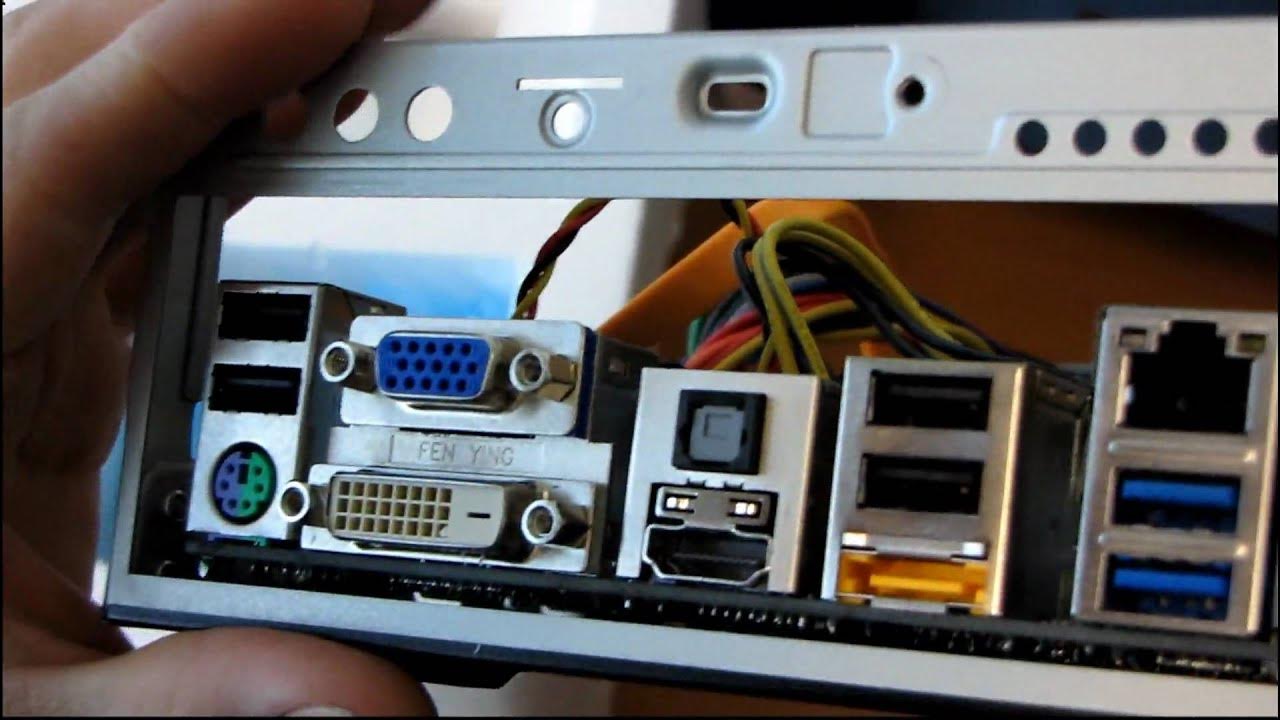
The video opens with Linus describing an unusual Gigabyte product, initially mistaking the item for a MIB T3140 but quickly correcting that it is a monitor integrated box designed for compact ITX builds. He considers the concept of mounting a monitor directly to the top of a small form factor case, highlighting its potential for embedded applications or a point of sale system in retail environments. The host then unpacks the assembly, including a VASA mount and the option to attach various monitors via the mounting arm, while noting that the mounting arm is not a mandatory component for operation. The back of the unit reveals hinge design features, cable management, and VESA compatibility, demonstrating how the device supports horizontal and vertical monitor adjustment and provides clear pathways for tidy wiring. Linus also points out the overall ITX chassis construction, an integrated 160 W power supply, a 60 mm fan, and a slim optical drive, while discussing how the design aims for space efficiency and straightforward assembly. He then dives into the included manual and installation guide, which walks through removing the top cover, installing the motherboard, drives, and eventually mounting the LCD monitor to the chassis. Throughout, he emphasizes the system’s compact nature, the potential to secure the components with security screws, and the possibility of using the unit as a self-contained PC with a monitor for business or demo environments. The tour culminates with a detailed look at Gigabyte’s H55N USB 3 motherboard included with the unit, including its LGA 1156 socket, onboard video, PCIe 16x expansion possibility, dual channel DDR3, and the rich connectivity on the back panel, such as USB 2.0, USB 3.0, VGA, DVI, HDMI, optical audio, and gigabit Ethernet. Linus summarizes how the MIB T3140 and the H55N USB 3 board combine to form a compact, capable ITX solution that can be used in a range of small-footprint computing scenarios while noting that some outputs like the IO plate or retail packaging may vary in a final product.
Topics · hardware · mini_itx · unboxing · computer_hardware · embedded_systems
Questions answered
- What is the Gigabyte MIB T3140 and what is its primary purpose?
- The Gigabyte MIB T3140 is a monitor integrated box designed to house an ITX motherboard and provide a monitor-mounting option for compact computing setups, suitable for embedded applications or point-of-sale style environments.
- What motherboard is shown in the unboxing and what are its key features?
- The motherboard shown is the Gigabyte H55N USB 3, an LGA 1156 Mini ITX board with onboard video, PCIe x16 expansion, dual channel DDR3, USB 2.0 and USB 3.0, VGA, DVI, HDMI outputs, optical audio, and gigabit Ethernet.
- What are notable design elements of the case that affect usability or upgrades?
- Notable design elements include the Vasa mount for a monitor, a hinge that allows horizontal or vertical adjustment, integrated cable management, optional security screws, a compact ITX chassis with a 60 mm fan, and a drive cage for slim optical drives and a small form factor power supply.