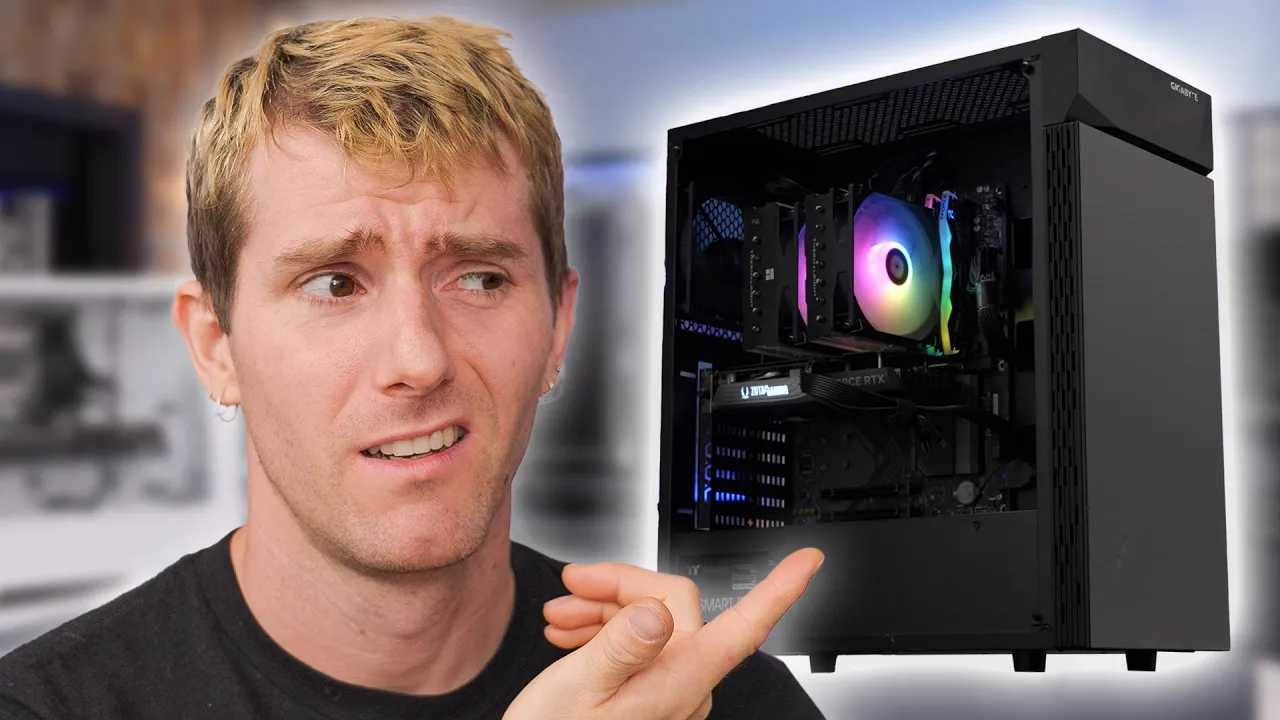
Buying a Brand New PC is Dumb...
0 up · 0 down · 0 ratings
Description
Checkout NexiGo’s Anniversary Sale at: nexigo.com
Check out the MSI MPG X870E CARBON WIFI at lmg.gg It’s gotten A LOT harder to build a brand new Gaming PC for less than a thousand dollars, but maybe there is a better way to maximize your budget. But how much performance will you be leaving on the table? Can you get that dream GPU by compromising on Older Parts elsewhere? Discuss on the forum: linustechtips.com
Check out the Thermaltake Smart Series 80+ Bronze 600W PSU: geni.us
Promos
Check out the Gigabyte C200 Glass Computer Case: geni.us Purchases made through some store links may provide some compensation to Linus Media Group. ► GET OUR MERCH: lttstore.com ► GET EXCLUSIVE CONTENT ON FLOATPLANE: lmg.gg ► GET A VPN: piavpn.com ► SPONSORS, AFFILIATES, AND PARTNERS: lmg.gg Purchases made through some store links may provide some compensation to Linus Media Group. CHAPTERS --------------------------------------------------- 0:00 Intro 0:42 The Investigation Begins 1:48 Two CPUs Enter… 5:25 The House for our Parts 6:58 The GPUs 8:06 The Testing Begins 10:32 More Games 12:15 All the Parts and Prices 13:00 What about other features?
This video starts by questioning the conventional wisdom that buying a brand new gaming PC is always the best path, especially on a budget. The host proposes a two-pronged investigation: one build uses only current generation parts, while the other pushes to use older hardware where possible to maximize value. They acknowledge prices constantly shift, so the exact parts shown are a snapshot, not a universal recipe, but the goal remains clear: identify practical trends, tips, and trade-offs that help viewers maximize their own budgets. The discussion is framed around a concrete challenge: can you deliver solid 1080p to 1440p gaming performance for about a thousand dollars without chasing the newest components? They also hint at a deeper exploration of how upgrading cycles affect long-term value and future-proofing, setting up a comparison that blends price, performance, and upgrade paths. Throughout, the emphasis stays on real-world decisions rather than chasing brand-new hype, with the sponsor plug and forum link included to encourage community discussion and further testing. The core experiment unfolds as they pair two CPUs with divergent upgrade philosophies. One system sticks with current generation hardware, beginning with a Ryzen 7 9600X as a modern entry point, while the other reaches back to older parts like the Ryzen 7 5700X3D to squeeze more performance per dollar. They highlight practical trade-offs of the older platform, including socket compatibility and memory generation, versus the benefits of newer platforms such as AM5 and DDR5 for future-proofing. The hosts discuss motherboard choices, cooling solutions, and the cost impact of power supplies, illustrating how even small budget decisions ripple into overall performance and reliability. They also note the evolving landscape of GPU choices, balancing price against raw power, feature sets like PCIe and VRAM, and the availability of newer cards. The narrative builds toward a comprehensive comparison in which each path reveals distinct strengths and compromises by the time they reach the testing phase. Testing is where the two builds begin to diverge in noticeable ways. Cinebench and game benchmarks are used to gauge raw CPU performance and gaming frame rates, with a focus on how newer cores translate to real-world gameplay. They experiment with 1440p gaming at various settings, including very high presets and frame generation features, to evaluate whether the newer system’s gains justify its higher cost. The older system shows tangible gains in certain scenarios due to CPU features like 3D cache, while the newer build demonstrates advantages in upscaling, modern APIs, and future GPU headroom. The hosts recount moments where games crash or scale differently, which underscores how platform compatibility, driver support, and stability can influence perceived value as much as pure FPS. In the wrap-up they distill what they learned about timing, platform choice, and the staying power of older hardware, concluding that a brand-new PC is not always the best route for every budget, and that meaningful savings can be found without sacrificing a strong gaming experience. Finally, they present actionable conclusions for viewers: timing matters, AM5 and AM4 have different upgrade trajectories, and the best choice depends on what you value most,upfront cost, upgrade cadence, or the highest possible performance within a budget. They acknowledge that generational gains do not automatically outweigh the savings from older hardware, with plenty of practical examples and part recommendations linked in the description. The discussion then broadens to consider future trends like PCIe Gen 5, DDR5 adoption, and the shifting emphasis of GPU features such as frame generation and upscaling technologies. They close by inviting audience participation to vote on which build they would buy, reaffirming the video’s core message: smart budgeting and informed trade-offs often beat chasing the latest release. The conversation also teases future coverage on related topics, including the potential for used hardware and further budget-focused challenges, keeping the discussion alive beyond the video.
Topics · technology · gaming · hardware · budgeting · consumer electronics
Questions answered
- Is it worth building a budget PC with older parts to save money and still get solid gaming performance?
- Yes, the video demonstrates that older parts can deliver competitive gaming performance for a budget, especially when new platform upgrade costs and memory prices are high. The trade-offs include older sockets and potential future upgrade limits, but careful component selection can preserve a strong gaming experience at a lower total cost.
- What are the key platform differences between AM4 and AM5 in a budget build?
- AM5 offers newer features and longer-term upgrade paths, but AM4 parts can be significantly cheaper and still capable. In the video, AM5-related choices enable future-proofing, while AM4 may provide more immediate savings and a broader pool of affordable used or discounted components.
- Can frame generation and upscaling features justify buying a newer GPU in a budget build?
- Frame generation and upscaling can improve perceived performance, but they rely on compatible hardware and software. In budget builds, the benefits may be limited by VRAM and GPU capability, so upgrading the GPU often remains a more decisive factor for steady frame rates.