Apple Wishes THEIR Mouse was this "Magic" - Synergy
0 up · 0 down · 0 ratings
Channels and socials
Do you operate multiple PCs across 4 or more displays at a time? Then Synergy may be exactly what you're looking for... Dollar Shave Club link: dollarshaveclub.com Feenix Nascita link: bit.ly Pricing & discussion: linustechtips.com Support us: linustechtips.com Join our community forum: bit.ly twitter.com @LinusTech Intro Screen Music Credit: Title: Laszlo - Supernova Video Link: youtube.com iTunes Download Link: itunes.apple.com Artist Link: soundcloud.com Outro Screen Music Credit: Approaching Nirvana - Sugar High youtube.com Sound effects provided by freesfx.co.uk
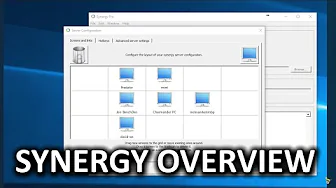
Synergy is presented as a clever solution to a common productivity dilemma: controlling multiple computers from one keyboard and mouse, across different operating systems. The video explains that Synergy acts as a network based non video KVM switch, allowing seamless mouse and keyboard transfer between Windows, Mac OSX, and Linux machines, with the ability to copy and paste text and drag files between machines. The host walks through the setup, designating one machine as the server (the one with the keyboard and mouse to share) and the others as clients, and shows how to arrange screens so moving the cursor across displays from different machines feels natural, even in complex multi monitor configurations. Advanced server settings and hotkeys are highlighted as powerful time savers, enabling rapid switches between machines and even showing pointer location after pressing the control key on setups with many displays. The discussion also covers the optional pro version, which adds SSL encryption and priority support, noting that the core software remains affordable and that the lifetime license includes updates. Real world impressions are shared through examples ranging from simple daily usage to extensive multi computer workflows, and the speaker emphasizes that the software has broad corporate and personal adoption. The video concludes with a light promotional plug for sponsors, reiterating the value of Synergy for efficient cross computer workflows and inviting viewers to share their own setups in the comments. Overall the presentation blends practical demonstration with transparent pricing and feature tradeoffs. The host stresses that the program is robust, easy to install, and compatible with a variety of display arrangements, making it appealing to power users who juggle multiple machines. By walking through server/client roles, screen placement, and hotkey configuration, the video provides a concrete, actionable roadmap for getting started. Conclusions point to Synergy as a major productivity enhancer for users with large display estates or multi machine desks, while acknowledging the premium upgrade as a reasonable option for those who need encryption and priority support. The tone remains enthusiastic yet grounded, inviting interaction from viewers who might have alternative setups or questions about Linux compatibility and ongoing development.
Topics · technology · software · operating-systems · productivity