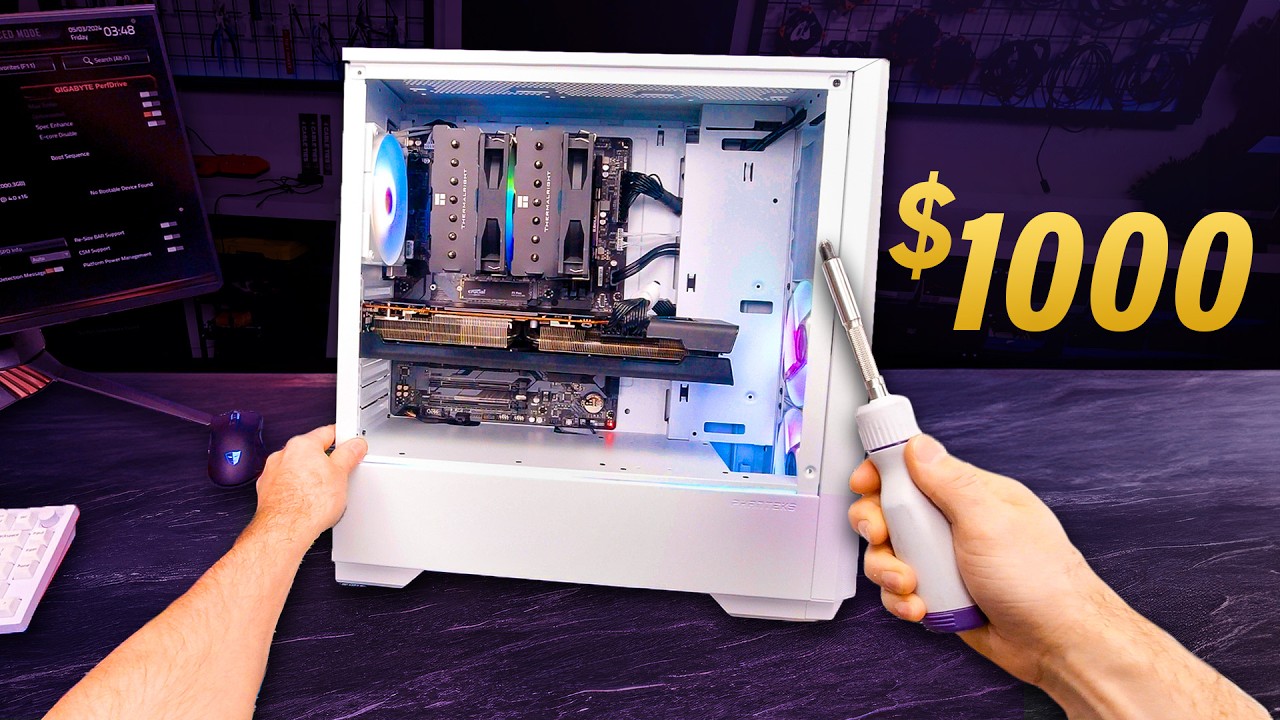
First Person View POV PC BUILD Guide!
0 up · 0 down · 0 ratings
Description
From May 10th until May 31st, you can get a whopping 20% off select iFixit Toolkits!
Promos
Check out the sale over at ifix.gd Building a PC is can be tricky, but now you can see exactly how to do it through the eyes of a professional! This is our 2024 POV PC Build guide! Discuss on the forum: linustechtips.com Buy a DJI Osmo Action 4 4K Camera: geni.us (Canada: lmg.gg Buy a Gigabyte B760 DS3H AC DDR4 Motherboard: geni.us Buy an Intel Core i5-12600KF CPU: geni.us Buy G.Skill Ripjaws V Series 3600MTs CL16 16x2 DDR4 RAM: geni.us Buy a Crucial P3 Plus 1TB M.2 NVMe SSD: geni.us Buy a Thermalright Phantom Spirit 120 SE CPU Cooler: geni.us Buy a Phanteks Eclipse G360A Mid-Tower Case: geni.us Buy a Corsair RM750e 80+ Gold PSU: geni.us (Canada: lmg.gg Buy a Western Digital Blue 2TB Hard Drive: geni.us Buy a XFX Speedster SWFT 319 Radeon RX 6800 Graphics Card: geni.us Buy an iFixit Anti-Static Wrist Strap: geni.us Purchases made through some store links may provide some compensation to Linus Media Group. ► GET MERCH: lttstore.com ► GET EXCLUSIVE CONTENT ON FLOATPLANE: lmg.gg ► SPONSORS, AFFILIATES, AND PARTNERS: lmg.gg ► EQUIPMENT WE USE TO FILM LTT: lmg.gg ► OUR WAN PODCAST GEAR: lmg.gg FOLLOW US --------------------------------------------------- Twitter: twitter.com Facebook: @LinusTech Instagram: @linustech TikTok: @linustech Twitch: twitch.tv MUSIC CREDIT --------------------------------------------------- Intro: Laszlo - Supernova Video Link: youtube.com iTunes Download Link: itunes.apple.com Artist Link: soundcloud.com Outro: Approaching Nirvana - Sugar High Video Link: youtube.com Listen on Spotify: spoti.fi Artist Link: youtube.com Intro animation by MBarek Abdelwassaa @mbarek_abdel Monitor And Keyboard by vadimmihalkevich / CC BY 4.0 geni.us Mechanical RGB Keyboard by BigBrotherECE / CC BY 4.0 geni.us Mouse Gamer free Model By Oscar Creativo / CC BY 4.0 geni.us CHAPTERS --------------------------------------------------- 0:00 Preparing to Build 2:27 Motherboard 4:38 CPU Installation 6:23 RAM Installation 7:25 M.2 SSD Installation 8:57 CPU Air Cooler Installation 10:27 Thermal Paste 11:14 CPU Air Cooler Cont. Fans and RGB Headers 13:36 Test Boot 14:49 PC Case 15:59 DON'T FORGET THE IO SHIELD 16:41 Mounting in the Case 19:28 Case Fans and Front I/O 24:21 Power Supply 27:12 3.5" and 2.5" Drives 29:10 Cable Management 29:25 GPU 33:18 Case Closed, Second Boot
The video presents a first person view POV PC build guide, walking viewers through assembling a complete desktop system from bare components to a functioning rig. It begins with establishing a clean, organized workspace and outlining essential tools, emphasizing static awareness with an anti-static wrist strap and safe handling of the motherboard. The host then discusses selecting a motherboard and CPU, noting the Gigabyte B760 DS3HAC and Intel Core i5-12600KF as a budget-conscious pairing, while also noting practical considerations like onboard graphics outputs and silicon features that influence budget decisions. The guide proceeds to RAM choices, with a 32 GB DDR4 kit from G.Skill RipJaws, highlighting cost-to-performance considerations and the standard dual-channel layout for dual-channel operation. Storage options are examined next, including a 1 TB Crucial P3 Plus NVMe SSD, with guidance on slot selection and practical performance expectations for everyday use. The CPU cooler installation, thermal paste application, and mounting hardware are demonstrated in detail, underscoring socket compatibility, backplate installation, and the importance of even pressure during mounting to avoid motherboard strain. After confirming POST via a test boot, the video moves into the case and IO shield, stressing correct IO shield orientation and standoff integrity before the motherboard is mounted inside the chassis. The host then covers case selection and layout decisions, advising on cable routing, front I/O accessibility, and safe side panel handling. Finally, the build wraps with GPU installation, power delivery decisions using dual 8-pin PCIe connectors, and final cable management, including RGB daisy chaining and the importance of securing the GPU with screws. Throughout, the host interleaves practical tips with humor and real-world troubleshooting notes, concluding with a completed system that boots successfully and is ready for software setup. The video also plugs a sale and sponsor links in the description, and demonstrates how to perform a final boot check and basic post-build testing. The overall message is that building a PC can be approachable with careful planning, a solid toolkit, and a methodical workflow, even when using slightly older components for value.
Topics · computer_hardware · how_to_guide · tech_repair_and_build · consumer_tech · gaming_pc_build · pc_components
Questions answered
- Welke onderdelen zijn essentieel om te beginnen met bouwen, en welke hulpmiddelen raadt de host aan als baseline kit?
- De host raadt een stabiele werkruimte aan met basisgereedschap zoals een Phillips schroevendraaier, zip tie verwijderaar, neus tang, kabelbeheerbinders, een antistatische polssnoer en clip, en basis verwijderhulpmiddelen. Daarnaast worden opening en hantering van de PSUs en moederbordsuggesties besproken als startpunt, gevolgd door de installatie van geheugen en opslag.
- Waarom kiest de video voor de i5-12600KF en DDR4 RAM in plaats van DDR5?
- De video kiest voor de i5-12600KF en DDR4 RAM omdat dit een gebalanceerde keuze is voor gaming en budgetbewuste systemen, met voldoende prestaties en een lagere prijs in vergelijking met DDR5 op dit moment. Het toont aan dat kostenbesparing mogelijk is zonder grote inboetingen aan prestaties.
- Welke risicofactoren worden genoemd bij het installeren van de CPU cooler en de warmtegeleiding?
- Belangrijke risico's zijn verkeerde socket compatibiliteit, onjuiste plaatsing van de backplate, te veel of te weinig thermische pasta, en ongelijk aangedrukte koelers die spanning op de moederbord kunnen zetten. De host benadrukt stapsgewijze bevestiging en het volgen van de specifieke socket-instructies.