Personal Rig Update 2012 Part 16 - Motherboard & Graphics Card Swap Linus Tech Tips
0 up · 0 down · 0 ratings
Promos
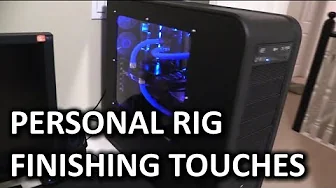
So my rig has actually been pretty much done for a while, but it hasn't been in a state where I've been really ready to call it "complete". The motherboard was pretty flaky with my RAID card, and my graphics card wasn't modern enough to allow me to use NVIDIA's Game Streaming tech. There's actually STILL an issue with it that's bugging me, too. The UV LED lights I got from Phobya are terrible. About 50-70% of the LEDs are either dim or not working at all, so my lighting effects are not very good at all. Unfortunately it's just too much work to replace them at this point (almost complete tear-down and re-assembly to get at some of them) This video doesn't address that issue, but it does show my Kepler (GTX Titan) and motherboard upgrade that gets me to the point where it's at least technically functional and very stable. Sponsor link: linustechtips.com Component List: linustechtips.com Join our community forum: bit.ly twitter.com @LinusTech Intro Screen Music Credit: Adhesive Wombat -
Channels and socials
Check out his channel here: youtube.com Outtro Screen Music Credit: Approaching Nirvana - Sugar High youtube.com
Linus Tech Tips walks through a substantial upgrade of his personal rig in this Part 16 update, focusing on upgrading the motherboard and graphics card while preserving as much of the existing water-cooling loop as possible. The video starts with a quick tour of the case and the rationale for a motherboard swap that keeps tubing and fittings intact, highlighting the importance of layout flexibility when using curved tubing. Linus then details the plan to upgrade from a GTX 590 to a GTX Titan, primarily to gain support for Nvidia Game Streaming and ShadowPlay, which is not supported by the older card. The segment also touches on the physical process of pulling the motherboard, draining part of the loop, and prepping for the new GPU block, while maintaining a focus on minimizing disruption to the loop. He notes a few ongoing issues such as LED lighting quality and some drive train considerations, but emphasizes that the upgrade should yield a more technically functional and stable system. This hands-on portion leads into reinstalling expansion cards, addressing back-panel cabling, and reassembling the system so it can boot reliably again. By the end of the update, the machine is reassembled, the GPU block is mounted, the system is tested for boot and water flow, and Linus confirms Windows boots with the updated hardware, signaling a successful turn to a more capable personal rig. The video wraps with a tease of a future glam showcase and peripheral details, while acknowledging that some cosmetic and lighting issues remain for later refinement. Overall, the update demonstrates practical engineering choices, real-world problem solving, and the satisfaction of bringing a long-running project to a functional close, with plans to refine visuals and peripherals in subsequent content.
Topics · computers · hardware_upgrades · pc_builds · water_cooling · technology · gadgets · tech_vlog
Questions answered
- Why upgrade the graphics card to a GTX Titan in this Personal Rig Update?
- The upgrade to GTX Titan is primarily to gain support for Nvidia Game Streaming and ShadowPlay, features not available on the older GTX 590, enabling streaming and enhanced game capture while improving overall performance.
- What is the main reason for keeping the water-cooling tubing and fittings intact during the motherboard swap?
- Maintaining the existing tubing and fittings minimizes work and risk by preserving the loop layout, especially when curved tubing and tight runs require careful management to avoid leaks and excessive rework.
- What is the role of the server NIC in this build?
- The Intel server NIC adds robust network connectivity, helping to offload some processing tasks and support network performance alongside the RAID setup and the rest of the system.